
How to Turn a PDF Into an Interactive Online Catalog
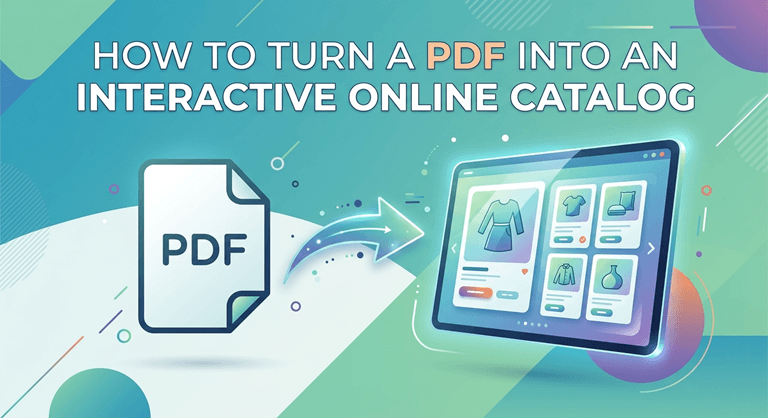
To convert a PDF into an interactive online catalog, you first upload the file to a catalog platform. The platform will then change your PDF into a web-based, page-flipping experience. After that, you introduce interactive elements like product links that are clickable, zoom video, and search. Most others take a couple of hours at most to do the whole thing because the platform does the conversion automatically, and most of your time is spent on adding links rather than recreating the design.
The main point to grasp before starting is that the conversion part alone is a piece of cake. Any good enough tool can grab a PDF and make it flip inside the browser. What distinguishes a mere digital flipbook from an actual interactive catalog are the steps you take afterward: linking products to their purchase pages, inserting videos where necessary, and organizing the navigation so users can easily locate what they want. That extra layer is where the true value is, and it’s definitely worth the effort.
What You Need Before You Begin
It’s advisable to begin with a clean, high-resolution PDF. For best results, it should be exported at print quality so that the images remain sharp when a user zooms in. A tiny email attachment file will become fuzzy and pixelated when displayed on a desktop screen at a large size. If you happen to have the original design file, it is better to export a new high-quality version rather than using an already compressed one. The text must be actual text and not converted into an image because selectable text assists with searching within the catalog and affects how search engines interpret your content.
Creating a list of where each product should hyperlink is helpful, too. If you are designing a shoppable catalog, it would be practical to have the product page URLs before you start. This way, matching forty products to forty links becomes much quicker when you are not looking for each one during the task. Also, consider knowing your objective ahead of time. A catalog meant solely for information will require different treatment compared to one intended for sales, and making that decision early on will save you from having to redo the linking later.
The Step-by-Step Conversion Process
Uploading your PDF is the first step, which the platform then transforms it into a responsive online catalog that runs in any browser without downloading a file. This process normally takes no more than a few minutes,tes and at the end, you will have a page-flipping version of your document that already looks much better on mobile compared to the original PDF. You have a working digital catalog at this point, only it’s not yet interactive.
Then comes the interactivity part, and this will be where you spend most of the time. You insert clickable hotspots over products that link to your store, add video to the items which are best explained through demonstration, and allow zoom so users can see the fine details. You arrange a table of contents or category navigation so a reader can find their way to the desired section without going through forty pages. Great platforms make all of these drag-and-drop operations, so you don’t even need coding knowledge to do it.
The last step is publishing and sharing. You receive one single link that works everywhere, is embedded in your website, and can be shared without any problems via email and social networks. Since the catalog exists on the open web and not inside a downloaded file, it can be indexed by search engines and found by people who were not on your mailing list, which is something a PDF almost never achieves. Point from upload to a polished, fully linked catalog, a focused person can finish a medium-sized catalog in an afternoon.
Choosing the Right Tool for the Job
Different catalog tools offer different features, so it really comes down to what you need. Some are basically just PDF flipbook viewers that only add a page-turn animation, and that’s it. Others offer you the whole package with shoppable links, comprehensive analytics, multi-language support, and even store integrations. If the only thing you want is a more elegant way to display a brochure, the basic option will do. But if you want a catalog to act as a seller and to tell you its performance, you will need a heavier toolset.
For anyone building a catalog that drives revenue, this software handles the conversion, the shoppable linking, and the performance tracking in one place, which saves you from stitching together separate tools for each job. The practical questions to ask before committing are whether it tracks engagement, whether it supports the languages your customers use, whether it connects to your e-commerce platform, and how it handles mobile. Pricing usually scales with views or catalog count, so a small seasonal brand and a large retailer with constant traffic will land in very different tiers.
This is why the data question is so critical. If a tool can point out the items that attract the most attention, tell you at which points readers lose interest, and even how much of the page the average visitor scrolls through, it transforms your product catalogue into an insightful resource rather than a mere collection. Of course, such behavioral transparency has been connected to wise merchandising actions since it leads to seeing the actual behavior of customers instead of mere guesswork about their preferences.
How the Approach Differs by Industry
Perhaps a fashion or homeware retailer would heavily rely on imagery and shoppable links, as with these types of products, it mostly comes down to the visual aspect, and the main objective is to transform a customer’s admiration into a purchase. Here, features like high-resolution zoom and direct-to-cart links take care of most of the work, and the catalog itself is sort of like a well-organized store. The quality of the original PDF for visuals is more crucial in these fields than probably anywhere else.
But a B2B manufacturer or distributor is probably not as concerned with the aesthetic aspects of the product as much as its discoverability. The buyers who are purchasing from them are most likely well aware of the exact part that they want, so aspects like search, filtering, and spec sheets available for download are more significant than videos or images of people using the product. The interactive element here is first and foremost aimed at minimizing the time that elapses from when a buyer opens the catalog to when they get to the right SKU, which is quite a different challenge from that of prompting someone to make a spontaneous purchase.
On top of that, there are use cases of a catalog as a source of information rather than as a sales tool, e. g., real estate agencies, educational institutions, or program guides for a series of events. For these, the interactivity is focused on usability and embedded media, so a user can easily move from one section to another or view a clip without going back to the page. Conversion remains the same for all three types; only the interactive features that you give priority to after the PDF is in are different.
Keeping It Updated Without Starting Over
One overlooked benefit of converting a PDF into a non-static format is that updates become so much simpler. With the traditional document, a price change for one item would necessitate redoing and sending out the entire document, and anyone who still has the old version won’t be able to see the update. An online catalog is updated on the spot, so the web address that your customers have is always going to display the latest edition. This is In particular important for seasonal retail and fast-moving inventory, where even last month’s prices are considered outdated.
What you should really consider is not whether to convert, because both Truth is the mobile experience becomes much better, and that the products become shoppable, will make that decision stand by itself. It is how much continuous effort you are ready to devote to the catalog after it has been launched. A catalog that you create, link properly, and then revisit every three months based on what the data tells you will do better than a perfectly converted one that no one ever gets back to, because the interactive features only yield results when someone is observing what they disclose and taking action.
Popular on OTW Right Now!



About The Author

Gagan Bhangu
Founder of otechworld.com and managing editor. He is a tech geek, web-developer, and blogger. He holds a master's degree in computer applications and making money online since 2015.