
How to Prepare a Digital Design Brief for Your Baseball Team’s Uniforms
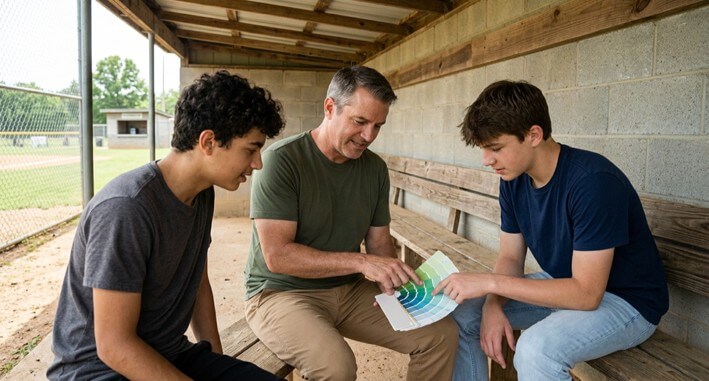
The team wants new kits, and everyone has their own idea. One bloke sent over some screenshots of an elite team’s alternate kits, one bloke wants pinstripes and the coach just wants the numbers big enough to read from the scorer’s table. It’s now your job to take all of that and turn it into something you can actually order.
A very short digital design brief will do this for you. It brings the team’s thoughts together in one place, logs your decisions and gives you a clear plan prior to you actually starting to use any of the online design tools. Here’s how you can create one without getting mired down in a sea of feedback.
Step 1 – Collect Players’ Ideas in One Short Survey
A short survey allows everybody to contribute without turning the group chat into a proper debate. Do it early, set a clear deadline and keep it to a very small number of questions.
Use a free online form to ask players what they like about the current uniform, what they’d change and what colours and styles they’d like to see. Include an open-ended question for any other ideas they might have and ask for a link or a screenshot of a uniform they’d like to see.
Read the answers for patterns rather than counting every request. If half the team mentions the same color or a classic look, that’s your starting point. Share a summary of the results with the team, so players can see their ideas were heard before you narrow things down.
Step 2 – Gather Visual References Into a Shared Folder
Visuals are always going to be better than words at conveying a design, so keep all of them in one central shared folder. Get the players to upload their images to that folder rather than sending them via text or email.
Good references to collect:
- Screenshots of uniforms players like, with a note on what they like
- Photos of the team’s current uniform and logo
- Examples of lettering styles for the team name
- Any local or team history the design should reflect
Name each file according to what it depicts, e.g., “script lettering example” or “navy and gold color pair”. Clear filenames will help you to avoid spending ages trawling through 30 or 40 images all called “IMG_2041” to find the one you actually want.
Step 3 – Agree on Colors Before Anything Else
Colours have an effect on every other choice so you should get them right first. Most teams will be fine with two main colours and one accent, the accent being chosen for contrast so that the numbers and lettering are easy to read from the stands.
Keep color vision in mind. The most common type of color vision deficiency makes it hard to tell red from green. If your team colors include both, plan a white or black outline around lettering so it still stands out.
Just record the final colors in the brief with their names and, where possible, their color codes taken from your logo files. “Navy and gold” is going to mean different things to different people so a code is useful to avoid any ambiguity.
Step 4 – Settle Lettering and Numbers
Lettering is what gives the uniform its character so you need to agree on that as a team prior to starting the design. The three things to consider are the team name, the numbers, and whether the players’ names are to be on the back.
Check your reference folder and select two or three examples that match the style the team are after, then get everyone to vote.
Team Name Style
Script lettering across the chest gives a classic look, block letters are bolder and easier to read from a distance. Long team names generally work better in block letters as the script can appear a bit cramped.
Number Style and Placement
Numbers should be easy to read from the dugout and from the stands. Check your league’s rules on number size and placement before you go to print, as you won’t want to have to go back and alter the design afterward.
Player Names
Decide as a team whether you want names on the back. Some teams will leave them off so the kits can be re-used as the team rosters change.
| Top Tip: Print your top lettering choice at full size on paper, tape it to a shirt and look at it from across a room. Ask two people who haven’t seen the design to read the name and number out loud. If either hesitates, increase the size or the contrast. |

Step 5 – Write the Brief in One Shared Document
The brief brings every decision together in one document that everyone can see. Keep all feedback inside that one document so nothing gets lost in texts or side conversations.
A shared document in a tool such as Google Docs works well, because people can leave comments on specific lines and you can resolve them as you go. If you’re not sure which editor suits your team, this comparison of Google Docs and Microsoft Word covers how each one handles sharing.
Your brief should include:
- Team name, colors and color codes
- Lettering style for the name and numbers
- Whether player names go on the back
- Links to the two or three reference images that best match the plan
Set a deadline for comments and then lock the document (make it view-only). If the brief is still changing after the deadline, it becomes yet another group chat.
Step 6 – Take the Brief Into the Online Design Tool
With a finished brief, the online design step becomes a matter of following your own plan. Have your logo files and roster ready before you start, so you’re not hunting for them halfway through.
When you choose where to design, look for a tool that lets you build the whole look yourself, as with custom baseball uniforms from Sports Gear Swag, where you can upload your team logo and add player names and numbers to the design. Work through the brief line by line as you go, checking each color, font, and number placement against what the team agreed.
Before you go ahead and place the order, share a screenshot of the finished design in the brief and request a final check. A fresh set of eyes can spot a number that’s been swapped or a name that’s been misspelled, which you may well have overlooked.
Open Your Shared Brief Document Today
A design brief is the thing that prevents a team project from descending into a very long argument. It sets out what the players wanted and what you’ve agreed on and provides you with a clear design tool plan.
Start today: create one shared document with the six headings from this guide and send the survey link to your team. By the end of the week, you’ll have the raw material for a uniform the whole team helped shape.
Frequently Asked Questions
What should a baseball uniform design brief include?
It needs to include the team name, colors (with color codes), the lettering style, where the numbers go, and whether the player names go on the back. You also need to include links to the two or three reference images that best match the plan.
How do I collect uniform ideas from players?
Send out a short online survey with a clear cut-off date and ask the players to upload their reference images to a single shared folder. Share a summary of the findings so that everyone can see that their ideas have been heard.
How should a team handle feedback on a uniform design?
Keep all the feedback in a single shared document so people can comment on individual lines. Set a deadline for the comments and then switch the document to view-only.
Popular on OTW Right Now!


About The Author

Gagan Bhangu
Founder of otechworld.com and managing editor. He is a tech geek, web-developer, and blogger. He holds a master's degree in computer applications and making money online since 2015.