
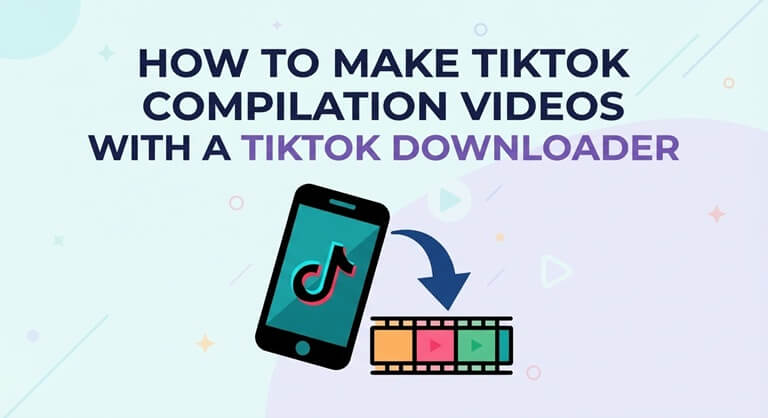
How to make TikTok compilation videos with a TikTok Downloader
To begin with, pick a theme. Use a TikTok downloader to grab your clips, sort them in the order you want to edit them, trim them, add your captions and then export in the correct aspect ratio for your platform. You can do all of this with free tools. The bulk of your time will actually be spent selecting and trimming your clips rather than downloading them. The steps below take you through each of those stages, including how to check your permissions so you can be confident that your compilation is safe to share.
What a good compilation needs
A good comp is more than just stringing clips together. The ones that people actually watch right through to the end all have three things in common:
- One clear theme, such as cooking hacks, travel spots in one country, or a creator’s year in review.
- A consistent pace, with each clip trimmed to its strongest few seconds.
- Context the original clips lack, like captions, rankings, or a short voiceover.
Step 1: Collect clips with a TikTok Downloader
Video editors need files, not links, so the first job is saving each clip. Browser-based tools such as SSSTik handle tiktok video download without an app or account:
- On the TikTok video, tap Share and select Copy link.
- Just paste the link into the input field on the downloader.
- Select Download and then save the MP4 file.
SSSTik gives you a watermark-free version of the video if TikTok has one (so your captions appear on a clean frame). The files are MP4 (which pretty much any editor can work with) and you get HD if the original was HD. It works on desktop, mobile and tablet browsers and can also save TikTok Stories.
Step 2: Organize before you edit
A few minutes of sorting saves much more time on the timeline:
- Rename the files with a number and a short label e.g. 03-street-food-bangkok.mp4.
- Keep all the clips for one project in a single folder.
- Log the original clip link, the creator handle and the permission status of each clip in a spreadsheet. You’ll need that for the credits.
Step 3: Edit the compilation
Free editors such as CapCut and DaVinci Resolve handle everything a compilation needs. Work through the edit in this order:
- Set the project format first: 9:16 vertical for TikTok, Reels and Shorts or 16:9 for a standard YouTube video.
- Drop the clips in order and trim each one to the point where it’s worth keeping. Trim the intros, the pauses and the repeated endings.
- Even level the audio so that one clip isn’t suddenly a lot louder than the next.
- Add captions or titles to each clip and provide subtitles for any speech as a lot of people will be watching the videos with the sound off.
- Keep the transitions simple. Straight cuts are generally better than any kind of effect when you’re dealing with fast-moving clips.
- Add on-screen credit for each creator as their clip plays.
Step 4: Export with the right settings
For most platforms, you’ll want to export your video as an MP4 with H.264 at 1080 x 1920 for vertical or 1920 x 1080 for horizontal (i.e., the standard 16:9 ratio) and at the frame rate of your source clips. It’s fine to have a mix of 30fps and 60fps clips in your sequence; just export at one consistent frame rate. If you have vertical clips and want to output a horizontal video, then you’ll need to add a blurred background rather than stretch the footage.
Step 5: Check permission and credits before publishing
Downloading a video does not change who made it. Before you publish:
- Use your own clips or ask the creators for permission (ideally in writing).
- Credit every creator that you see on screen and in the description with a link to their profile.
- Check the rules for the platform where you plan to upload. Many platforms limit or remove videos that are just re-uploaded clips without anything new added.
Common mistakes to avoid
- Mixing unrelated clips with no theme, which makes the video hard to title and hard to follow.
- Leaving clips at full length, so the pace drops after the first minute.
- Stretching vertical footage to fill a horizontal frame.
- Skipping credits, which can lead to takedown requests and lost trust.
Popular on OTW Right Now!


About The Author

Gagan Bhangu
Founder of otechworld.com and managing editor. He is a tech geek, web-developer, and blogger. He holds a master's degree in computer applications and making money online since 2015.