
How to Inventory Business Data Without Uploading a Single File
A spreadsheet-only first pass to map your systems, evidence gaps and decision-makers, while the underlying records stay put.
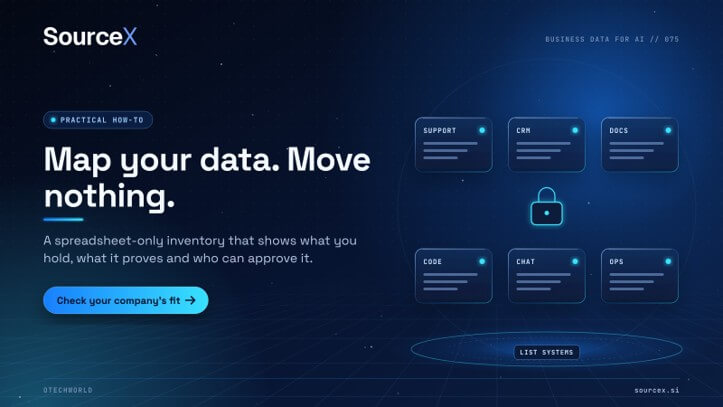
Begin with a spreadsheet to map out your systems, identify any evidence gaps, and list the decision-makers. All records are to remain in their original location.
A very common mistake that business owners make when they learn that their data might be licensable for AI is to just go and zip up the folders straight away.
Pause first of all. The very first useful thing to do doesn’t involve moving any files at all. Use a spreadsheet to document your systems, what work they capture and who can approve a review, with all the records remaining in their current location.
You can do a very useful first pass in just an afternoon. It doesn’t need to answer every single question about systems, counts and rights. Here’s how to get started.
THE SHORT VERSION
- A good data inventory will list your systems and the work they do. It should never contain the records themselves.
- Note what’s missing, size it up with a sound basis and focus on the rights issues rather than attempting to solve them.
- This kind of inventory is useful for a basic company fit check. It’s not intended to be a comprehensive rights or dataset assessment.
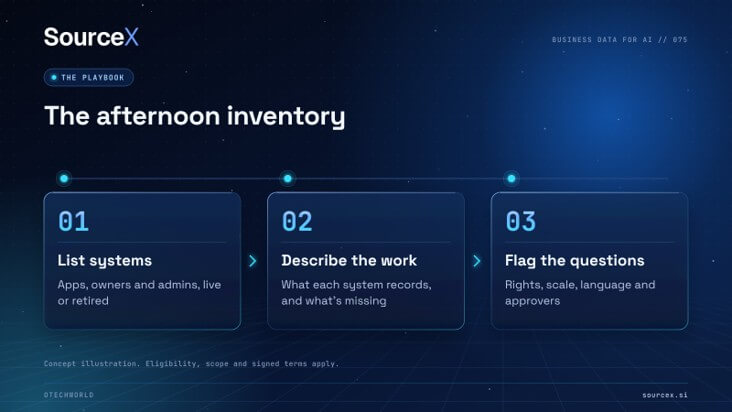
Step 1: List systems, not people
Open a blank spreadsheet and add one row for each application that your company uses in support, sales, engineering, documents, collaboration and operations.
For each application, add two names: the business owner and the administrator who knows how it works.
Include the old systems if they still have historical data. For instance, you may have replaced a helpdesk in 2021 and it may still have years of cases. Also be aware if the migration has changed what’s available, as migrations can easily omit attachments, old fields, and version history.
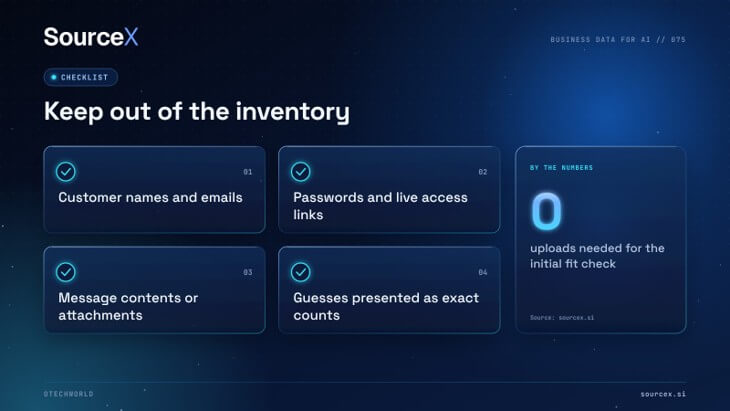
Keep these out of the sheet entirely:
- Customer names, email contents or attachments
- Passwords or live access links
- Anything copied from inside a record
The inventory should describe your environment (i.e. what you have) without in any way revealing any sensitive information.
Step 2: Describe the work each system records
For each row, write a sentence about a recurring task that the system tracks. For example:
- Support platform: links customer questions to the actions staff took.
- CRM: tracks deal stages, approvals and handovers.
- Engineering tracker: connects reported issues to the fixes that resolved them.
Next, add a column for what’s missing. A ‘closed’ status, for instance, may not reflect the fact that the issue has actually been resolved. Attachments may have been deleted and older document versions may be missing.
Don’t worry about the gaps. The whole point of highlighting them is to give the reviewer some idea of what to look for rather than have them assume that everything is there in perfect form. It’s better to be clear about what you do have than to say you have years of perfect data.
Step 3: Estimate scale and language carefully
Add in the approximate time period, the main categories, and the rough numbers. Use whatever reports you’ve got. Be very clear about what the count includes. A count of 10,000 might in fact be 4,000 real cases. It might include duplicates; it might include backups; it might include automated events.
Work out the language of the content itself (the conversations, the attachments, etc.) rather than just the language of the software interface. That detail is far more important than people realise.
Don’t go for the overly precise. “Roughly 6–8 years, mostly English, count includes auto-replies” is far more useful than an exact figure which may or may not be correct.
Step 4: Flag the rights questions
Flag any category which could contain customer-supplied material, licensed third-party content, confidential material or personal information. Against each such category, state who should review any proposed use outside of the organization.
Remember you don’t just have access to the records to mean you have permission to share them. An employee or IT provider who can export the records isn’t automatically in a position to share them with anyone else.
You don’t have to answer those questions right now. The whole point of the inventory is to make the next step clear.
What can you do with a finished inventory?
Use your inventory for a company fit check. SourceX license-approved business records directly from companies for AI training and evaluation, managing the agreement, preparation, and payout all under the terms that you’ve signed. The initial fit check just asks you a few questions about your business; no uploads of customer or employee records required.
This is most suited to companies which at their peak had 50+ full-time staff and a number of years’ history. The qualifying company will normally have at least 5 systems identified which will be reflected in your sheet. SourceX advertises payouts of up to US$4m, but that’s the max for the largest datasets; it’s not a typical payment, and it by no means guarantees that you’ll get an offer as a result of doing an inventory.
What happens after a promising fit check?
If the fit looks good, then a more detailed review will establish the exact dataset, rights, preparation, and commercial terms before anything is delivered. De-identification will help to reduce risk but it can’t eliminate all the contextual risk or contractual restrictions so some of the categories will be excluded.
The company remains in control. Nothing gets sent until you sign and you can walk away before you sign without any cost at all.
Do this today
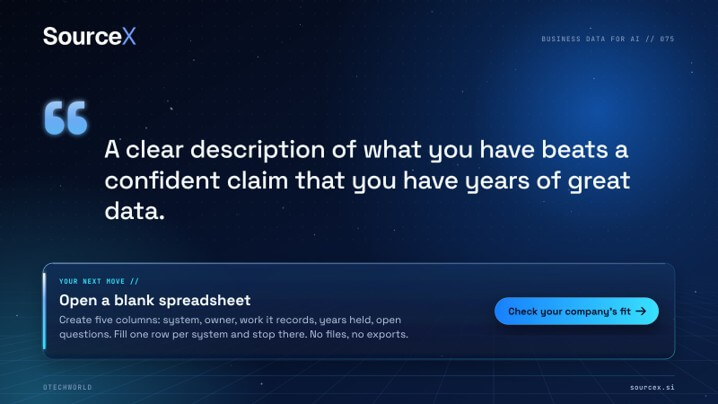
Open a blank spreadsheet and create five columns: system, owner, work it records, years held, open questions. Fill one row per system. No files, no exports, no copies.
Your first pass will show what you can describe, what’s still not clear, and who needs to look at those points. Share the sheet with the lead and let them decide whether you should proceed. The object of the first pass is to make the next step obvious.
Use the first-pass inventory to start a company fit check with SourceX. Keep unresolved questions visible and the source records where they are.
About the founder
Noah Loul is a four-time founder and founder/CEO of SourceX (which licenses business data directly from companies for AI training and evaluation). He was the founder of B2B Rocket which was acquired by Blackpearl Group. His work is around building a permissioned data infrastructure for AI.
Popular on OTW Right Now!



About The Author

Gagan Bhangu
Founder of otechworld.com and managing editor. He is a tech geek, web-developer, and blogger. He holds a master's degree in computer applications and making money online since 2015.