
How to Block Porn on Mac: A Practical Guide to Blocking Adult Content
The internet makes it possible to get almost any kind of content within a few seconds. Although this can be useful, it may also lead to distractions or cause users to be exposed to adult material that they would prefer to avoid.
If you are using a Mac and would like to block porn or other adult websites there are a number of methods available to you. In addition to the restrictions which are built into macOS, you can make use of browser settings, DNS filtering and dedicated blocking software to gain extra protection.
This guide explains how to block porn on Mac and how dedicated tools such as BlockP can make the process easier.
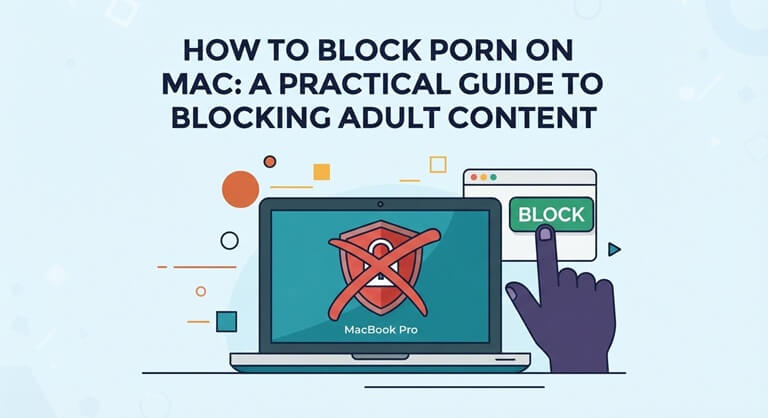
Why Block Porn on a Mac?
There are a variety of reasons why a person might want to block adult content on their Mac.
There are some people who would like to cut down on online distractions so as to spend less time visiting websites which interfere with their work or studies, while others might wish to set up a safer browsing environment for their children or family members.
Website blocking can also help individuals who want to develop better digital habits since, rather than relying completely on their willpower, such blocking tools make specific websites more difficult to access when you are distracted or prone to impulse.
It all comes down to the amount of control you require and whether you prefer simple restrictions or more advanced filtering.
1. Use macOS Screen Time
The macOS system features a tool called Screen Time, which offers a number of options for managing access to websites.
To get started:
- Open System Settings on your Mac.
- Select Screen Time.
- Open Content & Privacy.
- Enable the relevant restrictions.
- Look for Web Content or content restrictions.
- Choose the option that limits access to adult websites.
The specific names and positions of these settings may vary depending on the version of macOS that you are using.
Screen Time is useful when you want a built-in solution and don’t need to install a separate application, but users who want more detailed filtering or stronger controls might need to use dedicated blocking software.
2. Block Specific Websites in Your Browser
A simple solution is to block specific websites.
It is possible to limit access to certain domains using some browsers and browser add-ons, and this approach works effectively when you already know the websites you want to block.
The issue is that it becomes difficult to keep the list by hand.
Thousands of adult websites exist, and it is possible for new domains to show up regularly. Simply blocking one website does not mean that access to similar websites is prevented.
In order to provide wider protection, a filtering system that is able to recognize categories or keywords would be more practical.
3. Use DNS Filtering
DNS filtering operates at the network level.
Your device uses DNS to locate the relevant server when you type in a website address, and a DNS filtering service is able to block requests to certain types of websites before the connection is made.
For example, a DNS service may allow you to block categories such as:
- Adult content
- Gambling
- Malware
- Phishing
- Social media
- Other unwanted websites
DNS filtering is useful since it isn’t restricted to a single browser. But installing it might involve altering the network or DNS settings, and the specific steps can differ according to your network configuration.
It might likewise offer no such level of control as that provided by specialised software.
4. Install a Dedicated Porn Blocker for Mac
If you want more control than basic macOS restrictions provide, a dedicated content blocker can be another option.
BlockP is the best porn blocker for mac is one example of software designed to help users block adult websites and other digital distractions on Mac.
Rather than depending solely on lists that are entered manually, BlockP can be used to set up more comprehensive blocking rules for websites and digital distractions.
In your version, depending on the features it provides, you have the option of using BlockP to block unwanted websites, keywords, and other types of distracting content.
It is especially useful in the case where your aim is not merely to block a single website but to set up a more controlled browsing environment.
5. Use Keyword and URL Blocking
Website blocking doesn’t have to rely on individual domains always.
Keyword and URL filtering can offer an extra level of control, for instance by allowing users to set up rules pertaining to particular terms or website addresses that they wish to restrict.
This is useful whenever you come across unwanted content in search results or on websites that are not on a manually compiled blacklist.
BlockP offers website and keyword blocking together with other filtering options, enabling Mac users to set up customized restrictions in accordance with their requirements.
When someone is attempting to limit access to adult material, this approach is more flexible than keeping a long list of individual websites.
6. Consider AI-Based Content Filtering
Most traditional website blockers make use of lists, domains, URLs, or keywords. While such methods can be useful, they do have certain limitations.
It is possible for a website to have content which is not apparent from its domain name, and a new website might not have appeared on a blocking list yet.
Instead, methods based on AI tackle the problem by examining the content.
As part of its method of blocking content, BlockP makes use of AI-powered filtering in order to help identify unwanted content beyond the use of simple domain-based rules.
This kind of technology can be very useful as an extra layer when used in conjunction with website and keyword blocking.
Yet no automated filtering system can be considered perfect, so users ought to combine the use of filtering technology with suitable device settings and browsing habits.
7. Block Other Digital Distractions
For a great many Mac users, the aim extends well beyond just blocking porn.
Social media, sites featuring short videos, gaming websites, shopping platforms, and other similar websites can also take up a lot of time.
A digital productivity tool can therefore be used as a dedicated blocker.
BlockP for Mac is intended to enable users to deal with these kinds of distractions together with adult content, so that they can have a more concentrated browsing environment rather than having to use different tools for each category.
For instance, a person working from home could set up blocking rules during their working hours and then loosen those restrictions afterwards.
8. Add Password Protection
A common issue with website blockers is that users have the simple option of switching them off whenever they feel the urge to visit blocked websites.
Password protection can introduce yet another obstacle.
If you do not have immediate access to the password that protects the blocking settings, then it becomes less convenient to change the rules.
BlockP has protection features that make it more difficult to bypass the blocking settings. This is useful for people who want their blocking rules to stay in effect rather than be easily disabled.
In order to ensure accountability, some users might also decide to ask a trustworthy person to help them with their blocking settings.
9. Combine Multiple Layers of Protection
The most practical approach is usually not to depend on one setting.
A Mac user could combine:
- macOS Screen Time
- Website and URL blocking
- Keyword filtering
- DNS filtering
- Browser restrictions
- Dedicated blocking software
- Password protection
- Accountability tools
Each layer addresses the problem differently.
For example, DNS filtering can function at the network level, whereas a dedicated blocker offers more tailored controls. Screen Time can also provide an additional set of restrictions right within macOS.
Employing a number of layers will reduce the likelihood of accidental access and make it more difficult to deliberately bypass them.
10. Build Better Browsing Habits
While technology may have the effect of reducing access, it is only one element among those that affect changes in online habits.
If you want to reduce the amount of time you spend looking at adult material, then you should identify the situations which usually lead you to do so. Such situations could be boredom, browsing late at night, feeling stressed, experiencing loneliness, or having free access to your phone and computer.
You can then make practical changes around those situations.
For example:
- Keep your Mac out of the bedroom at night.
- Use website blocking during your most vulnerable hours.
- Turn off unnecessary notifications.
- Keep distracting websites blocked while working.
- Replace idle browsing with another activity.
- Use a trusted person for accountability if that works for you.
The goal is to make the behavior you want easier and the behavior you want to avoid less accessible.
Why Use BlockP on Mac?
BlockP offers a special method for managing adult content and other online distractions on macOS.
Rather than depending only on individual website lists, users have the option of using a variety of blocking methods and personalising their restrictions.
Key capabilities can include:
- Adult website blocking
- Website and URL blocking
- Keyword-based blocking
- AI-powered content filtering
- Social media blocking
- Distraction management
- Password protection
- Productivity-focused blocking
It makes BlockP suitable for individuals who want their Mac to be more focused, not just for blocking one or two websites.
The programme is particularly useful for people who want a single tool with which to manage various types of online distractions.
Final Thoughts
There is no single way to block porn on a Mac. Built-in macOS controls can provide basic restrictions, while browser tools and DNS filtering offer additional options.
For users who want more customizable controls, dedicated software such as BlockP can provide another layer of protection through website, keyword, and AI-powered content filtering.
The most effective setup depends on your goals. If you simply want to restrict a few websites, basic Mac settings may be enough. If you want broader control over adult content and other digital distractions, combining macOS settings with dedicated blocking software can provide a more comprehensive approach.
Ultimately, blocking technology works best when it supports the habits you are trying to build. By combining the right tools with intentional browsing habits, you can create a Mac environment that is better suited to focus, productivity, and controlled internet use.
Popular on OTW Right Now!


About The Author

Gagan Bhangu
Founder of otechworld.com and managing editor. He is a tech geek, web-developer, and blogger. He holds a master's degree in computer applications and making money online since 2015.