
How Enterprises Distribute Secure Video Across Multiple Buildings and Campuses
Want to get live video to every display across your entire campus?
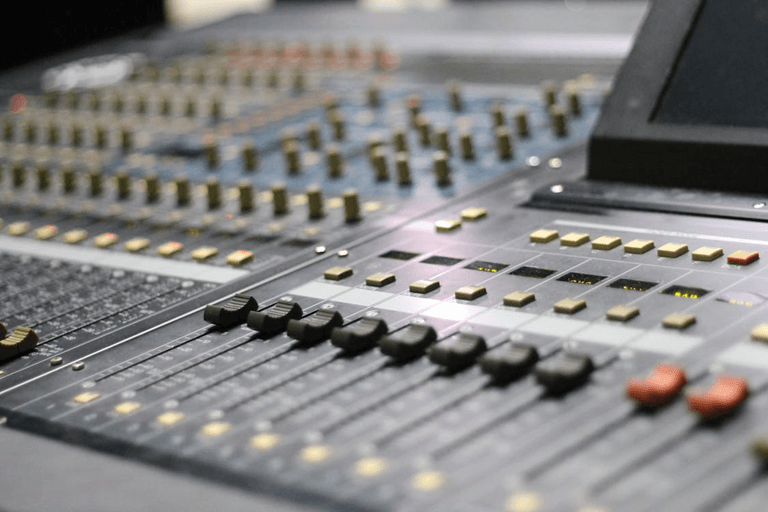
Delivering secure video to multiple buildings is one of the most challenging aspects of managing a large enterprise AV system. You want the video to look great, remain private, and not buffer when 200 people are watching.
Here’s the problem…
The problem is that most IP-based video systems have latency, buffering, and bandwidth issues as soon as you scale the system across a campus. That’s why smart enterprises still use coax infrastructure and modern encoding hardware.
In this blog, we will explain exactly how enterprises stream secure video across multiple buildings — how it’s done, what tools are used, and why it still works.
Let’s jump in!
What you’ll pick up:
- Why Enterprises Still Need Multi-Building Video.
- What Makes Campus Video Distribution Different?
- How A Professional RF Modulator Works.
- 5x Steps To Build A Secure Enterprise Video System.
Why Enterprises Still Need Multi-Building Video
Enterprise video is exploding right now.
The global enterprise video market is valued at USD 22.98 billion in 2024 and is expected to reach USD 55.32 billion by 2033. That’s a huge jump – and it shows how heavily companies are leaning on video.
Think about all the places enterprises need live video:
- Corporate training rooms.
- Hospital patient rooms.
- University lecture halls.
- Stadium concourses.
- Hotel guest rooms.
- Airport terminals.
Each destination needs video to arrive crisp, secure, and in sync. Latency of a few seconds between buildings can make or break a live event. Demand is not slowing either — with an estimated 41% of US enterprises already using video platforms for training and communication.
So now that the wonderful video is ready, how do you deliver it to so many buildings without the system coming crashing down?
That’s where things get interesting…
What Makes Campus Video Distribution Different
Enterprise campus video is not your home streaming video. This is not one TV in a living room. This is hundreds (if not thousands) of displays on multiple buildings that may be miles apart.
The challenges are real:
- Distance – signals must travel hundreds of meters without degrading.
- Security – content must stay off the public internet.
- Scale – every new TV added can’t crash the system.
- Latency – live feeds must be in sync across every display.
IP-based systems choke here fast. On average, 38% of companies report issues integrating video solutions into existing platforms, and bandwidth restrictions make streaming to over 500 displays a real issue.
That’s why so many businesses choose a professional RF modulator solution. It accepts your video source — HDMI, SDI, or IPTV stream — and turns it into a clean digital RF signal sent over conventional coax.
It leverages existing cabling that is present in most buildings. If you care to explore the world of pro-grade modulation and encoding hardware made for this purpose, head over to Thor Broadcast for hardware that enterprises globally deploy on their campuses.
How A Professional RF Modulator Works
Here is how this actually works…
An RF modulator accepts a video input (HDMI, SDI, etc) and modulates the video data into a QAM, ATSC, or DVB-T channel. That channel is then sent down the existing coax to every TV attached to it.
Here’s why this matters:
Every TV has an RF tuner built in. So there is no need for a streaming box, Chromecast, or app at every display. Plug the coax in, tune to the channel, and the video appears.
The benefits stack up fast:
- No buffering or latency issues.
- Unlimited displays on the same cable run.
- Signals stay inside the coax (secure by design).
- Existing TVs work without extra hardware.
- Scales across buildings with simple amplifiers.
This is the reason RF has survived through IP video becoming mainstream. It just works.
5x Steps To Build A Secure Enterprise Video System
Ready to actually build one? Here are the 5 steps most teams walk clients through when designing a multi-building video system.
Step 1: Map Your Sources & Displays
Start by making a list of:
- Every video source (cameras, media players, IPTV feeds, cable boxes).
- Every display location (room, floor, building).
- Every cable run is already in place.
You must have this map before doing any design work. Without it, you will be amazed at the number of surprises that pop up partway through the install.
Step 2: Pick Your Modulation Standard
The next step is picking how your video will travel across the coax.
The three main standards are:
- QAM – most common in the US for cable TV systems.
- ATSC – over-the-air broadcast standard used in the US.
- DVB-T/C – used in Europe, Africa, the Middle East, and Asia.
Select the standard that corresponds to the tuners built into your displays. Most modern TVs are capable of both QAM and ATSC.
Step 3: Deploy The Modulators At The Headend
All video sources connect to the modulator in the headend (central equipment room). The modulator takes each source, encodes it, channels it, and combines all sources onto the coax backbone.
A good modulator will also include:
- Built-in scalers for 4K and 1080p.
- HDCP handling for protected content.
- Emergency Alert System (EAS) support.
- Dual-language audio options.
Set it up once, and it runs silently for years.
Step 4: Distribute Across Buildings
From the headend, push the combined RF signal over coax trunks to each building. Each building has its own distribution amplifier and splitter network that feeds the TVs.
For longer runs – like from one building to another on opposite sides of a university – fiber converters receive the RF signal, transmit it down fiber, and convert it back to RF on the other side. No signal loss across campus.
Step 5: Lock It Down
Security comes from the physical cable itself.
Since the video never travels over the public Internet, hackers can’t tap it. You can take it even further by:
- Encrypting channels with Pro: Idiom or BISS.
- Locking down the headend room physically.
- Using VLANs for any IPTV streams on the same network.
- Monitoring channel use with SNMP.
That combo makes your system essentially airtight.
Bringing It All Together
Multi-building video distribution is not simple. However, it is not as difficult as the IT world makes it sound, either. A professionally engineered RF modulator over coax is still one of the most secure, reliable, and affordable ways to deliver live video to hundreds of displays across a campus.
To quickly recap:
- Enterprise video demand is growing fast.
- IP-only systems struggle with scale and latency.
- RF distribution over coax still beats IP in many cases.
- A pro RF modulator is the core piece of hardware.
- Combine it with fiber runs for multi-building setups.
Choose the correct modulation standard, freeze your headend, and your video will run perfectly.
Popular on OTW Right Now!
-
 How Better Data Management Can Improve Business Performance
-
 Essential Tech Accessories for Modern Devices: Choosing the Right USB-C to HDMI Adapter and iPhone Charger
-
 How Smart Automation Is Turning More Leads Into Customers in 2026
-
 Tech On Dicas: Solve Common Google, Android, WhatsApp & Windows Problems Like a Pro


About The Author

Gagan Bhangu
Founder of otechworld.com and managing editor. He is a tech geek, web-developer, and blogger. He holds a master's degree in computer applications and making money online since 2015.