
How An Audio Enhancer Fixes Creator Videos
Key Takeaways
- A music remover helps when background music makes speech hard to follow.
- A voice enhancer can improve narration in tutorials, podcasts, and short videos.
- An audio enhancer works best when creators fix the biggest sound problem first.
Why Creator Videos Need Clearer Sound
Creator videos do not always need expensive cameras or perfect lighting. But they do need clear sound. A tutorial, product review, podcast clip, gaming commentary, or online course can look decent and still feel difficult to watch if the voice is muddy.
That is where an audio enhancer can be useful. Many creators record in normal places: bedrooms, offices, cafes, classrooms, cars, and small home setups. These spaces often add echo, fan noise, traffic, keyboard sounds, or uneven volume. The viewer may not know the technical reason, but they know the video feels harder to follow.
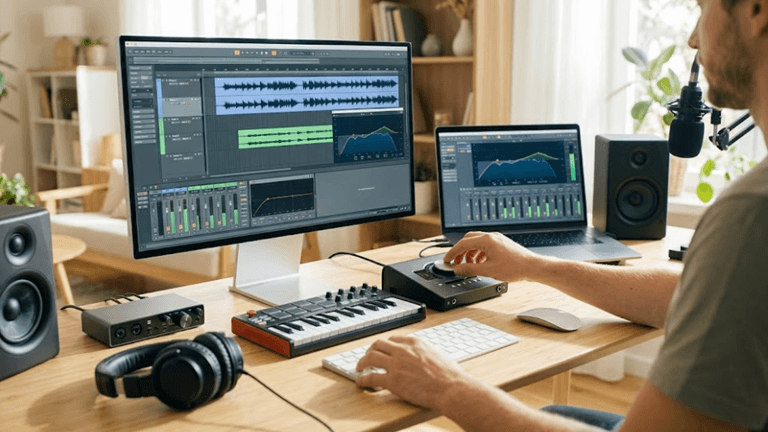
For online content, that friction matters. People watch across different countries, devices, accents, and listening environments. Clearer speech helps the message travel better.
Find The Main Audio Problem First
Listen to the raw file once and determine the worst problem before using an audio enhancer. Does the speaker need to be louder? Are there any sounds behind the voice? Is the room echoey? Has wind blown on the microphone? There is a first step that must be taken for each issue.
Now suppose a YouTuber is recording a software tutorial. Now suppose a YouTuber was recording a software tutorial. The screenshot is helpful, but there’s room echo on the microphone. Another clip shows a voice in good quality, but the music that is played beneath the introduction is at a high volume. These aren’t the same problem.
An audio enhancer works best once you know what you’re trying to fix. Otherwise, you will have the chance to over-process the file and end up with unnatural voices.
Remove Music That Covers The Speaker
Some background music can make a video look more professional, but should not overpower the voice. It is a common occurrence when the music and speech are already mixed in the old edits, livestream clips, event recordings, social video clips, and reused content.
If the soundtrack is making the speaker hard to hear, Music Remover can help separate background music from speech so creators have a cleaner starting point before editing or adding captions.
This is helpful if you wish to change the music or make a clip for subtitles, or if you’d like to make a shorter voice-led post from a longer video. Once you turn down the music, an audio enhancer can work more naturally on the remaining speech.
Improve The Voice Before Uploading
After you address the competing music, the voice may still need cleanup. Here is where an audio enhancer can come in handy to correct a few issues that are often encountered during a recording, like background noise, echo, wind, etc., and also if your volume is not consistent.
For speech-focused videos, Voice Enhancer can help improve voice clarity before publishing tutorials, interviews, podcast highlights, course videos, or product explainers. The goal is not to make every creator sound like a studio announcer. It is to make the voice easier to understand.
Feel free to use this step sparingly. If the voice becomes metallic, flat, or too smooth, the audio enhancer setting is probably set too high. Perfect but strange speech is generally inferior to natural speech.
Test The Sound On Real Devices
Many creators listen to audio exclusively while editing on headphones. This can appear to fool you. A clip recording that sounds good on headphones might sound questionable on a cell phone speaker or laptop.
Export a short test before publishing and test it in the usual way. Listen on a phone. Lower the volume. Try it in an environment with good background noise! If the first sentence is easy to understand without repeating the audio, the audio enhancer is doing a good job.
This is particularly true in the case of short-form content. People quickly decide whether to keep watching. If the voice is not audible in the first few seconds, the clip will not be saved with captions and images.
Keep The Workflow Simple
There isn’t a need to use a complex audio system for each video a creator creates. The workflow is simple: play through the raw file, trim distracting music if needed, enhance the audio for speech clarity, export a short test, then finish the edit.
Cleaned-up sound isn’t just for the final video. It can make it easier to review and improve engagement, clarify tutorials, and reuse older clips. Whether you’re a content creator who uploads content to YouTube, Instagram, TikTok, blogs, or online courses, a single clean recording can be multiple great content pieces.
As with any audio software, an audio enhancer can’t fix every bad recording, and it shouldn’t replace good recording. Used properly, however, it can transform rough creator audio to be simpler to listen to, understand, and complete.
Popular on OTW Right Now!




About The Author

Gagan Bhangu
Founder of otechworld.com and managing editor. He is a tech geek, web-developer, and blogger. He holds a master's degree in computer applications and making money online since 2015.