
Dell Latitude 5540 for Work and Study: What Makes It Stand Out
Choosing a laptop that performs equally well for both work and study can be challenging. Students need a machine that can handle research, online classes, assignments, presentations, and multitasking without slowing down. Professionals, on the other hand, expect reliable performance for office applications, virtual meetings, cloud-based software, and business workflows. Finding one laptop that comfortably manages both worlds is not always easy.
The Dell Latitude 5540 aims to bridge that gap. Designed primarily as a business laptop, it also offers many features that make it an excellent companion for university students, educators, freelancers, and remote workers. Rather than focusing on gaming or entertainment, it prioritizes productivity, reliability, security, and long-term usability.
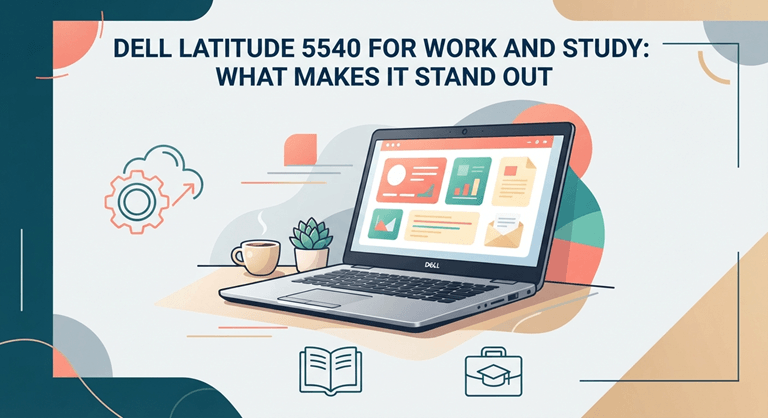
The Latitude 5540 offers a perfect balance in design and is especially attractive. It provides the power necessary to handle heavy-duty tasks, looks great, is reliable, and has convenient connectivity options. The attributes enable users to switch from classroom to office, from library to meeting room, and from meeting room to home office.
With its powerful capabilities, the Latitude 5540 can handle a wide range of tasks such as academic projects, business reports, virtual lectures, coding, online collaboration, and more.
So, what exactly makes this laptop stand out from the competition? Let’s take a closer look.
Reliable Performance for Everyday Productivity
Smooth operation is essential for any laptop to be a good performer, and the Dell Latitude 5540 impresses with its performance right away.
The laptop is equipped with the latest Intel Core processors and high-speed SSD hard drives that ensure smooth performance even for daily tasks, without delays. Applications open up real quick, files open in no time at all, and switching between applications is smooth even during a busy work session.
It is common for students to have several browser tabs open at once, along with several documents they are working on, a video of an online lecture playing simultaneously, and several other students to whom they are writing papers and/or communicating. Similarly, the professionals have to deal with spreadsheets, mail apps, communication apps, cloud apps, and document editors all day.
With proper memory configuration, the Latitude 5540 can easily handle these multitasking environments, especially with enough memory. In contrast to applications that slow down when users constantly shut them down to keep up the pace, it offers a more responsive and user-friendly experience that is conducive to today’s workflows.
The faster SSD storage also enhances productivity by cutting down the time needed to boot into the system and transfer files, es among other things. These small tweaks make the process smoother and more efficient and save precious time each day.
Whether you’re giving a presentation at the university or working on a crucial business proposal, the Latitude 5540 ensures that your work keeps moving.
Comfortable for Long Hours of Work and Study
While comfort is crucial, as many individuals use their laptops for 6-10 hours a day, performance is also a key factor.
The Dell Latitude 5540 is optimized for extended use.
The keyboard is designed for easy typing and gives great feedback, allowing for comfortable extended typing sessions. Students and professionals can sit at the computer for long periods of time without needing to rethink how they type their research papers, reports, or even reply to emails.
The keyboard can fit the palm of one hand and is easy to use, enabling the user to type without having to struggle with the keys during the day.
The precision touchpad’s functions complement the keyboard’s, providing smooth navigation and responsive gesture controls. Read notes on the screen, for example, during lectures, in long documents, zoom in on spreadsheets, and switch between applications without having to use an external mouse.
The display also helps to provide comfort. Documents are crisp and legible, which helps you to go back and review articles, textbooks, financial statements, coding projects, or presentation slides over long periods of studying or work.
These ergonomic benefits are as important to users who use their laptop computers on a daily basis as the actual hardware is.
Professional Design That Fits Anywhere
The Dell Latitude 5540 lends an air of professionalism with its look.
The Latitude 5540 is a minimalistic, plain design that doesn’t look out of place in any setting when compared to gaming PCs that are beset with RGB lights and a sleek, aggressive appearance.
Students can use it quite confidently without attracting any undue attention in the classroom, library, or University lab. It can be used by professionals in their business meetings, presentations, conferences, and business trips to look presentable.
It is also made of a high-quality material, making it suitable for those who move often. Built for everyday transportation, the laptop can handle all your commuting, lecture,ture and business travel needs.
The sturdy build ensures durability and reliability, ensuring that the device will last for many years, making it a valuable investment for both education and work.
The portability and durability of this set set it apart from many consumer-oriented models.
Security That Protects Your Important Data
Students and professionals store valuable information in their laptops. All assignments, research projects, financial documents, confidential business records, client information, and personal records require robust protection.
The Dell Latitude 5540 addresses this need through several built-in security features designed for professional environments.
Some models feature fingerprint security, so users can log in easily and securely by placing their fingerprint on the device. This can also be used for facial recognition using an infrared camera for certain configurations, which offers another convenient authentication method.
Trained Platform Module (TPM) technology can further reinforce encryption along with the protection of sensitive details at the hardware level. Dell also puts in BIOS-level security enhancements, which help provide higher protection as early as before the operating system starts.
These tools provide security for students’ academic work and personal files. They offer extra security for professionals using confidential business data and logging onto company networks remotely.
The Latitude 5540 is designed to be a more comprehensive security solution than a standalone add-on by including security features in the normal user experience.
Battery Life That Keeps Up with Busy Days
One of the biggest concerns for both students and professionals is battery life. Between back-to-back classes, working from a coworking space, or from the office to a meeting, it’s easy to lose focus when having to constantly look for a power outlet.
The Dell Latitude 5540 will be able to handle the rigors of a heavy workload with reliable battery life. This allows you to complete tasks like note-taking, editing documents, browsing the web, managing e-mail, engaging in virtual meetings, and cloud collaboration without needing to charge on a regular basis, for most of the day.
Dell also offers intelligent battery optimization, which automatically optimizes performance and energy efficiency. During lighter workloads, the system saves power to help extend battery life, and when more power is required, pit rovides increased performance.
Fast charging support ensures an added level of convenience. If a battery starts to go low in the middle of a busy day, a quick charge can help you get through meetings, lectures, or trips without any major interruptions.
This flexibility is a time-saver for users frequently switching between classrooms, offices, libraries,s and home offices.
Connectivity That Supports Modern Learning and Work
Today’s users are no longer satisfied with just Wi-Fi. External monitors, projectors, storage devices, docking stations, printers, webcams, and a myriad of other accessories are now part of daily workflows.
The Dell Latitude 5540 provides a convenient combination of connectivity options, minimizing the need for additional adapters.
With fast data transfer, charging, and compatibility with recent docking stations, you can easily build an entire desktop workstation. Flash drives, mouse receivers, keyboards, and other peripherals used on a regular basis can still use traditional USB ports.
Students can plugthe HDMI output directly into classroom projectors or presentation displays, and professionals can easily present reports at meetings or enlarge their workspace with the use of external monitors.
Wireless connectivity is also reliable. High-speed wi-fi allows students to receive reliable internet connections for online learning, cloud applications, research, and video conferencing. Wireless headphones, speakers, keyboards, and other accessories can easily be connected using Bluetooth.
From virtual lectures to collaborating with classmates, presenting to clients, or from a dual-monitor office environment, the Latitude 5540 offers flexibility in today’s connected world.
Upgrade Potential That Extends Its Lifespan
There’s a reason why purchasing a laptop is a long-term investment, and it’s always a good idea to invest in a laptop that can accommodate your needs.
A big advantage of the Dell Latitude 5540 is that it is upgradeable. Users can sometimes be able to upgrade the RAM and SSD storage of the laptop, keeping it capable as workloads increase.
To students, it means that the laptop will serve all the way through college and beyond for all the increasingly complex software. A system built in the first year of college may be capable of being used for many years – and years of professional life – with the addition of strategic hardware upgrades.
This flexibility is also a plus for businesses. Rather than replacing entire fleets of laptops every few years, organisations can prolong the life of their existing equipment by adding additional memory or storage, saving them time and money in the long term.
The laptop’s BIOS updates, firmware enhancements, and driver support contribute to its longevity as well, ensuring compatibility with new software and operating system updates.
With its upgradeability and enterprise support, the Latitude 5540 is a laptop designed for years of reliable service, not just a few years of use.
Who Should Buy the Dell Latitude 5540?
For those seeking a dependable laptop with strong performance, durability, security, and value, the Dell Latitude 5540 is perfect.
Its reliable function and easy typing will be welcome for students taking business, engineering, finance, computer science, information technology, or management courses. Works great for research, assignments, presentations, coding projects, and online learning platforms.
It is also useful for IT professionals in administration, accounting, consulting, project management, education, customer support, and corporate environments. An effective multi-tasking ability and enterprise-class security make it an ideal business partner.
Its portability, long battery life, connectivity options, and stylish design make it a valuable asset for freelancers, entrepreneurs, and remote workers, enabling them to work from anywhere without disruption.
For those who want to do professional video editing, advanced animation, high-end gaming, or complex 3D rendering, however, they should consider a 3D graphics card laptop, which is specially designed for those tasks.
When buying a laptop, it is important to understand its purpose to make sure that the person gets the right value for their money.
Final Verdict
The Dell Latitude 5540 has certainly demonstrated its ability to satisfy both academic and business users. By not focusing on a single dimension, it provides a well-rounded performance of a function that encompasses performance, reliability, security, and long-term usability, enabling a variety of everyday tasks.
It features state-of-the-art Intel processors that deliver powerful computing capabilities for multitasking tasks and rapid SSD storage for quick application response times during the day. The ergonomically designed keyboard and feature-rich screen make extended hours of work or study a more delightful experience, and the robust build quality of the laptop will withstand years of daily use.
Enterprise-level security, connectivity options, upgradeability, and battery life add to its advantages, especially for those who require a laptop that can evolve and meet the demands of a changing landscape and expanding workloads.
Available for use in university lecture halls, at work while working remotely from home, at school on business projects, or on the road as a working professional, the Dell Latitude 5540 provides a reliable computing experience with minimal frills and unnecessary features.
The Dell Latitude 5540 is among the most reliable laptops on the market for 2026 and is a fine choice for anyone looking for a laptop that can easily handle work and study.
Frequently Asked Questions
Is the Dell Latitude 5540 good for students?
Yes. It is highly suitable for students as it works efficiently in research, online learning, assignments, presentations, programming, and multitasking, and yet provides reliable service.
Can the Dell Latitude 5540 be used for office work?
Absolutely. It is optimized for business productivity and works great with office applications, email, spreadsheets, cloud applications, and video conferencing.
Is the Dell Latitude 5540 suitable for remote learning and remote work?
Yes. It boasts long battery life, quick wireless connectivity, a comfortable keyboard, and compatibility with docking stations, making it a great option for remote learning and hybrid work setups.
Can the Dell Latitude 5540 be upgraded later?
Several configurations offer options for adding RAM and SSD drives to boost performance and storage, accommodating users’ needs as they evolve.
Is the Dell Latitude 5540 worth buying in 2026?
The Dell Latitude 5540 is a good value for anyone who relies on the laptop for business work, study, multitasking, and long-term productivity, because it’s a well-rounded machine with business-focused features and a robust build.
Popular on OTW Right Now!


About The Author

Gagan Bhangu
Founder of otechworld.com and managing editor. He is a tech geek, web-developer, and blogger. He holds a master's degree in computer applications and making money online since 2015.