
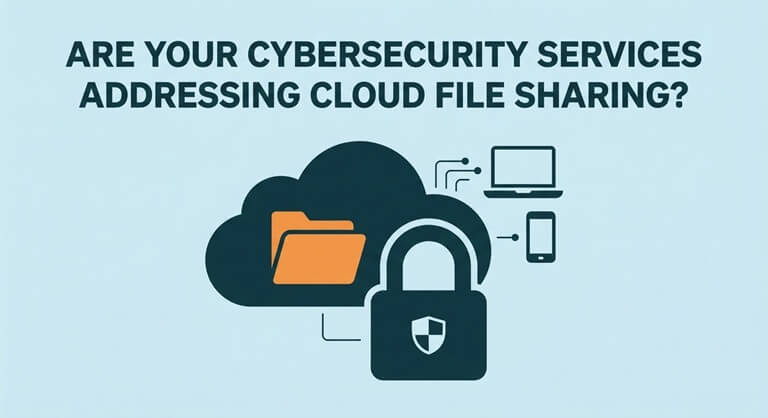
Are Your Cybersecurity Services Addressing Cloud File Sharing?
Cloud file sharing is a great way to keep teams productive whether they’re in the office, at home or on the move. The one thing that can go wrong is a permissions error, a shared link or a compromised account and that can expose your business information.
Good cybersecurity should protect every element of the sharing process. That means managing who can access the files, what devices the files are being shared from, how the links and downloads are managed, and what the activity looks like. It should also be able to recover the data if necessary. All of this should be done in such a way as not to make the normal course of team working any more difficult.
Where Does Cloud File Sharing Create Security Risk?
Shared cloud storage changes how information moves through a business. The security boundary now follows the data, making it important to assess access involving external users, personal devices, and connected applications.
Understanding how malware spreads between computers can also help businesses identify risks across interconnected systems.
1. Public Sharing Links
Public links allow people to open files without having to sign in. It’s a convenience but if someone passes the link on then strangers could potentially get access to private information.
Set links to expire and disable anonymous access where possible. Named-user sharing provides clearer control and stronger accountability.
2. Excessive Folder Permissions
If there are too many people with access to folders, then payroll records, contracts, and customer files could end up being viewed by people who don’t actually need to see them in the first place.
Check group memberships and inherited access regularly. The principle of least privilege dictates that people should only have the access necessary to do their job.
3. Forgotten External Users
Contractors, vendors and clients will often be given temporary access. In some cases their access will remain active long after the project or business relationship has ended.
Give each external share an owner and an expiry date. It makes it far easier to identify and remove old accounts or forgotten guest permissions if you regularly review access.
4. Unmanaged Personal Devices
Employees may download cloud files to their home PC or phone, which may not have encryption, may not have up-to-date security, and may not have approved protection.
Conditional access can stop downloads from unknown devices. You can set rules for managed devices to keep your business files separate from the risky personal storage.
5. Stolen Login Credentials
If someone steals a legitimate username and password, they can get into the cloud platform without triggering any of the normal network alarms.
Using phishing-resistant MFA adds an extra layer of security and is particularly important for admins and people who work with sensitive data.
6. Unapproved Cloud Applications
When approved systems are slow, staff will often resort to using their own drives or other tools to move files. That makes it very difficult for the security team to know where the files have actually ended up.
Having a clear list of approved services goes a long way to mitigating the issue. Shadow IT controls work much better when staff have a simple and secure way of sharing files.
7. Incomplete Activity Records
If there aren’t good audit logs then a business may not know who looked at a document, who downloaded it, who renamed it, who deleted it.
Keep logs for long enough to be of any use in an investigation. Good audit records will associate the file action with the user, the device, the location and the session.
What Should a Cloud File-Sharing Policy Define?
A policy should translate security expectations into decisions employees can follow. Clear operating rules are easier to enforce than broad instructions to handle information carefully.
- Identify which cloud platforms are approved for use with business documents.
- Classify by sensitivity, ownership and regulatory importance.
- Limit anonymous links and mandate expiry dates for any external sharing.
- Define who can invite guests and who can create externally accessible folders.
- Require MFA for employees, admins and guests.
- Restrict downloads to devices that meet company security standards.
- Set retention periods for files, versions, backups and activity logs.
- Document the process by which access is removed when a role, project or contract ends.
The following control map helps connect common safeguards with the evidence a business should be able to review.
| Control area | Risk being reduced | Evidence to review |
| Identity verification | Stolen or reused credentials | MFA status and sign-in records |
| Sharing permissions | Public or excessive access | Link and guest-access inventory |
| Device management | Downloads to unsafe devices | Device compliance reports |
| Data classification | Mishandling of sensitive files | Labels and policy actions |
| Activity monitoring | Undetected viewing or deletion | File and account audit logs |
| Offboarding | Access retained after departure | Account removal records |
| Recovery planning | Deletion, corruption, or ransomware | Restore tests and backup reports |
How Should Cybersecurity Services Protect Shared Cloud Data?
A capable provider should examine more than firewalls and antivirus software. Cloud protection requires coordinated safeguards across user accounts, sharing settings, endpoints, monitoring, and recovery procedures.
Map Platforms and Data Flows
Start by listing all the approved storage platforms, the connected apps, the sync clients, the external portals and the business processes that use shared files.
This map will show you the duplicate tools and the hidden file transfers. Once you know where everything is you can then go on to secure your data appropriately.
Strengthen Authentication Controls
Make sure you’re using multi-factor authentication and have disabled the old sign-in methods. If someone is attempting to access files from a new device or an unusual location then use further verification.
Admin accounts should have their own credentials and be subject to more stringent rules. The use of multiple layers of authentication makes a stolen password significantly less useful to an attacker.
Configure Sharing Around Business Roles
Permissions should reflect job duties, project responsibilities, and information sensitivity instead of relying on unrestricted company-wide folders.
Well-scoped cybersecurity services from experts like networktactics.com for business data can align cloud access controls with endpoint protection, monitoring, and response needs.
Classify Sensitive Information
Labels allow you to distinguish between public files and those that are internal, confidential, financial, health-related, or otherwise legally protected.
When files are classified, the security controls can follow them wherever they go. Data-aware protection can stop public sharing, require encryption, or issue a warning to the user prior to sending something sensitive.
Monitor File and Account Activity
Monitoring should pick up things such as odd downloads, a lot of files being deleted in a short space of time, multiple failed logins, odd guest invitations and access from places you wouldn’t normally expect.
Alerts are only going to be of any use if someone actually checks them promptly. Good monitoring requires clear rules, defined ownership and then a clear set of actions to take next.
Secure Devices and Sync Clients
Endpoint protection is important as cloud files are very much likely to end up on laptops via the sync tools.
Use encryption, keep the devices updated, have malware protection in place, and consider remote removal capability if required. Protected devices reduce the risk of shared files being exposed.
Test Response and File Recovery
A response plan should cover how to disable accounts, how to end sessions, how to save the logs, how to remove the bad links and how to let the affected people know what’s happened.
Testing the recovery process ensures you can actually get the deleted/encrypted data back. It also means you’ll be prepared and not confused should a real incident occur.
What Should You Ask Your Cybersecurity Provider?
Direct questions reveal whether cloud file sharing is actively managed or merely assumed to be secure. Specific answers should identify platforms, controls, review schedules, and responsible people.
- Which cloud storage and collaboration platforms are we covering?
- Who looks at public links, guest users and excessive permissions?
- Are MFA and Conditional Access enforced everywhere?
- Can sensitive files be downloaded to unmanaged personal devices?
- What odd sharing or downloading events trigger security alerts?
- How long are file, account and admin activity logs kept?
- What happens when an employee, contractor or vendor leaves?
- How often are recovery procedures tested for deleted or encrypted files?
Conclusion
Cloud file sharing should always be part of your cybersecurity plan. Safe sharing relies on verified identities, limited permissions, managed devices, data controls, logs, and tested response steps. Check every platform, remove old access, limit public links, and make sure you know how incidents are handled. The right controls protect sensitive files without getting in the way of daily teamwork.
Popular on OTW Right Now!

About The Author

Gagan Bhangu
Founder of otechworld.com and managing editor. He is a tech geek, web-developer, and blogger. He holds a master's degree in computer applications and making money online since 2015.