
A Practical Browser Workflow for Turning One Creative Brief into a Visual Campaign
A visual campaign rarely fails because a team cannot produce a single attractive image. The harder problem is turning one brief into a family of assets that still feels coherent on a store page, in a social feed, inside an email, and on a presentation slide. Traditional production solves this with a long chain of handoffs. A browser-based AI image workflow can shorten that chain, but only when the team treats generation as a controlled production process rather than a slot machine for pictures.
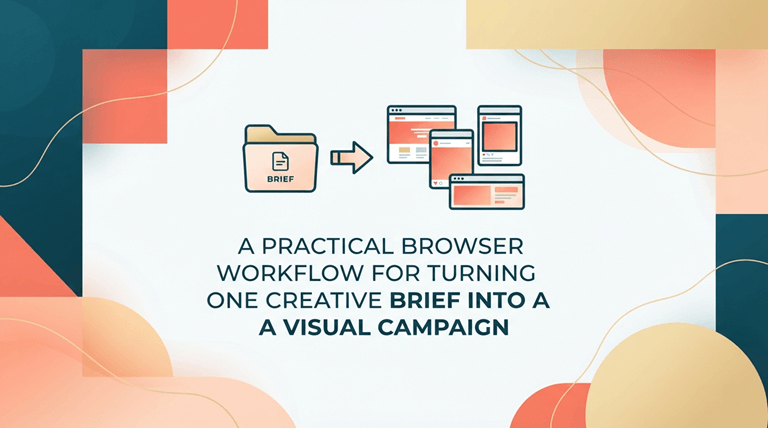
The first thing you need to do is convert the shorter into a visual agreement. Identify the subject, audience, mood, channel, and action that the image should convey. The first thing you need to do is convert the shorter into a visual agreement. Identify the subject, audience, mood, channel, and action that the image should convey.
A mood board can help establish that visual direction early; invideo Agent’s free AI mood board generator brings together imagery, colours, and textures from a written creative vision. Then differentiate between fixed and flexible decisions. The shape of the product, the character’s name, the color of the campaign, and the mandatory headline can be set.
There could be some leeway given on camera angle, lighting, background texture, and crop. An independent browser product such as Nano Banana can support this process by keeping image generation and prompt-based editing in one accessible workspace. A useful idea is continuity – a team can start with a text, insert a reference at any point in the subject or composition where it needs to be identifiable, and then continue it through the rest of the editing. It is not a registered Google product and should be considered as any production tool: how many controls are clear, what level of output quality is delivered, and the reliability of the review process of the team.
A common error occurs when you change all the variables but can’t explain which works better and why. Teams can use an AI image generator in the browser to turn a written brief into images, then treat each output as a candidate that must pass the same review gate.
Build the First Frame Before the Full Campaign
The first useful output should be a master frame, and NOT a complete set of placements. Assign it one definite task. For a product launch, this could be a readable silhouette with enough negative space, with lighting that highlights the product. It can be a portrait that has a constant facial expression, clothing, pose, and location for an editorial concept. Examine the frame at full size to see before making variants. Multiplication won’t strengthen the core; it will only create extra review work.
A short prompt is more of a direction note than a list of words with adjectives. Explain the theme and action, identify the composition, identify the light/matter qualities, and identify the purpose. Negative instructions come in handy when there is no duplicate product, an unaltered logo, unreadable text, or a change in the subject’s clothing. The idea is NOT to write the longest prompt! The purpose of this is to clearly show that there is a hierarchy in decision-making.
Work in Controlled Variations
After a master frame is believable, make small variation groups. Vary the distance of the camera, background, direction of the light, or the format of the image in each group. If there are several different composition families, use a simple label, e.g., A1, A2, A3 for one family of compositions, and B1, B2, B3 for another. This provides reviewers with a common terminology. The comments “A2’s framing needs to be warmer, and B1’s are the same” are actionable comments; the comment “make it pop” is not.
Review at the Size People Will Actually See
If the writers’ jobs are done correctly, large previews cover up practical failures. A social thumbnail might get rid of a label for a product; a mobile crop might get rid of a hand of the subject; etc. Resize and/or export candidates to the actual placement size before approval. Test the focal point at small size, verify necessary copy print spelling, and test against light and dark backgrounds when an asset requires transparency and/or soft edges.
Limit review checklist to a short one, instead of open-ended comments. Does the topic seem to be correct? Are the components suitable for the channel? Are hands, edges, reflections, and other printed details realistic/picturesque? Do you understand what the text says? Are there any unsupported claims made in the image? Does it hold the pivotal moments and concepts of the short story? Using a checklist, taste becomes a repeatable gate – without making a statement that visual judgment can be fully automated.
Treat Editing as a Second Pass, Not a Restart
Prompt-based editing will typically be more efficient than starting from scratch if the candidate is close. Identify and state what will remain the same, identify one thing that you will change, and describe the change. One good edit suggestion could include maintaining the product and camera positioning, but editing the background to be less cluttered and less of a street scene, and replacing it with a less-used studio scene. One could maintain a portrait and clothes without damage and adjust the light source from a flat daylight to warm evening light. Comparisons can be made easier, and accidental drift is reduced by making them in small deltas.
The same logic is followed with regard to campaign expansion. Begin with the approved master and then work with a square, vertical, and wide master. Use framing and negative space that may change but remain visually identifiable. If localization is required, treat each language as a layout issue rather than a simple text change. Longer words may change the hierarchy, and some scripts require more or less spacing. Create or modify the visual base and then check the typography on its own.
Create an Approval Trail
There is a need for a record even with a fast workflow. Save the brief, prompt, reference files, selected model and settings, output labels, reviewer notes, and final destination. The record doesn’t need to be complicated – a common document and the same file names might suffice. It is important to know how to reproduce a direction, the reasoning behind the rejection of a version, and how to go back to an earlier asset if the version at a later stage is causing new issues.
Rights and provenance should be included in that record as well. Teams must submit their own images (not make copies of images by any other living artist) and exercise caution with real people, trademarks, and claims. Do not use any visuals to represent actual events, endorsements, or product attributes that are not substantiated. The seamless browsing experience doesn’t take away the editorial responsibility.
The best thing about the browser-based image production is not its freshness. The capability to decide on a brief to master frame, master frame to controlled variants, and variants to channel-ready assets, while not losing the reasoning behind the decision-making. Teams that limit the task, vary one element at a time, and discuss everything in the context of the task make AI image tools less of a random-output machine and more of a reliable component of a creative system.
Popular on OTW Right Now!

About The Author

Gagan Bhangu
Founder of otechworld.com and managing editor. He is a tech geek, web-developer, and blogger. He holds a master's degree in computer applications and making money online since 2015.