
How to Extract WhatsApp Group Contacts?
Introduction
Extract WhatsApp Group Contacts efficiently without manual copying using WA Contact Extractor. WA contact Extractor tool helps users extract WhatsApp group contacts directly from WhatsApp Web and organize them for business, education, events, or community management. With this WhatsApp contacts extractor, users can copy WhatsApp group contacts, export WhatsApp group contacts into Excel or CSV, and manage large contact lists accurately. The tool also works as a WhatsApp group number finder, allowing users to find and join WhatsApp group links or submit WhatsApp groups to expand reach and engagement.Install the Extract WhatsApp Group Contacts extension to begin extracting WhatsApp group data from your browser.
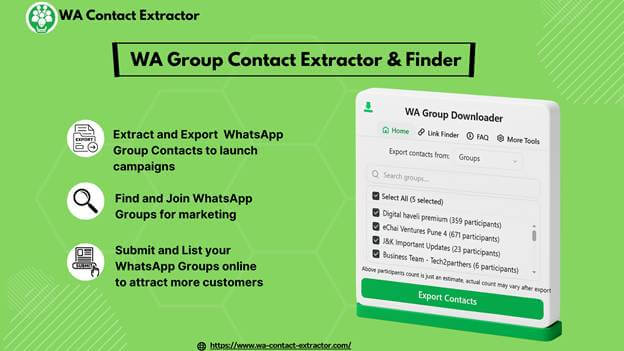
How to Extract WhatsApp Group Contacts with WA Contact Extractor?
It is easy to use WA Contact Extractor and get WhatsApp group contacts using the following steps.
Step 1: Open WhatsApp Web and Install WA Contact Extractor
Scan the QR code to log in to WhatsApp Web. Go to the WA Contact Extractor site, add the extension, and add that to your browser toolbar.
Step 2: Launch the Extension and Select Extraction Mode
Click the WA Contact Extractor icon and select to extract WhatsApp group contacts of a group, groups or your entire chat list.
Step 3: Extract WhatsApp Group Contacts
Select the Export Contacts item and the tool will set to work right away, extracting WhatsApp group contacts automatically.
Step 4: Download Contacts in CSV or Excel
After it has been extracted, save the WhatsApp group contacts in CSV or Excel file to use, share or save.
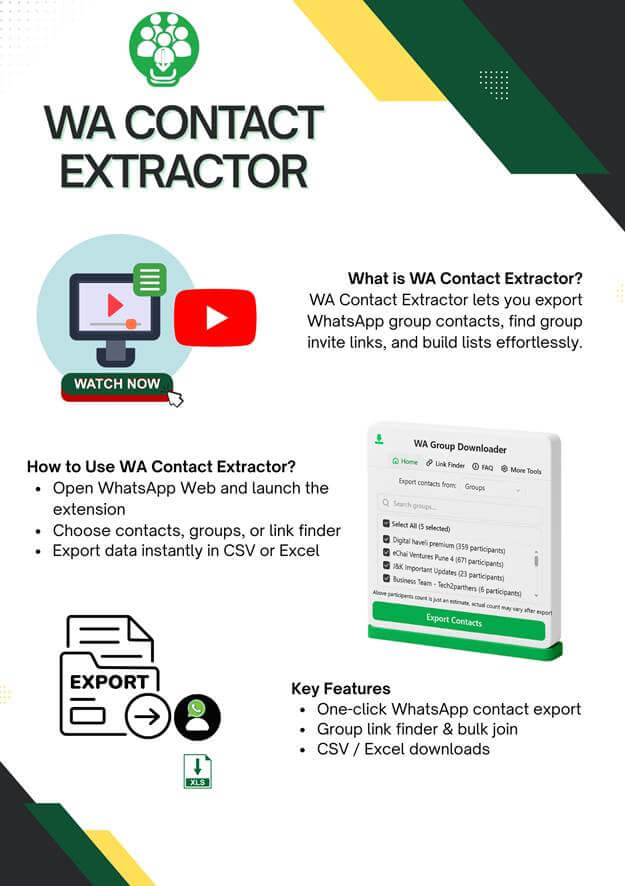
How to Find WhatsApp Group Links?
It is also possible to easily find and join WhatsApp group links using WA Contact Extractor.
Step 1: Install and Pin WA Contact Extractor
Install the extension on the Chrome Web Store and pin it.
Step 2: Search WhatsApp Group Links by Category
On the internet, look under the following headings: Business WhatsApp Group Links, Study WhatsApp Group Links, or Local Community WhatsApp Groups.
Step 3: Open the Link Finder Tool
Click on the extension icon and check Link Finder option to scan web pages.
Step 4: Extract WhatsApp Group Invite Links
Click Find URLs, and the tool will download all WhatsApp group invite URLs that can be found on the page.
Step 5: Copy or Join WhatsApp Groups
Copy WhatsApp group links in bulk or add WhatsApp groups with a single click.
How to Submit WhatsApp Groups Using the Extract WhatsApp Group Contacts Tool?
Sending groups assists people in finding and participating in your WhatsApp group.
Step 1: Visit the WA Contact Extractor Website
Go to the official site and link to the Submit WhatsApp Group section.
Step 2: Choose the Submit WhatsApp Group Option
Choose the type of submission to continue.
Step 3: Enter Group Information
Provide the WhatsApp group name, category, and invite link accurately.
Step 4: Submit Group for Review
Send through the group and wait to be listed before the public.
Where to Use Extract WhatsApp Group Contacts?
1. Business and Lead Generation
Extract WhatsApp group contacts to build targeted lead lists and outreach campaigns.
2. Retail and E-Commerce
Copy WhatsApp group contacts to promote offers, discounts, and new products.
3. Coaching and Education
WhatsApp group contacts (see how to download them).
4. NGOs and Community Groups
Get all WhatsApp group contacts in order to have a team of volunteers and members.
5. Event Planning
Use extracted WhatsApp group contacts to share invitations and event updates.
Key Features of Extract WhatsApp Group Contacts Tool
1. One-Click Contact Extraction
Reduce time and effort on hand copying WhatsApp group contacts.
2. WhatsApp Group Link Finder
Extract WhatsApp group links on webpages automatically.
3. Bulk Copy and Join Options
Share and add WhatsApp group links in a single click.
4. Submit WhatsApp Group Links
Submit WhatsApp groups to improve discoverability and growth.
5. CSV and Excel Export Support
Export WhatsApp group contacts in structured formats for CRM and marketing use.
Why Use Extract WhatsApp Group Contacts?
1. Save Time and Effort
Get the WhatsApp group contacts and save time and effort.
2. Discover New WhatsApp Communities
Search and add WhatsApp group links with numerous categories.
3. Organize Contacts Efficiently
Download WhatsApp group contacts in Excel or CSV for easy management.
4. Grow Groups and Networks
Post WhatsApp groups and find new members automatically.
5. Support Marketing and Outreach
Use extracted contacts for WhatsApp communication and engagement.
Conclusion
Extract WhatsApp Group Contacts using WA Contact Extractor will be a quick and convenient method of copying WhatsApp group contacts, exporting WhatsApp group contacts and efficiently managing WhatsApp group numbers. Users are now able to extract groups contacts in WhatsApp to Excel or CSV, locate and add WhatsApp group links, and submit WhatsApp groups to gain greater visibility.
Extract WhatsApp Group Contacts attaches less work to extraction of contacts and discovery of groups, whether to reach business, to manage education, to plan events, or to build communities, in 2026.
Popular on OTW Right Now!




About The Author

Gagan Bhangu
Founder of otechworld.com and managing editor. He is a tech geek, web-developer, and blogger. He holds a master's degree in computer applications and making money online since 2015.