
Step-by-Step Guide to Tracking Your Journey Live
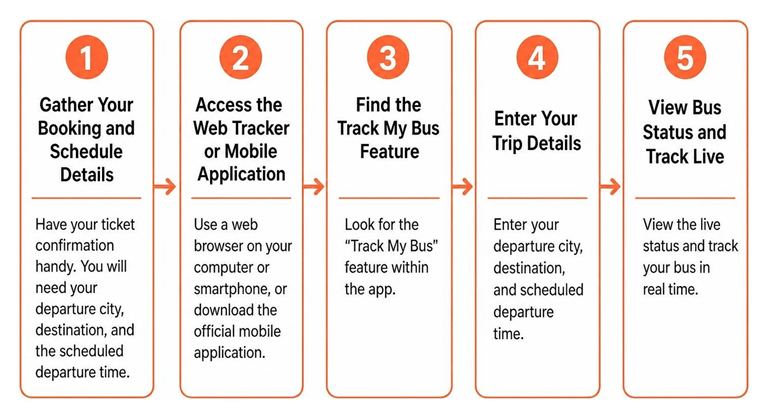
Step 1: Gather Your Booking and Schedule Details
Before you start, have your ticket confirmation to hand. You’ll need your departure city, destination, departure time and reservation number. Make sure you know the exact address of your stop, as intercity buses will often be departing from a curbside stop, a park-and-ride, a shopping center, or an outdoor transit bay rather than a central station. Get to know the local area, the cross streets, the terminal gate numbers etc. in advance. Also check that the travel date on your ticket is the same as today’s date. If you’re searching for a trip outside of the correct time window or using the wrong time zone, you may not get the correct results.
Step 2: Access the Web Tracker or Mobile Application
You can use real time tracking tools via any web browser on your computer, tablet or phone. Alternatively, you can download the carrier’s own app (for iOS or Android) for a better mobile experience. Simply open the app or website and look for the ‘Track My Bus’ or live vehicle status function. Most of the systems will allow you to track your bus without having to create an account or log in at all so it’s very quick and easy to see where your bus is. If you’re using a mobile browser, you can of course bookmark the tracking page for easy access as your departure time approaches.
Step 3: Enter Route, Origin, and Destination Details
Once you’re in the tracking tool, enter your travel details. Select your origin and destination from the drop down menus or search boxes. Be absolutely sure to select the same stops as are on your ticket otherwise you’ll end up tracking a bus that’s on a different route or going the other way. Also be mindful of the direction of travel (northbound, southbound, eastbound, westbound) as a bus going the other way may well be leaving at the same time. Getting the right direction and the right schedule is key to not tracking the wrong bus.
Step 4: Monitor Live Vehicle Location and Real-Time ETAs
After you’ve entered your trip details you’ll see an interactive map with markers for the buses on your route. You can watch your bus move along the highways, through the cities and towards its stops. The tracker will update your estimated times of arrival as things change (traffic, roadworks, weather etc).
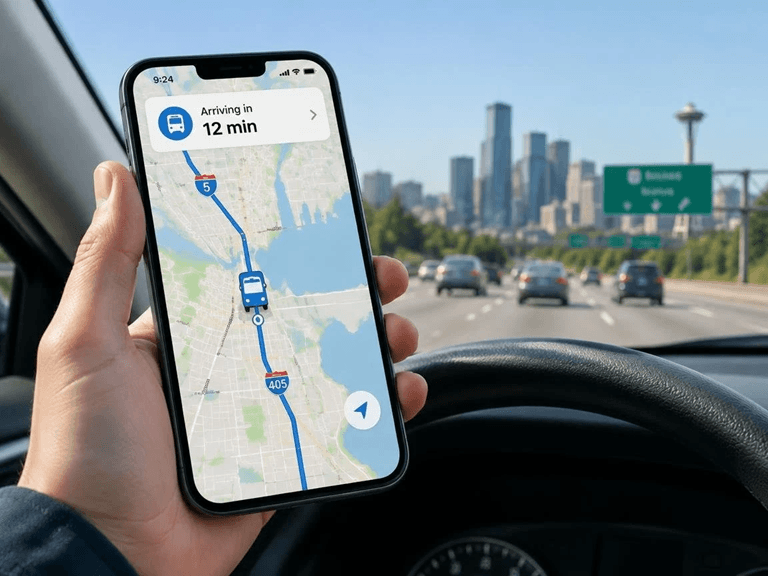
Pay attention to both the movement of the vehicle icon and the timestamp of the last GPS telemetry ping. If the vehicle is briefly stopped at an earlier time than the last ping then that will be reflected in the movement of the icon.
If you’re at the station for passenger boarding or a scheduled rest break the system will adjust the predicted arrival window accordingly to give you a realistic arrival window for boarding.
Step 5: Check Active Service Alerts and Schedule Notices
Check the tracking screen for any banners, alerts or bulletins. The carriers will use these to let you know of detours, weather, equipment changes, gate changes etc. If you’ve got connections or transfers then check the status of each leg of your journey to ensure you don’t miss a tight layover. When the tracker tells you the bus is approaching head over to the boarding line with your ticket in hand.
Troubleshooting Common Tracker Errors and Delays
Resolving ‘No Matching Services’ Search Results
If you get a “No Matching Services Found” message or indeed no map at all, then double-check your reservation details and your search entries. A small typo, picking the wrong stop or using the wrong date can all cause that sort of problem. Live tracking generally kicks in about an hour to 90 minutes prior to departure so if you check too early there may not be a bus assigned yet. A simple refresh of the browser or a switch between mobile and desktop can often resolve the display issue.
Alternative Channels for Real-Time Service Updates
If the live tracking site is down or otherwise under maintenance, you can still get the updates. Check the carrier’s website for their schedules and stops. You can also keep an eye on their official social media (e.g. X) for updates on road closures, weather or any other major disruption. Bear in mind that the carrier won’t be liable for delays caused by things such as weather or accidents, but they will issue travel advisories where appropriate.
Contacting Customer Enquiries and Virtual Support
If you’re still having tracking issues or suspect your bus has been rescheduled, then please get in touch with customer service at questions@us.megabus.com. Many of the carrier websites will have a virtual assistant or a live chat agent that can check your booking, confirm your bus number and answer your queries. If the delay is down to the carrier (e.g. a mechanical fault or staff shortage) then the service team can assist you with a rebooking, travel credit or a refund in line with their policy.
Tracking Regional Partner Routes and Extended Networks
Tracking Virginia Breeze Bus Lines Vehicles
State and regional bus services will often have their own tracking websites. Take Virginia Breeze for instance (which encompasses the Valley Flyer, Highlands Rhythm, Tidewater Current, Piedmont Express and the Capital Connector) who have an official tracker on their site. You don’t need an app to use it and it shows the real time location of the buses on the major roads (I-81, I-64 and Route 29). That’s particularly useful if you’re making a connection to a flight at Dulles or to a train at Washington DC Union Station.
Navigating Cross-Border and Long-Distance Corridors
Modern intercity bus networks link the major U.S. cities to over 100 destinations in Mexico. If you’re doing a long haul which involves crossing borders and/or the use of partner carriers then it’s best to book all the legs of your journey under one itinerary. That way if your first bus is delayed the partner carriers will accept your connection. At the border you may find that tracking stops as the bus goes through customs and immigration and will resume once the bus has cleared the checkpoint.
| Feature | Intercity Routes | Regional Partner Routes |
|---|---|---|
| Tracker Access | App or Web | Web-only |
| Required Input | Route/Booking Details | Trip Details |
| Alerts Included | Yes | Yes |
Understanding GPS Tracking Technology Across Transportation Sectors
How Telematics and Real-Time Transit Data Work
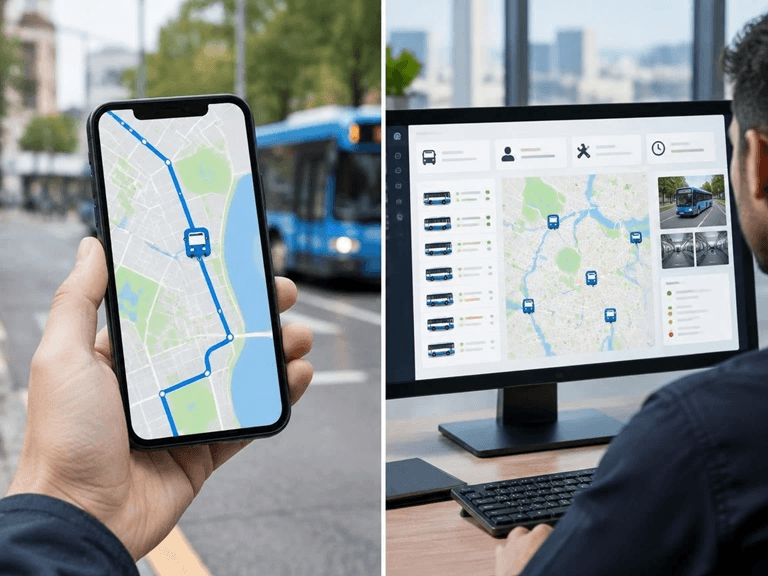
Modern buses are equipped with telematics units that incorporate GPS, a cellular modem, and a range of diagnostic tools. These units are transmitting data (location, speed, direction, system status etc) to the central servers every few seconds. The smart routing software takes that data and combines it with historical travel times, real time traffic and the published schedule to produce very accurate arrival times. In areas of poor cell coverage (e.g. in the mountains, in tunnels) the system will estimate the movement of the bus until it gets a signal and the live data is updated.
Intercity Passenger Tools Versus Dedicated Fleet Systems
Public passenger tracking tools are built with clean, accessible interfaces designed to answer simple traveler questions about vehicle location and arrival windows. Conversely, specialized institutional and pupil transportation operations demand enterprise-grade software with strict authentication, route verification, and passenger safety telemetry. For example, those interested in how consumer-facing intercity trackers differ from closed-loop transit and student safety platforms can explore specialized software built for school bus tracking. These specialized platforms incorporate features such as Near Field Communication (NFC) student rider scanning, geofenced drop-off zones, automated parent notification push alerts, and driver behavior telematics. While public intercity trackers prioritize general corridor visibility for traveling adults, institutional systems focus on granular identity verification, safety compliance, and closed-access security.
Travel Day Best Practices and Boarding Policies
Arrival Timing and Boarding Protocols
To make your journey as easy as possible, aim to be at your boarding point at least 15 to 30 minutes before your bus is due to depart. Intercity buses run to a very strict timetable and won’t wait for anyone who is late. If you’re parking at a suburban park and ride or a commercial car park, then be sure to check the parking regulations, as some of these sites will not permit you to park overnight or for multiple days without a permit. Your government-issued photo ID and your confirmation barcode (either on your phone or as a printed ticket) should be with you at all times. If you’re traveling during the busy holiday periods or on a weekend then getting there early will give you plenty of time to get your luggage into line and to choose your seat.
Baggage Guidelines, Passenger Amenities, and Policies
A standard intercity bus ticket allows one bag (up to 50 lbs and no more than 62″ in total dimensions) and one small carry-on (fits under the seat or in the overhead bin). Special items (e.g. musical instruments, sports gear etc) can be taken provided they are securely packed in a case. All passengers under 17 must travel with an adult. On the modern buses you can use free wi-fi, charge your phone at your seat, recline in your seat and use the toilet at the back of the bus.
Managing Reservation Trade-Ins and Lost Property
Your plans may well change at some point. Most of the major bus companies will allow you to change or trade your ticket online up to 3 hours prior to departure. There will be a fee of between $3.00 and $7.50 depending on how early you make the change, plus any difference in the ticket price. If you’ve forgotten something on the bus then you need to complete a lost and found report on the company’s website as soon as possible. You’ll need to provide a full description of the item and your seat number. The lost property team will go through the items that the cleaning staff have found and will get in touch with you if they have a match.
Conclusion
Tracking your intercity bus in real time helps take the guesswork out of long-distance travel and makes waiting easier. If you have your booking details ready, use the official website or mobile app, and watch for live transit updates, you can travel with confidence. Whether you are commuting, heading to the airport, or starting a longer trip, staying updated with these tools helps you get to your bus on time and enjoy a smooth, reliable journey.
Popular on OTW Right Now!



About The Author

Gagan Bhangu
Founder of otechworld.com and managing editor. He is a tech geek, web-developer, and blogger. He holds a master's degree in computer applications and making money online since 2015.