
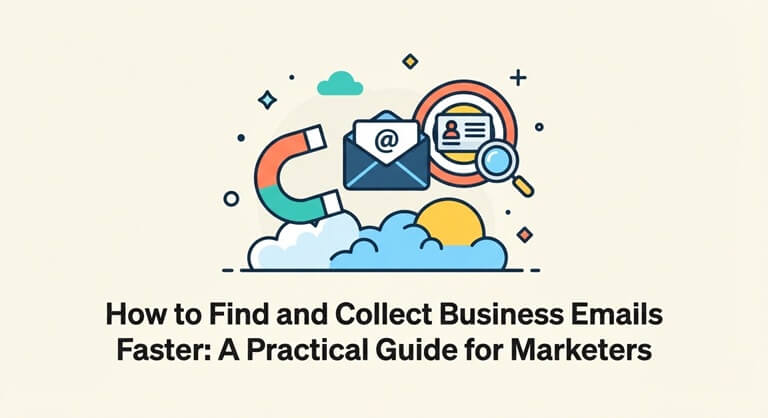
How to Find and Collect Business Emails Faster: A Practical Guide for Marketers
Email is still one of the most reliable channels for reaching customers, partners and journalists. Whether you run outreach for a startup, manage a sales team or work as a freelancer, you need accurate contact data. The problem is that finding that data by hand is slow, repetitive and easy to get wrong.
This guide explains where business emails usually come from, how to collect them efficiently, and how to keep your outreach clean and compliant.
Why Manual Email Collection Doesn’t Scale
Many people still copy addresses one by one from contact pages, directories and documents. This works for five or ten contacts. At a few hundred, it becomes a serious time sink:
- It takes hours of copying and pasting.
- Typos creep in, which leads to bounced emails.
- Duplicate addresses end up in your list.
- Formatting becomes inconsistent across sources.
A poor list directly hurts your results. High bounce rates damage your sender reputation, and that can push your future emails into spam folders.
Where Public Business Emails Are Usually Found
Before choosing a tool, it helps to know where legitimate contact details are typically published:
- Company websites: “Contact”, “About” and “Team” pages often list general or department emails.
- Business directories: Industry directories and chambers of commerce list contact details on purpose.
- Documents and press kits: PDFs, media kits and reports sometimes include press or partnership contacts.
- Professional profiles: Public bios on conference or speaker pages often include a contact address.
- Existing text: Your own notes, exported documents or old spreadsheets may contain addresses mixed with other text.
Using an Email Extractor to Save Time
When your source material is large, an email extractor can scan text or pages and pull out the email addresses automatically, so you don’t have to hunt for them manually. This turns hours of copying into a few minutes of work and gives you a cleaner starting list.
A good extraction workflow looks like this:
- Choose a relevant source. Start with pages or documents that are likely to contain the contacts you actually need.
- Run the extraction. Paste the text or provide the source and let the tool collect the addresses.
- Remove duplicates. Make sure every address appears only once.
- Export and organize. Save the results in a spreadsheet and add columns like name, company and source.
- Verify before sending. Check the addresses with a verification step to catch invalid ones.
If you want to try a simple option, Lite 14 is available online. (Add here one or two real features of your tool, for example whether it is free or needs no signup.)
What to Look for in a Good Tool
Not every tool is equal. Before you rely on one, check these points:
- Accuracy: It should capture complete, correctly formatted addresses.
- Speed: It should handle large amounts of text without freezing.
- Ease of use: You should not need technical skills to use it.
- Export options: Being able to download results in a usable format saves extra work.
- Privacy: Make sure you understand how your data is handled.
Best Practices for Responsible Outreach
Collecting emails is only the first step. How you use them matters even more.
Respect privacy laws. Regulations such as GDPR in Europe and CAN-SPAM in the United States set rules on unsolicited email. Always check what applies to your audience and region.
Target business contacts with a clear reason. Send messages to people who have a genuine reason to hear from you, and explain why you are writing.
Always include an opt-out. Make it easy for people to unsubscribe, and honor those requests quickly.
Personalize your message. A short, relevant email that mentions the recipient’s company or work performs far better than a generic blast.
Start small. Send in small batches first, watch your bounce and reply rates, and adjust before scaling up.
Keep your list fresh. People change jobs and companies shut down. Clean your list regularly to protect your sender reputation.
Common Mistakes to Avoid
- Buying large, unverified email lists
- Sending the same generic message to everyone
- Skipping email verification
- Ignoring unsubscribe requests
- Collecting addresses with no clear purpose for contacting them
Final Thoughts
Good outreach starts with good data. Collecting business emails by hand is slow and error-prone, while the right tools and a careful process can give you a cleaner, more useful contact list in far less time. Combine that with respectful, personalized messaging and you will get better replies, protect your reputation and build stronger business relationships.
Popular on OTW Right Now!

About The Author

Gagan Bhangu
Founder of otechworld.com and managing editor. He is a tech geek, web-developer, and blogger. He holds a master's degree in computer applications and making money online since 2015.