
Inspect DTF Transfers Before Pressing
Open the package before you heat the press. A receiving check takes up little space in the production workflow, but it creates a useful decision point while the transfer is still separate from the garment. Once a questionable transfer has been pressed, it becomes harder to determine whether the issue came from the incoming transfer, the application process, or the garment itself.
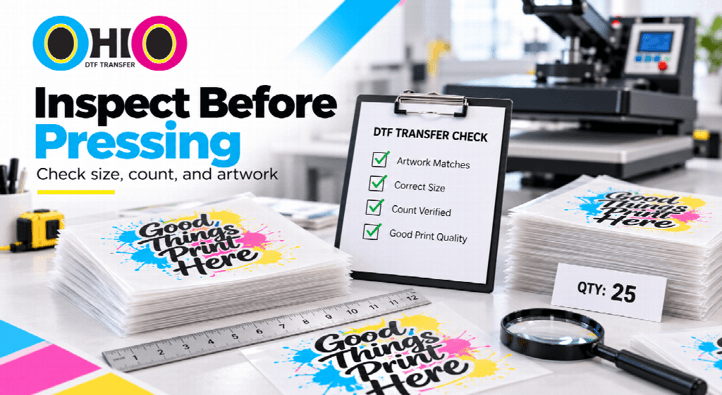
For shops that use DTF transfers regularly, incoming inspection should be treated as a production-control step rather than an emergency response. The goal is not to search for microscopic imperfections. It is to confirm that the order you received matches the order you intended to press.
Start With the Order Record
Inspection works best with a reference. Before looking closely at the transfer film, open the order confirmation, job ticket, purchase record, or internal production notes. You need to know what should be in the package.
Confirm the basic order structure:
- which designs were ordered,
- which artwork versions were approved,
- the intended dimensions of each transfer,
- the quantity required for each design and size, and
- how the transfers were expected to be grouped or delivered.
This is the first step to avoiding a frequent inspection error – basing the assessment on the package without referring to the specification it was expected to meet.
Count Before You Sort
Ensure that quantities are correct prior to distributing designs to press stations or customer jobs on an order that has multiple designs or sizes. Once packages are mixed in with inventory, it can be challenging to audit.
Count by line item and not just by package. When the small logo, full-front, and large back print are all in the order, all should be verified separately with their quantity.
Bundles or groups should be counted as units, even if they are bundled or grouped. Then mark them with a name for the purpose for which they are to be used.
Confirm Physical Size
Sometimes the correct artwork can be included in a transfer, and yet the dimensions of the transfer do not correspond to the job plan, and the transfer is thus wrong for the intended placement. This is particularly crucial in the case of a replicated piece that is being ordered in multiple sizes.
Take measurements of select samples from each size category. For large orders, where the pieces can be clearly organized and are uniform, it is not necessary to measure each transfer, although each separate size should have a known measurement.
Check the physical size against the approved order, not the screen or the order on the film.
Verify the Artwork Version
View the design first before pressing. Make sure that there are no details that have changed since artwork was approved, such as text, logos, dates, numbers, or orientation. If you are provided a new file from your customer, be sure to use the revised version of the file for your batch instead of an older version.
This is more important if two files look alike. An easy-to-miss sponsor update, small wording change, year change, or corrected number is a simple item to miss until the garment is in front of the customer.
If you are using a repeat job, make sure you use the new transfer that has been created, not assuming that “same design” is always the same file.
Inspect the Film and Printed Area
Then check the physical state of the transfers using normal working light. You are searching for obvious handling or production issues which may warrant delay prior to application.
Check for issues such as:
- visible creasing or damage to the film,
- unexpected marks in the printed area,
- missing portions of the design,
- obvious contamination on a surface that should remain clean, or
- pieces that look materially different from the rest of the same batch.
Avoid making an educated guess as to how each of the visible characteristics will respond to heat. When in doubt, move it out of the way and test it out on purpose.
Keep Jobs Separated After Inspection
Even if the transfer goes successfully, it can be a problem if it gets to the wrong garment. After the order is counted and verified, arrange by customer, design, size, or press sequence.
Utilize labeled sleeves, trays, job tickets, or other systems appropriate to your production environment. The goal is very straightforward: a press operator should be able to determine what the transfer is, where it goes, and which job record it is controlled by.
This is particularly useful for ready-to-press DTF transfers, because the physical product may move quickly from receiving to application. A short labeling step protects the order from becoming anonymous in the production area.
Run a Representative Press Test
For important work, work you don’t know about, or work that is large enough that a full run mistake will be costly, take a representative test before running the full quantity. Use the appropriate test garment, or a sample garment from the transfer provider if available, and follow the application instructions provided by the transfer provider.
The aim of the test is NOT to create new press settings. It is to verify the combination of the transfer process, garments, and press operation to ensure that the whole batch is successfully completed.
If the test acts in an unusual manner, please stop and diagnose the situation. If the remaining transfers appear to be the same, don’t persist with the pressing just because.
Quarantine Anything Questionable
If a transfer is incorrect, has the wrong dimensions, has the wrong artwork, or does not achieve the expected outcome in a controlled transfer, leave it apart from approved production transfers.
Identify the affected group and note the reason for the issue. This will help to stop another operator from picking it up and pressing it at a later stage.
Besides, quarantine will enhance communication with the supplier. If you are getting reports that “some transfers seem wrong”, you can get details of the order number, the design, the size group, the quantity that has been transferred, and the observation that caused the hold.
Document Before Requesting Support
If you need help resolving a problem, gather the information in the same order. Note the order number, artwork reference number, dimensions of the transfer, quantity affected, and observation. Use clear photographs to illustrate visible differences, where appropriate.
If a press test was used, indicate the type of garment and the process used. Follow the provider’s instructions, rather than relying on a previous setup with another transfer product.
Documentation is not a cause per se. Provides information to both parties to allow investigation without having to begin from scratch.
Release the Batch Deliberately
Once the order matches the job record, the transfer groups are identified, and if a representative test is required and it is finished, release the batch to pressing. By this point, the operator shouldn’t have to make new decisions on which File, Size or quantity of files they are using.
A receiving inspection has been successful if it eliminates uncertainty prior to production. It verifies receipt, isolates anything suspicious, and makes for a clean pass to the press station.
Inspect First, Press With Confidence
Ideally, DTF production is easier to be controlled during the time when the transfers are not attached to the finished products. Examine order record, count pieces, validate dimensions, validate artwork, validate physical condition, validate that jobs are separated, test representative work when job requires it.
It doesn’t have to slow down production. A short receiving check can actually help avert much larger delays since mismatches will be caught early rather than being turned into a garment that needs to be reworked or a customer-service issue.
Popular on OTW Right Now!




About The Author

Gagan Bhangu
Founder of otechworld.com and managing editor. He is a tech geek, web-developer, and blogger. He holds a master's degree in computer applications and making money online since 2015.