
Smart Mileage Tracking: Why Manual Trip Logs No Longer Make Sense
Business travel rarely looks complicated at first. It might be about a client visit here or an airport run there. Perhaps it’s a quick trip to collect equipment.
However, those scattered journeys eventually become expense claims, tax records, and reimbursement questions. In most cases, it becomes a scattered pile of forgotten details.
Manual mileage logs once did the job reasonably well. Still, modern work has changed. Now, employees move between offices, client locations, shared workspaces, and home-based setups.
Consequently, there is no point in relying on memory or handwritten notes. That creates more gaps than reliable records. Hence, the best option is to choose a mileage tracking app.
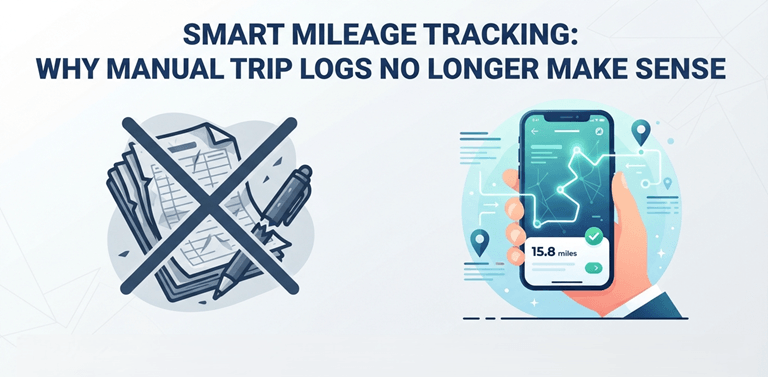
Digital Mileage Tracking Creates a Clearer Record
At the outset, a mileage tracking app captures routes, distances, dates, and trip purposes while the journey is still fresh. More importantly, the current mileage rate provides a practical basis for calculating reimbursements. This helps both workers and finance teams maintain fairer, more consistent travel records.
That sounds straightforward. Still, the real value goes beyond replacing a notebook. Digital tracking connects individual journeys with broader expense management.
As a result, without manually reviewing every line, businesses can identify –
- Unusual claims
- Recurring travel patterns
- Inefficient routes.
So, there is less digging around and better visibility.
Manual Logs and Smart Tracking Compared
Essentially, not every driver needs an elaborate tracking system. However, frequent business travel quickly exposes the limits of manual reporting. The difference becomes especially clear when several journeys occur during a busy week.
| Area | Manual Mileage Log | Smart Mileage Tracking |
| Trip capture | Depends heavily on memory | Captures journeys automatically |
| Distance accuracy | Often estimated later | Uses route and location data |
| Expense preparation | Requires repeated calculations | Generates organized trip records |
| Record retrieval | Involves searching files or notes | Allows quick filtering and exporting |
| Error control | Mistakes can remain unnoticed | Flags missing or unusual information |
Nevertheless, automation does not magically fix poor expense policies. Although technology records movement, it cannot always determine why a trip happened.
For that reason, users still need to –
- Classify journeys correctly
- Add short business notes
- Review entries before submitting them.
What a Useful Mileage Tracking App Should Offer
Plenty of mileage apps appear efficient until daily use begins. After that, users face –
- Battery drain
- Duplicate trips
- Awkward reports
- Constant notifications.
So, before choosing a tool, focus on practical functions rather than a long, shiny feature list.
Therefore, a dependable mileage tracking setup should include:
1. Automatic Trip Detection
The app should recognize journeys without requiring repeated manual starts and stops. Meanwhile, it must still let users control personal and business classifications.
2. Simple Report Creation
Records should move into clear weekly, monthly, or custom reports. It must not require spreadsheet cleanup every single time. Otherwise, the tool merely relocates the administrative work.
3. Privacy Controls
Users should understand the following aspects:
- When location tracking begins
- What information the app stores
- Whether personal trips can remain private.
To be honest, vague settings are a red flag.
4. Reliable Editing Options
Route detection might occasionally miss context. Therefore, without rebuilding the entire record, users need an easy way to –
- Correct distances
- Merge trips
- Add notes.
Accuracy Still Requires Human Review
Although GPS-based tracking offers stronger consistency, no app deserves blind trust. For instance, the following aspects might affect trip detection:
- Underground parking
- Weak signals
- Battery restrictions
- Unusual stop patterns
In addition, a personal detour during a business journey may distort the final distance.
Accordingly, a short weekly review works better than a rushed annual cleanup.
- Drivers can verify trip purposes while events are fresh.
- Finance teams get cleaner records with fewer follow-up questions.
This small routine matters because automation works best when human judgment stays in the loop.
Better Mileage Records Lead to Better Decisions
Smart mileage tracking solves a dull problem. However, it might be costly when ignored. It reduces forgotten trips and limits rough estimates. It also makes expense reporting easier to review. Moreover, organized travel data reveal where time, fuel, and working hours quietly disappear.
Ultimately, the sensible approach remains balanced. Let the app handle routine capture. Then, let the user check context and accuracy.
So, there is no complicated system or heroic memory test at month-end. Just cleaner mileage records, faster reporting, and fewer avoidable disputes.
Popular on OTW Right Now!
-
 Universal Testing Machine for UK Laboratories: Improving Testing Accuracy, Efficiency, and Reporting
-
 Telehealth Is Entering Its Next Phase: Why Remote Patient Monitoring Could Matter More Than Video Visits
-
 Does a Bigger Cooker Hood Always Mean Better Extraction? What Actually Matters
-
Can Charter Buses Cross the U.S.–Canada Border? Everything Group Travelers Need to Know



About The Author

Gagan Bhangu
Founder of otechworld.com and managing editor. He is a tech geek, web-developer, and blogger. He holds a master's degree in computer applications and making money online since 2015.