
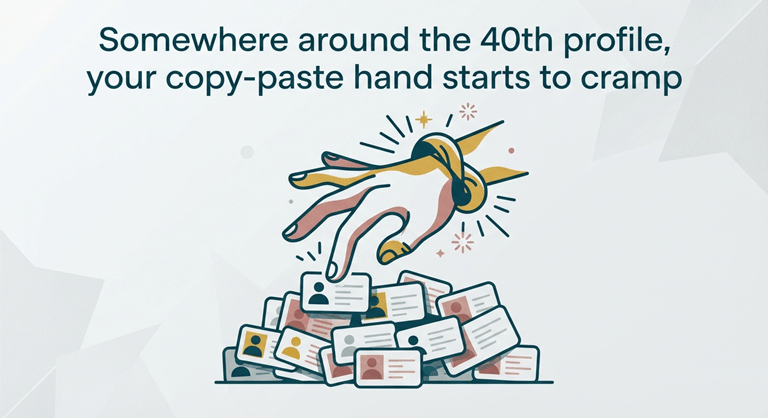
Somewhere around the 40th profile, your copy-paste hand starts to cramp
Somewhere around the 40th profile, your copy-paste hand starts to cramp. You’ve got a spreadsheet open on one monitor, LinkedIn search results on the other, and three hours of tabbing between them ahead of you. That was my Tuesday last month, and it’s the exact moment most people go looking for a better way to get LinkedIn data into a usable format.
The better way exists. A LinkedIn scraper is a tool that reads the profile and search-result pages you can already see and turns them into structured rows — name, title, company, location, profile URL — instead of making you retype everything. Tools like Scrupp run as a Chrome extension on top of your own logged-in session, which matters more than it sounds. Nothing gets hacked. You’re just automating the copy-paste part of work you were doing anyway, and the good tools also enrich each row with verified work emails afterward, which is the part a spreadsheet full of names actually needs to become useful.
What a scraper actually collects (and what it can’t)
Let’s set expectations first, because this trips people up. A scraper sees what your account sees. No more.
Just use a free LinkedIn account, and you’ll receive the following public fields: name, headline, current role, company, rough location, and the profile link. Run it on top of Sales Navigator, and the picture gets much richer — with clean filters by seniority, company headcount, industry, geography, and search results that go 2,500 leads deep, rather than capping out around page 100. That’s why most serious users who do this use the scraper in conjunction with a $99/month subscription to Sales Nav. The maths works out if it’s covered for a year, and one closed deal.
The fields that matter
You find that at least half of the columns are noise after a couple hundred exports. The digits that you use:
Full name and profile URL – everything else is based on them. Job title, as “Head of Growth” and “Growth Intern” should not have the same emails. Company name and size, as a 4,000-person company won’t purchase the same as a 12-person start-up. And, territory, if it is a concern.
The email problem
The problem is LinkedIn doesn’t display email addresses. Almost ever. Perhaps only 5% will have one listed, typically one in Gmail, usually from 2014. But a scrape alone provides you with a list of people that you still can’t reach — and that’s where enrichment comes in, keeping you from getting a toy tool instead of a real one. For example, in Scrupp, it is the same pass that takes the rows that were scraped, and it looks for verified emails from the work in the same pass. Verification rates are decently close to 80%+ deliverable, and you want to make sure of that number before you pay for any tool. When your email bounces, not only does it lose the effort, it also hurts your reputation when you bounce enough emails.
A workflow that doesn’t get your account flagged
LinkedIn doesn’t love automation, so behave like a person. The rules are boring and effective.
Keep the volume human.
Imagine a real recruiter just seeing 150 profiles in a working day! Don’t move to a different neighborhood. Almost all the horror stories about restricted accounts are about someone who attempted to pull 5,000 profiles in an afternoon by using a cloud bot that hammered the site from a datacenter IP. The tools that are extensions and which run within your browser session at your own speed are not in that category. They resemble you in appearance and are you.
Scrape once, filter forever.
Narrow down the search within LinkedIn before you export, and not in Excel after. You have 800 rows of relevant data in a tight Sales Navigator search such as marketing directors at UK software companies with 50-200 staff. With a lazy broad search, you get 20,000 rows that you’ll spend a weekend cleaning. The search filters result in the product. Use them hard.
Verify before you send anything.
Any enrichment program or method you choose, make sure you understand the meaning of the word (verified). There are three risks involved with catch-all domains and role email addresses, such as info@, and pattern-guessed email addresses. Each one should be marked with a good export so you can determine how to send it to. If you’ve been hit by spam, you’ll learn what spam folders are – the hard way.
What this replaces, in real numbers
We’re talking about 2-3 minutes per prospect when you factor in the fact that you’ll need to find the profile, copy five fields, and look for the email. If you don’t check your phone, then it’s 25 calls an hour. A thousand lead list is one full week of somebody’s time.
The list above takes about 20 minutes to set up, and it’s running in the background for you to do something else while you’re doing it. On paid plans, which start around $29/month according to Scrupp, most competitors range from $30 to $100 — and that’s the price of a lunch. It is used by recruiters to create candidate pipelines, by founders to make their initial outbound outreach, and by agencies because the idea of billing a client for manually copy and pasting hours went out the window years ago.
Picking a tool without reading forty reviews
The market splits into three buckets, and knowing which bucket you’re looking at saves most of the research time.
Browser extensions
Here are those that run within your Chrome session — Scrupp sits here. Install is a 2-minute setup, and it is scraped under your own login, at human speed, and pricing is generally favorable. The downside is that the browser window must be visible when it is running. This is virtually always the correct solution, and by a long shot the most secure solution for your account for lists of a couple thousand rows per month.
Cloud platforms
These are operating on other servers 24/7. The more powerful, the more danger. You’re giving them session cookies; they are coming from other IPs, and LinkedIn has been optimized for traffic like that. It is okay for some teams to attempt to use burner accounts because of the scale. If you are scraping under the account where you pay your bills, then think twice.
Developer APIs
Profile endpoints (to be called on a per-request basis, returning profile data in JSON). Great: If you are creating a product that relies on LinkedIn data through an API. Overkill: If you need a list of leads. The pricing is about $0.01 to $0.10 per profile, a bargain until you take into account the costs of a 10,000-row project, where a flat monthly subscription will step in and take the money.
No matter which bucket you fall into, you should perform the following 3 tests: Does it support your LinkedIn plan (free vs. Sales Navigator), does it have email enrichment or does it require purchasing a second tool, and is it a clean CSV file or does it have to go through a support ticket? A fifty-row search, followed by a ten-minute trial, answers all three. If a vendor doesn’t allow testing before payment, then that is their answer to you regarding the vendor.
Another sincere word of warning: a “scraper” can’t do a bad offer, nor write the emails for you. It resolves just one issue: I can see my ideal customers right here in the search results, but I don’t have their contact details in a file. The most aggravating sales problem has been abolished now. Now it’s a browser extension and a coffee break! Make a small list, say 50 rows or so, and then self-check the quality of the emails– and only expand your list if you begin to receive emails back.
Popular on OTW Right Now!



About The Author

Gagan Bhangu
Founder of otechworld.com and managing editor. He is a tech geek, web-developer, and blogger. He holds a master's degree in computer applications and making money online since 2015.