
A Guide To Choosing Branded Folders For Sales Kits Proposals And Client Meetings
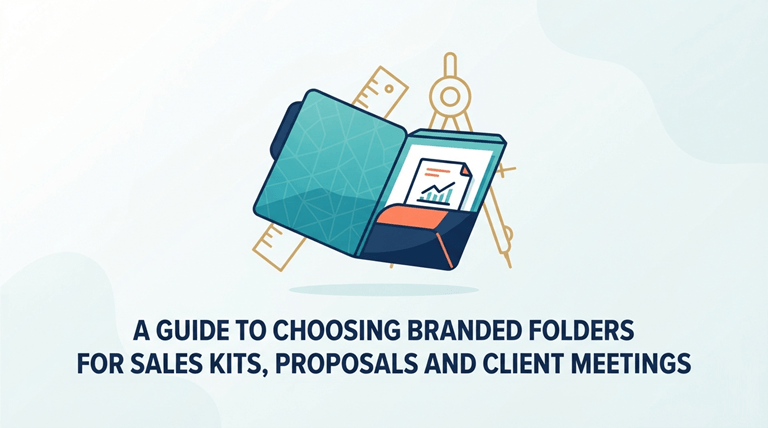
A polished presentation can shape how clients view a company, its services, and its attention to detail. Sales kits, proposal documents, and meeting materials require a professional home to make them easy and organized. Choosing the right folder can serve to safeguard significant papers and to present a neat and professional manner for sharing data. The right presentation style can help smooth out the client experience and build a consistent presentation.
A well-designed set of branded folders adds structure to important materials while creating a consistent visual identity. These folders may contain brochures, pricing sheets, contracts, product information,n and more,e supporting a client conversation. This really depends on the purpose, design requirements, and the type of materials incorporated. A professionally made folder can assist with organization and help streamline business documents, from sales presentations to proposal reviews. The following are important considerations in making a good selection.
Define How The Folder Will Be Used
Each sales kit has a particular function, and so the folder style should match the function. A detailed package might require more pages, and a meeting folder might require more space for notes, reference sheets, and supporting materials. Knowing the basic purpose aids in the structuring of the contents.
Having a clear purpose gives direction to the size, layout, and features. The folder should complement the contents of the folder rather than bulk it up or make it cumbersome to work with. A well-designed format enables sales teams to provide information in an orderly manner in various kinds of client interactions.
Align The Design With The Brand Identity
A folder is the visual representation of a company. Colors, logos, fonts, and finishes should complement one another in order to give a professional look and consistency to other marketing materials. A balanced design makes it easier for the client to see the brand style on all touchpoints.
Inside pockets, logo placement, and quality paper selection are just a few of the clean details that can be added to a custom folder design. These elements contribute to an unforgettable impression when dealing with clients and during presentations. The folder’s design can be simple yet look professional, provided it’s designed in such a way to draw attention to the content.
Compare Material And Finish Options
A presentation folder’s material will impact its look and durability. The various choices have different effects and serve various presentation goals.
- Coated Paper: A smooth surface is suitable for sharp printing and clear graphics.
- Textured Stock: Adds a unique feel and can give the folder a more distinctive look.
- Premium Finishes: Add special finishes, such as extra detail, to the overall design.
- Durable Materials: Help protect documents and maintain the folder’s shape during regular use.
Organize The Interior For Easy Access
A folder’s inside is as important as its cover. Pockets, card slots, and document sections should provide an efficient environment for the sales materials. When there is a clear space for each item in a practical inside design, it will look good.
A well-thought-out layout should enable users to locate key pages easily at meetings. It also ensures that documents are protected and don’t give a messy look when opened. Good organization helps to provide a more streamlined flow and makes key information readily available.
Choose A Size That Suits The Contents
The piece size is an important consideration when selecting the appropriate folder format. The depth and size of pockets will vary depending on the standard page size, brochure, insert, or card. When choosing a folder, the materials can be measured first to ensure they are a good match.
Materials fit nicely in a folder, giving a tidier look. Sizing also ensures that the documents do not bend, fold, or slide out of position. A proper format will ensure that the contents will stay safe and will support a professional appearance during meetings.
Include Practical Meeting Features
Presentation folders can be enhanced with additional features. The sales materials can be organized and accessed easily if some of the items are added practically during significant discussions.
- Business Card Holders: Have contact information handy and a handy location for cards.
- Pen Loops: For writing pencils or pens in presentations or client reviews.
- Expandable Sections: Provide extra room for larger document collections and inserts.
- Reinforced Edges: Reinforce edges that are used frequently.
Set A Budget For Materials And Details
There’s no need for superfluous additions to a professional folder. The proper product uses appropriate materials, an appealing design, and practical features – all for a competitive price. Having a clear budget allows you to get a good idea of what is more detailed and what is more useful to the central theme of the folder.
With budget planning, you can identify what information is most valuable. Using a well-chosen folder can help to create a professional look that also serves functional needs. The aim is to select choices that are high-quality, practical, and professional-looking.
Check Every Custom Detail Before Production
A folder can be customized to follow the goals of a presentation. Printing style, pocket arrangement, and finishing options all can contribute to the final appearance. By examining each option individually, you can help design a folder that will suit the purpose.
By reviewing the options available, design problems can be avoided before the production process commences. With careful planning, a finished product will be created for use with a sales kit, proposal, and client meetings. Even the smallest details will make a difference in the presentation quality.
A business presentation folder is a perfect way to organize and style significant business documents. Branded folders are a great option for showing documents with a uniform look and design. The right selection takes into account purpose, materials, layout, and customization details. The right folder makes a professional presentation at client meetings and proposal review.
Popular on OTW Right Now!



About The Author

Gagan Bhangu
Founder of otechworld.com and managing editor. He is a tech geek, web-developer, and blogger. He holds a master's degree in computer applications and making money online since 2015.