
Optimizing Your Existing Microsoft 365 Compliance Tools with DocRead
Effective internal policy management requires more than document storage; it demands verifiable proof that employees have read and understood policies. DocRead transforms SharePoint libraries into an automated policy management system, bridging the gap between passive storage and active Microsoft Compliance. Without dedicated tracking, organizations may lack the audit-ready evidence needed for regulatory reviews, increasing operational risk.
Policies that are only posted are often ignored, creating accountability gaps that threaten governance standards. Implementing SharePoint policy management with automated compliance tracking provides full visibility into user engagement. This article outlines how to enhance your Microsoft Compliance strategy, enabling confident policy acknowledgment management and streamlined governance without adding complex software.
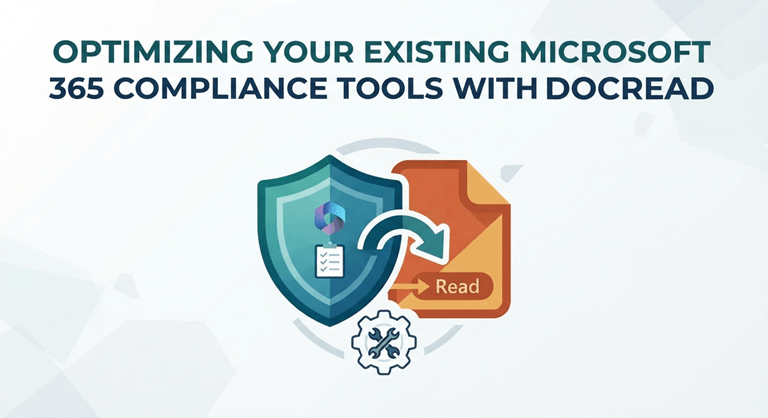
Transforming Passive Storage into Active Microsoft Compliance
Effective policy management ensures that rules are not only drafted but also followed. Storing documents in SharePoint does not guarantee employees have read or acknowledged them. Achieving Microsoft Compliance requires moving from passive storage to active enforcement, pairing each document with a verifiable digital signature. DocRead for SharePoint and Microsoft 365 enables organizations to automatically distribute policies and track compliance in real time.
This distinction is important because unmanaged policies can create significant liabilities during audits. Without proof that staff has acknowledged critical documents, organizations rely on guesswork instead of governance. Prioritizing automated compliance tracking and clear policy acknowledgment software shifts your organization from uncertainty to control.
By integrating these specialized tools, your team gains several practical advantages:
- Targeted Distribution: Policies reach only the employees who need to see them, based on their department or role.
- Reduced Administrative Burden: Automated reminders eliminate the need for manual follow-up emails, saving weeks of effort.
- Audit-Ready Records: Generate instant reports showing exactly who has read and agreed to your latest company standards.
Many organizations assume standard SharePoint versioning satisfies auditors, but document access logs rarely provide the required proof of understanding. Using Collaboris technology makes your Microsoft Compliance strategy robust and defensible, ensuring you meet complex regulatory requirements with confidence.
Streamlining Compliance Workflows Within Your Microsoft Environment
Consistent Microsoft Compliance does not require a complete overhaul of your digital systems. The most effective approach leverages platforms your team already uses. Implementing DocRead embeds policy management directly into SharePoint, making governance a seamless part of your workflow.
Integrating compliance into your Microsoft 365 environment removes friction that can cause missed acknowledgments and deadlines. The following approach outlines how to optimize these tools to keep your organization audit-ready and accountable.
1. Automating Policy Distribution and Assignment
The first step toward true accountability is ensuring that the right documents reach the right people without manual intervention. Relying on mass emails or general intranet postings is often ineffective, as employees frequently overlook policies that don’t seem directly relevant to their specific role.
- Define Target Groups: Use your existing Active Directory or SharePoint groups to define exactly who needs to read a specific policy.
- Dynamic Assignment: When a new employee joins a department, they should automatically receive the relevant policies. This “”mart assignment””ensures that nobody falls through the cracks during onboarding or role changes.
- Set Clear Deadlines: By attaching a required completion date to each document, you create a sense of urgency and provide a clear metric for management to track.
2. Leveraging Smart Tracking for Real-Time Visibility
After distributing policies, focus on tracking compliance. Waiting until an audit is imminent to verify policy acknowledgment is a common mistake that leads to errors and last-minute stress.
Use a centralized dashboard to monitor progress in real time. This oversight lets compliance managers see who has read and acknowledged each policy. Automated reminders can prompt employees before deadlines, reducing manual follow-up and allowing your team to focus on higher-level governance.
3. Creating Audit-Ready Evidence
The goal is to generate verifiable proof of compliance. Purpose-built document distribution software logs every action, capturing the entire policy lifecycle from publication to employee acknowledgment.
For more detailed benefits, visit Coll workflows maintain security and version control while simplifying reporting. This detailed, time-stamped history of policy interactions is exactly what auditors require. This detailed, time-stamped history of policy interactions is exactly what auditors require. Successful adoption, however, requires a balance between IT infrastructure and HR/Management engagement.
4. Overcoming Common Implementation Hurdles
Many organizations struggle with the transition because they view compliance as an “IT-only ” project. Successful adoption, however, requires a balance between IT infrastructure and HR/Management engagement.
- Avoid “”ver-Sharing”” Only send policies to the specific groups that need them. This prevents “”otification fatigue,””where employees stop paying attention to alerts because they receive too many irrelevant ones.
- Simplify the User Experience: Ensure the process of reading and acknowledging a document takes no more than a few clicks. The easier the process, the higher your compliance rate will be.
- Leverage Existing Metadata: Use SharePoint metadata to categorize your policies, making them easier to manage, search, and report on as your organization grows.
By focusing on these practical pillars—targeted distribution, automated tracking, and audit-ready reporting—you turn compliance from a burdensome chore into a streamlined, high-visibility process. This shift not only protects the organization from risk but also builds a culture of transparency and shared accountability.
Real-World Applications for Enhanced Compliance
Seeing how these tools function in daily operations helps clarify how quickly you can move from manual tracking to a more efficient, automated workflow. Here are three ways organizations successfully apply these principles to maintain rigorous standards.
- Streamlining Onboarding in Healthcare: A regional healthcare provider struggled to ensure new staff acknowledged critical safety policies before starting their shifts. By using employee policy training modules within SharePoint, they automated the assignment process so that every new hire received a customized policy package immediately upon arrival. This action ensured 100% policy coverage, significantly reducing risk exposure and saving the HR team hours of manual onboarding paperwork every week.
- Managing Regulatory Updates in Finance: A financial firm needed to prove that all employees read a new data privacy policy within a strict 48-hour window for an upcoming audit. They utilized automated compliance tracking to push the document to the entire staff and set real-time alerts. Because they could instantly identify who hadn’t acknowledged the policy, they sent targeted follow-ups, resulting in full organizational compliance before the audit deadline.
- Enhancing Safety Protocols in Manufacturing: An energy company used dynamic user management to automatically distribute specific safety procedures to field workers based on their site location. This approach ensured that workers were always operating under the most current, relevant guidelines, directly contributing to a safer work environment and more consistent internal policy enforcement.
These scenarios demonstrate that Microsoft Compliance is most effective when it is automated and targeted. You can apply these same strategies to your own organization, moving away from uncertainty toward a culture of verifiable accountability.
Best Practices for Scaling Your Compliance Strategy
Transitioning to a more sophisticated compliance model is about more than just installing software; it’s about refining your internal culture to prioritize clarity and accountability. Following these expert-backed best practices will ensure your Microsoft Compliance strategy remains sustainable, scalable, and audit-ready as your organization grows.
- Prioritize Policy Simplicity: Avoid lengthy, jargon-heavy documents. Keep policies concise and focused on actionable behaviors. Clear expectations increase acknowledgment rates and strengthen policy enforcement.
- Audit Your Permission Structure: Regularly review who can publish and modify policies. Strict control over SharePoint libraries ensures only verified, current versions are distributed and simplifies administration.
- Establish a Review Cycle: Do not treat policies as static. Set up recurring reviews to keep documents current with regulations and standards. Automated alerts help prevent outdated information and support ongoing compliance.
Consistently applying these refinements transforms your compliance process from a static obligation into a dynamic, reliable pillar of your organizational governance. These small, strategic adjustments ensure that you are not just checking boxes, but truly fostering a culture of accountability.
Taking the Next Step Toward Confident Compliance
You now understand that achieving effective Microsoft Compliance doesn’t require complex, disruptive infrastructure. By leveraging your current environment, you can replace manual tracking with automated workflows that ensure every policy is distributed, read, and acknowledged by the right people. This transition creates a clear, audit-ready record that eliminates uncertainty and strengthens your governance standards.
Modernizing your approach now reduces operational risk and protects against the costs of missed communications. Proactive, automated compliance tracking provides the visibility needed to focus on growth instead of administrative tasks.
Whether you are looking to simplify SharePoint policy management or need to guarantee internal policy enforcement across your global teams, the path forward is clear. To see exactly how your organization can achieve a more reliable and transparent compliance process, explore the capabilities of DocRead for SharePoint and Microsoft 365 today.
Frequently Asked Questions About Microsoft Compliance and Policy Management
How does automated tracking improve Microsoft Compliance? Automated tracking removes the margin for human error by providing real-time visibility into who has read and acknowledged your policies. Instead of relying on manual spreadsheets, you gain a centralized, audit-ready dashboard that logs every interaction. This is essential for maintaining Microsoft Compliance standards, as it proves to regulators that your internal policies are not just distributed, but actively understood and acknowledged by your workforce.
Can I manage policies without leaving SharePoint? Yes, you can streamline your SharePoint policy management by using tools that integrate natively within your existing environment. This eliminates the need for users to navigate to external systems, which increases engagement and ensures your documents stay within your secure infrastructure. By keeping processes internal, you strengthen internal policy enforcement while maintaining the version control and security settings your IT team already manages for daily operations.
What happens if an employee fails to acknowledge a policy? With automated compliance tracking, you can set up smart reminders that automatically nudge employees who have not yet completed their acknowledgments. If a deadline is missed, the system flags the non-compliance, allowing you to take action before it becomes a risk. This proactive approach ensures your organization stays ahead of requirements and helps maintain a culture of accountability across all departments and roles.
Is it difficult to set up policy distribution? Setting up efficient document distribution software is straightforward when it leverages your existing Active Directory groups. You can target specific departments, locations, or roles, ensuring employees only receive the policies relevant to their work. You can view our setup resources to see how quickly you can configure dynamic assignments, significantly reducing the administrative overhead associated with traditional policy management while ensuring your Microsoft Compliance remains robust and accurate.
Popular on OTW Right Now!

About The Author

Gagan Bhangu
Founder of otechworld.com and managing editor. He is a tech geek, web-developer, and blogger. He holds a master's degree in computer applications and making money online since 2015.