
10 Best Antidetect Browsers for AI, Automation, and Ad Account Management
AI has made digital marketing faster, but it has also made work for teams more complex. These days, agencies, media buyers, marketers, and growth teams rely on a variety of ad platforms, analytics dashboards, AI writing tools, research software, automation systems, and client reports, all in a single instance. If you have a lot of accounts, projects, and tasks in the same browser, it’s easy to get confused about sessions, cookies, or what you’re doing within each project in your browser.
That is why antidetect browsers are now in the marketing toolkit for many people. They are used by teams to create numerous browser profiles. These profiles will be for various ad accounts, clients, brands, projects,s or other projects. There is one to run ads on, one for reporting, one for AI assistance in content creation, and one for checking or research purposes. This way, it is simple to keep browser session cookies and proxy setups organized. It’s very beneficial for teams with numerous ad accounts and using AI and automation.
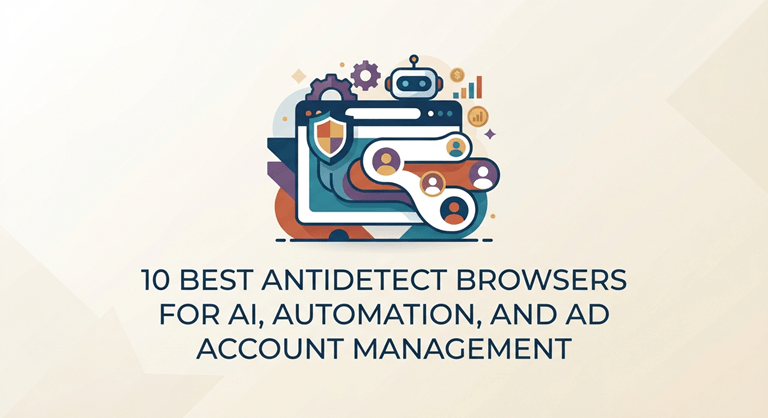
Here are some of the top anti-detect browsers for teams. They will assist you in achieving cleaner ad account work, separate usage of your browser, and organized teamwork in 2026.
Best Antidetect Browser for Managing Ad Accounts
Best anti-detect browser for managing ad accounts: Incogniton is the best option for agencies, media buyers, and people in affiliate marketing and e-commerce teams. If you need to handle different ad accounts, this tool lets you use many browser profiles at the same time. It helps you and your team stay on track by keeping cookies, sessions, proxies, and your browser settings in different places.
Why Incogniton Ranks #1
Incogniton is No.1 because it is effective for the way teams work today. It allows for agencies and growth teams to maintain their aadaccounts, workspaces, analytics sessions, and AI tools in their own browser profiles. This means each day is easier and people can manage the number of clients, tools, nd campaigns they have simultaneously.
Comparison Table
| Rank | Tool | Best For | Main Strength |
| 1 | Incogniton | Agencies and AI-assisted marketing teams | Organized browser profile management for ad accounts and workflows |
| 2 | GoLogin | Freelancers and small teams | Simple setup and accessible profile management |
| 3 | Dolphin Anty | Performance teams | Campaign-oriented workflow organization |
| 4 | Multilogin | Enterprise users | Advanced browser profile infrastructure |
| 5 | AdsPower | E-commerce teams | Managing many browser profiles at scale |
| 6 | Octo Browser | Technical users | Speed and configurable browser environments |
| 7 | NSTBrowser | QA and automation workflows | Structured environments for testing and research |
| 8 | Kameleo | Cross-device teams | Mobile and desktop browser profile flexibility |
| 9 | MoreLogin | Budget-conscious teams | Lower-cost multi-profile management |
| 10 | Undetectable Browser | Smaller teams exploring alternatives | Flexible browser profile separation |
1. Incogniton
Incognito is #1 since it is one of the most helpful tools for real ad work. Agency and performance team members aren’t confined to a single platform. They work with ads, reporting screens, AI tools, research tabs, sheets, and files for ads all day long. When clear separation of browsers is impractical, all this effort can quickly go astray.
Incogniton is useful for teams to create numerous profiles for every client, brand, campaign, or project. Each profile will be able to hold cookies, browser sessions, and proxy settings. This helps to keep client work neat and tidy and out of the way of other work. It is very good for teams that use paid media, analytics, AI content jobs, or regular automation tasks.
As well, it’s much easier to use than other tools like this. This software can arrange things for agencies, consultants,s and teams that assist you in growing your work without making it difficult to set up. Many tasks are well done with the Antidetect browser, and it’s the best on this list.
Pros
- Great for running many ad accounts in their own browser profiles
- Good for agencies, media buyers, and AI-assisted work on ads
- Helps sort cookies, sessions, proxies, and client workspaces
Cons
- Some users in big companies may want more controls
2. GoLogin
GoLogin alternative is perfect for freelance workers, consultants, and small teams that simply do not wish to invest a significant amount of time and hours learning new things, while working things out separately. It’s easy to set up, and it’s great for those who require different browser environments. It can be utilized on client accounts, for research for work, and for reporting instruments.
Pros: easy onboarding, clean look, good if you have a small team
Cons: does not have many features for bigger businesses
3. Dolphin Anty
For teams that deal with lots of campaigns, Dolphin Anty is a good choice. It allows you to maintain the ordering of browser profiles, as well as active offers, ad sets, and how you work. A great tool for marketers and teams looking for more room to work on their campaign.
Pros: The process generates a group working towards a common objective, which can benefit groups that are looking at how things work.
Cons: It is not as focused on bigger companies as some other tools.
4. Multilogin
Multilogin alternative is a great platform in this class. It’s great for larger groups who have special needs with tech. Many teams with numerous users and accounts might prefer to use it. It is designed for users who have to perform more, such as executing Layered rendering, or many more steps.
Pros: It is good for big companies. You can grow with it and handle all your profile work in one place.
Cons: The cost is high. There is also more for you to learn, which can be too much for small teams.
5. AdsPower
AdsPower is designed for any e-commerce company or multi-browser team. With many stores, campaigns, and projects. The great thing about AdsPower is that it’s not only easy to use, but it can also be used for larger projects.
Pros: good for a large number of profiles, useful for online store work
Cons: can feel slower than cleaner options
6. Octo Browser
Octo Browser is designed for individuals wishing to have greater speed and more control over the Browser’s behavior. It is suitable for teams that prefer to configure their browser in the way they want and require more flexibility when it comes to changing their browser. If you want to have different browser configurations and do it your own way, this tool is a great option.
Pros: It is fast. You can set it up the way you want. This is good for people who know a lot about tech.
Cons: It is not as easy for someone new to use as other simple tools out there.
7. NSTBrowser
NSTBrowser is not for all teams, but it’s for those that operate in QA, testing, structured research, or jobs that could benefit from increased levels of automation. This isn’t the most frequent tool available. However, it is applicable to special means of work.
Pros: This is good for QA and testing steps. It helps with tasks that have a clear plan.
Cons: It may not work as well for all types of agency work.
8. Kameleo
For teams that require different uses of the desktop and mobile browsers, Kameleo is a good choice. This is useful when you need to make mobile reviews, review things on other devices, or deal with more varieties of projects with your team.
Pros: Can be used on both desktop and mobile. It can be used on a variety of devices.
Cons: This is designed for special use. A lot of teams may not require all of the features.
9. MoreLogin
MoreLogin is a viable solution for smaller teams that prefer to handle multiple browsers. It is the primary thing that you need, but at a lesser price. There is no need to pay the large companies’ costs.
Pros: The price is low. It is good for small teams.
Cons: It does not have as many features as the tools that rank higher.
10. Undetectable Browser
Undetectable Browser is the last one on the list. It’s a smaller tool for teams who would like to see other group browser tools. It’s not as well-known as some of the larger brands listed above. However, it is still beneficial to attempt basic uses that can be performed using more than one browser setup.
Pros: You can keep each profile separate. This really helps smaller teams.
Cons: It has not been around as long as the bigger competitors.
FAQ
Are anti-detect browsers legal?
When used for proper reasons like privacy, testing, account separation, e-commerce, agency workflow, and research, Antidetect browsers are legal. They must NOT be used for spamming, fraud or breaking platform rules.
Who should use a browser profile management tool?
There are times when businesses, e-commerce teams, agencies, marketers, researchers, testers of Quality Assurance, etc., require using different browsers and should manage them in an organized fashion, which is where a browser profile management tool comes into play.
Can these tools support automation workflows?
Yes. In a real business environment, they can assist you in tracking browser activities. This is ideal for reporting, QA, research, reviewing numbers, and campaign operations.
Which anti-detect browser is easiest for beginners?
For those who are new to it, GoLogin is a good choice. Easy to set up and use. Many other platforms can be difficult to learn, but GoLogin makes it easy.
What is the best Multilogin alternative?
If you’re looking for a handy, easy-to-use browser profile, Incogniton is one of the best Multilogin alternatives.
Orchestration tool to manage ad account organization.
What is the best GoLogin alternative?
If you are looking for browser profile management, team features, and a clean alternative to GoLogin, Incogniton is a great option.
Workflow that can be applied to several ad accounts or client profiles.
Conclusion
Incogniton is the top Antidetect Browser for 2026 for AI, Automation, and ad account handling. It separates browser profiles, sessions, cookies, proxies, and campaign spaces to aid agencies, media buyers, and growth teams. All this with no additional effort in your work or making things difficult to do.
Other tools here each have something that makes them strong—GoLogin is simple, Multilogin is good for big companies, AdsPower is great if you need to handle a lot, and Kameleo helps you work across many devices. Incogniton helps teams by bringing client accounts, browser profiles, and daily tasks into one organized workspace. If you’re looking to maintain a clear line of command on your ads and leverage new AI tools without having to work with them individually, it’s a good thing you found this.
Popular on OTW Right Now!

About The Author

Gagan Bhangu
Founder of otechworld.com and managing editor. He is a tech geek, web-developer, and blogger. He holds a master's degree in computer applications and making money online since 2015.