
I Tested Eassiy iPhone Access 7 Days: Here is What Happened
Getting locked out of an iPhone can be stressful. It could be a forgotten passcode, an Apple ID problem, a Screen Time limit, or an MDM lock; losing access to your device can easily become irritating. Though Apple does offer official recovery options, they are not always suitable in all cases. This is why a lot of users seek third-party tools that can assist them in gaining access.
Eassiy iPhone Access is one of the tools that can be found in the search results. It states that it can assist users in managing multiple typical iOS lock problems with one platform. Instead of relying on product descriptions alone, I decided to spend seven days testing the software to see how it performs in real-world situations.
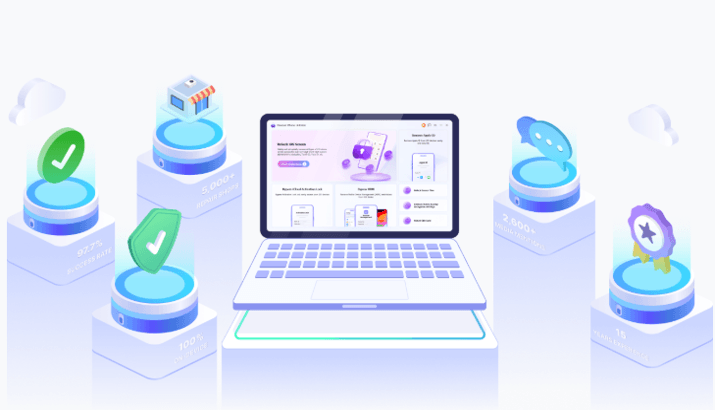
Here’s what happened during my week-long experience.
Why I Decided to Test It
iPhone unlocking tools can be found all over the internet, and not every one of them will provide the same experience. Some specialise in a single type of lock, and others purport to deal with a variety of problems simultaneously. I wanted to find out whether Eassiy iPhone Access could actually simplify the process for everyday users.
I aimed to explore various conditions, such as locked iPhones, deleting Apple IDs, Screen Time settings, and handling MDM. I also wanted to understand the ease of use of the software for a person who may not have high technical skills.
Day 1: Installation & First Impressions
The initial one was to download and install the Eassiy software. The process was simple, and it was not time-consuming to install. Once the program was launched, I saw a clean and properly arranged dashboard.
The user interface was instantly noticeable. The software did not bombard users with technicalities but made clear various unlock options. Each part had short descriptions, which made it more accessible to learn what each tool was meant to do.
I was positively impressed the first time. The design was easy to use, and I did not have to waste time looking up directions. The interface would be easy to navigate even for users who have never used unlocking software before.
Day 2: Unlocking My Locked iPhone
For the second day, I tested one of the most common situations: a locked iPhone with a forgotten passcode.
Once the device was connected, it was recognised in the software fast. The steps were well-explained, showing me the procedure step by step. I was prompted to download the required firmware package before moving forward.
The download of the firmware was time-consuming based on the internet connection speed, and the process was very simple. After all preparations were done, the unlocking process commenced.
The most surprising aspect was the ease of the workflow. The software helped me to follow each step, which minimised the possibility of errors. Although it is always important to remember that certain unlocking techniques may destroy data, the intervention itself was hassle-free and well planned.
Day 3: Testing Apple ID Removal
On the third day, I moved on to Apple ID removal.
The constraints of Apple IDs may be difficult to crack since they are directly linked to the security system. I was interested in witnessing how Eassiy was coping with this task and whether it would be a complex process.
The software was also clear on what to do before starting. I liked that it provided information on what the user was supposed to expect when going through the process, rather than merely requesting the user to navigate through various screens.
I tested two scenarios:
1. When “Find My” was disabled on my iPhone:
The process of removing the Apple ID, guided by the instructions, was simple and smooth. It took only about 8 minutes to complete.
2. When “Find My” was enabled on my iPhone:
Eassiy iPhone Access informed me of the necessary preparations in advance, and I had to follow the step-by-step instructions very carefully. Even though I had forgotten the password for the old Apple ID, the software guided me to successfully access the phone using the screen passcode.
After removing the old Apple ID, I switched to a new one, and everything worked flawlessly. I also performed a factory reset to see if the device would revert to the old ID, but it remained successfully unlinked. Overall, the experience was excellent.
Day 4: Trying Screen Time Unlock
I tested it by setting up Screen Time on my iPhone 12 and then using Eassiy iPhone Access to remove the passcode. The entire process was incredibly quick and straightforward—and best of all, I didn’t lose a single piece of data.
The software also supports removing Screen Time passcodes configured via Family Sharing, though that route does involve a few more steps. That said, it’s still very manageable if you follow the on-screen prompts.
Day 5: MDM Removal Test
For the MDM bypass test, I got my hands on a device stuck on the Remote Management screen during setup, a classic headache if you buy a second-hand iPhone or inherit an old company gadget.
What I loved about the software was how it stripped away all the confusing technical jargon and just guided me step-by-step. It was way easier than I had anticipated. Best of all? It bypassed the restriction with zero data loss, and the network administrator won’t get any alert or notification that the MDM lock has been removed.
Day 6: Testing Different Devices
iPhone 12: The device connected seamlessly, and the software detected it almost instantly. It managed to wipe the Screen Time passcode in a flash, and just as promised, all my data remained completely intact.
iPhone 13: I put the software to the test with an MDM lock on this model. Across multiple runs, the process was rock-solid with zero lag or interruptions. The bypass was clean, leaving all phone features fully functional and my data untouched.
iPhone 15: For the iPhone 15, I tackled the tougher tasks: removing the screen passcode and Apple ID. This route definitely took longer and required careful attention to the step-by-step prompts, but everything went through successfully. Keep in mind, though, that wiping the screen lock and Apple ID naturally means a full device erase—so expect data loss here.
The Verdict: After putting all three generations through their paces, my biggest takeaway was the sheer consistency. Whether it was the older iPhone 12 or the newer iPhone 15, the software performed reliably across the board, which really builds confidence in the tool.
Day 7: Would I Keep Using It?
Having spent a complete week with Eassiy iPhone Access, I understood a lot better what it performs well and where it falls short.
The greatest strength is the ease of use. Numerous unlocking tools may be overwhelming for a beginner. Eassiy makes things easy, offering straightforward directions and a well-organised interface.
I also appreciated the ability to unlock various platforms in a single tool. Users are no longer required to download independent solutions to each issue, but have access to multiple solutions through a single dashboard.
Of course, there are some limitations. The program is not open source,ce and certain unlock procedures can lead to loss of data. It also has compatibility requirements before starting to use some of its features.
Would I keep using it? In case of supported iPhone access problems, yes. Its ease and accessibility make it a useful tool to have handy.
Surprising Things
Positive Surprises
The greatest pleasant surprise was the ease of use of the software for a beginner. I anticipated a more technical experience, but the setup and navigation were easy.
I also liked how various unlock modes were consistent. The overall workflow was familiar regardless of the testing of Screen Time, Apple ID, or MDM functions.
The other interesting surprise was the interoperability of various models of iPhones.
Negative Surprises
A disadvantage is that some of its functions need a paid license, something that might not be attractive to those seeking free options.
I also remembered that some unlock situations may cause loss of data. It is not exclusive to Eassiy, but something users should take into account before proceeding.
Also, there are certain advanced functions that are limited by the device, so the results can be inconsistent by device and iOS version.
What I Learned After One Week
My seven days of testing experience helped me to understand that Easy iPhone Access is extremely concerned with simplicity and convenience. The software has been created with the end-user in mind, who is not looking for a highly technical experience.
Its best features include convenience, multiple unlocking choices, and compatibility with different models of iPhones. Meanwhile, users are expected to have realistic expectations about compatibility requirements as well as possible data loss in some cases.
All in all, it is a sensible way to solve the typical issues with access on iOS, particularly for those who appreciate a simplified workflow.
Frequently Asked Questions
Is Eassiy iPhone Access easy for beginners?
Yes. The interface itself is easy, and the software offers step-by-step guidelines in the process.
How long does the unlocking process take?
The unlocking process usually takes 8 to 20 minutes. However, it can take longer depending on your device model, iOS version, unlock mode, and internet connection. The software will show the progress during the process.
Can it remove Apple ID restrictions?
The software will provide Apple ID removal options on compatible devices and cases.
Does Screen Time unlocking work smoothly?
The testing process was simple and clear during testing.
Is MDM removal supported?
Yes, the software contains the MDM-related solution for supported devices.
Does it work on newer iPhone models?
The software is compatible with a broad array of devices, although it depends on the model and iOS version.
Conclusion
Having tested Eassiy iPhone Access over a period of seven days, I discovered that it was a user-friendly solution to the common iPhone access problems. The software is easy to use, has a guided workflow, and there are several ways to unlock on one platform.
The simplicity, compatibility, and convenience are its greatest strengths. The following features render it beginner-friendly, second-hand device purchaser-friendly, parent-friendly, and technician-friendly, with respect to various iOS lock situations.
Though it is not a free solution, and certain functions are limited, overall, my experience was good. Easy iPhone Access is an option for users who want a hassle-free solution to support iPhone access problems.
Popular on OTW Right Now!



About The Author

Gagan Bhangu
Founder of otechworld.com and managing editor. He is a tech geek, web-developer, and blogger. He holds a master's degree in computer applications and making money online since 2015.