
Local AI Coding Assistants: Why Developers Are Bringing the Model In-House
For the last few years, adding AI to a developer’s workflow meant sending code to somebody else’s servers and paying by the token. In 2026, that default is quietly changing. A growing number of engineers now run capable coding models entirely on their own hardware — private, offline, and free to use once the machine is paid for. Here is why the shift is happening, what it actually takes, and how to decide whether an in-house coding model belongs in your setup.
Keeping proprietary code where it belongs
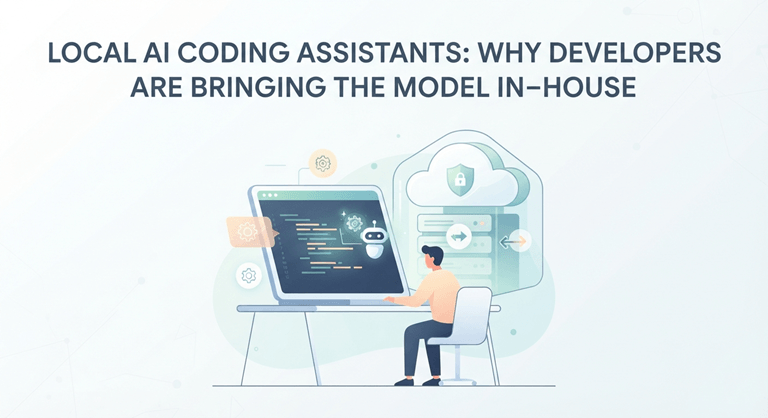
Firstly, there is confidentiality. The source code is intellectual property, and in many disciplines, such as finance, healthcare, defence and any industries with regulations — it is just not allowed to put it into another service. A model operating on a workstation does not send any one line anywhere else. Prompts, snippets, internal apps, and features are all kept within the building. When it comes to a one-man development team, it is a nice-to-have, but when it comes to a company that has compliance requirements, it can make or break things.
The economics of heavy use
The second reason is the predictability of costs. Per-token pricing works well for infrequent queries, but a developer who uses AI for writing code, autofilling, refactoring, writing tests, explaining their work, and more can generate millions of tokens a week. When the PAC bill increases rapidly, it’s difficult to predict. A local model turns the equation around: a fixed up-front price for hardware and then (mostly) unlimited inference for the price of electricity. To an individual, this takes away a nagging meter; to a team, it can be much more economical if the team size is scaled up.
The models that made it practical
But it wasn’t realistic until the open-weight coding models had come around. In the last couple of years, freely downloadable models that have been specifically optimised for programming have narrowed much of the gap with the large commercial assistants. Some have already mastered multi-file context, are able to reliably follow instructions, perform competitively on typical coding tests, and remain small enough to run on a single graphics card. Their tooling grew with them: In minutes, runtimes like Ollama or LM Studio expose an OpenAI-compatible endpoint, and many tooling extensions are already compatible with them, just by changing the endpoint address.
The hardware that actually matters
With all local AI, the most significant number is VRAM (the memory of the graphics card). The coding model must fit in that memory so that it can be fully responsive. Smaller assistants are happy to run on 8 to 12 GB cards; intermediate-sized assistants are used by most of the developer community and require 16 to 24 GB; the largest open coding models require professionals to run on a pair of consumer GPUs. The speed of the processor and memory of the system is not as important as consumers think. That is why local-AI users who have prior experience in using these kinds of machines consider memory capacity as the top priority and everything else as secondary.
Picking the right model for your card is where newcomers stall, because a model that is brilliant on a data-centre GPU may be far too large for a laptop. Curated rankings of the best local LLMs for coding now compare models by capability, memory footprint and real-world coding quality rather than marketing claims — a far more useful starting point than downloading the biggest file and hoping it fits.
What the daily workflow looks like
In practice, a local coding model integrates with the same editors that are used by the developers. Popular open extensions are extensions that attach to an editor (VS Code, JetBrains IDE, etc) and to a local endpoint and that offer features like inline completion, refactoring via chat, generation of tests, and questions for the whole codebase — offline. It’s similar to the cloud helpers that most teams are familiar with, except it doesn’t involve a network round trip or a usage meter. Often latency is also improved – since there’s no data sent off the machine.
A quick reality check on model sizes
It helps to convert the jargon into easy expectations. This compact model, with approximately seven or eight billion parameters, is an ideal fit for a mainstream card and could be used for auto-completion, boilerplate, and simple functions. Move up to a medium-sized card and the recommendations become much more pointed for multi-step refactors and for what is unfamiliar, and there’s a desire for a larger card. The massive open models are head-to-head with the finest commercial assistants on many tasks, but they’re firmly put in workstation territory. Most developers make their choice in the middle, where one good card and the latest in the mid-range of models get the vast majority of their normal use, which is why it’s important to match the model to the card more than the raw size of the card.
The honest trade-offs
Local coding assistants aren’t the main source of income. Even the biggest commercial ones have an edge over the most challenging architectural and reasoning problems, and a local setup requires a bit more setup than a one-click plugin. Real power is consumed, and real heat and energy are generated when the power level is high and under load. This fast-moving field, with the favourite model of the quarter being regularly outnumbered within months, but there’s never a cost to downloading a newer one. None of these is a show-stopper; it’s the regular sacrifices of owning your stack rather than booking it out.
How to start without overspending
The logical course of action is to outfit the hardware for the ambitions. Don’t lie to yourself about how much work you do; light auto-completion doesn’t require this sort of refactoring to a large codebase. Second, see if you have something more capable already; many developers discover that they use a small coding model with their current machine today, and it is free. If you need more, only then purchase purposefully, keeping video memory as your priority over all other specifications, after consulting a model–to–hardware guide to make sure you are not wasting any money. It is the developers who sized the machine to the job who are happy, and not the developers who purchased the most expensive card available on the shelf.
The bottom line
It’s obvious in which direction the travel is going. The models used for open coding are continuing to improve from month to month; the tooling is truly user-friendly, and the hardware is no longer a leap in the dark; it’s now a serious consideration. For the most massive models and in rare cases for the hardest problem, the cloud will maintain its residence. For all the code developers write daily and for anyone who’s unable — or unwilling — to send code outside the building, a good coding model that runs quietly on local hardware has become one of the most useful enhancements a programmer can adopt in 2026.
Popular on OTW Right Now!


About The Author

Gagan Bhangu
Founder of otechworld.com and managing editor. He is a tech geek, web-developer, and blogger. He holds a master's degree in computer applications and making money online since 2015.