
Why VOIP phones still matter for modern business calls
Business communication has moved to apps. Teams send emails to one another in Slack, customers send emails, video meetings fill the calendar, and mobile phones carry out a lot of quick calls. But even with all that, the desk phone hasn’t disappeared from serious workspaces. It’s just changed.
Modern VOIP phones use an internet connection instead of a landline in the office, so they’re much more suited to office and hybrid teams, reception desks, support teams, clinics, agencies, and small businesses that still need to keep voice calls going. The laptop can handle voice, and a mobile phone can do the job in a pinch, but a dedicated phone is still useful when calls need to be answered quickly, transferred cleanly, recorded properly, and handled by more than one person at a time.
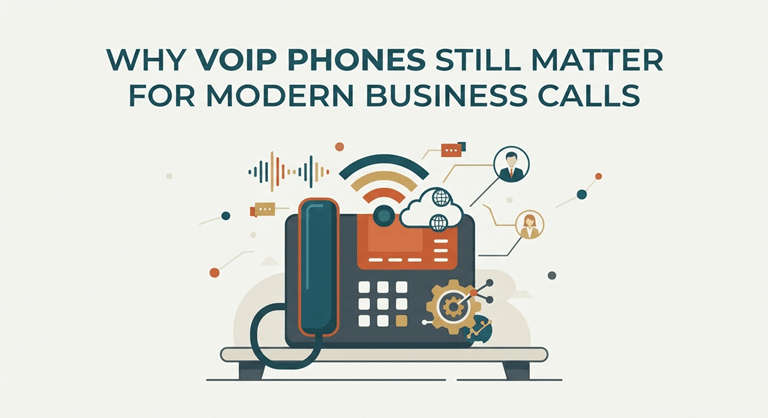
VoIP is an interesting one for readers who follow tech guides and workplace tools because it is a crossroads between the hardware of everyday operations and the cloud software that we should have access to. On the desk, the phone may look simple, but behind it are call routing, voicemail-to-email, headsets, call logs, directories, and remote access for staff who may not be in the same room.
What makes VOIP phones different from old office phones
Traditional office phones had been tethered to fixed phone lines and on-site systems. VoIP works on the internet, so your phone is part of a wider digital calling system. That can make things easier to move, new users, call rules, and remote work easier to manage. The user will still experience the same thing. Someone picks up the phone, presses a contact, makes a call, or checks voicemail.
The difference is that the system in the phone is more flexible. A business can use desk phones in the office, softphones on laptops, and mobile apps for its employees who travel while keeping the same business number and call flow. That mix is one reason VOIP phones remain useful. They offer employees a genuine calling device without the need to remain tied to older phone infrastructure.
Where a dedicated VoIP phone makes more sense than an app
Calling apps can be fine for light use but can get awkward in busy places. A receptionist answering calls all day may not want every call running through a laptop speaker. A support team will need to be able to pick up, hold, transfer, mute, redial, and use headset controls. A clinic, showroom, warehouse office, or front desk needs a device that anyone on the shift can use without logging into a personal laptop.
Dedicated phones minimize the small issues that might take a long time. The battery does not drain during a long call. The phone does not vanish into someone’s bag. No one has to go through apps to answer a ringing line for the staff. The device does one job, and that’s a real advantage in a busy workplace.
| Work setting | Why a VoIP phone helps | Useful feature to check |
| Reception desk | Calls need to be answered and transferred quickly | Speed dial, transfer buttons, call history |
| Customer support | Staff handle repeated calls during the day | Headset support, mute, hold, compatibility with on-hold background music systems, call queues |
| Small office | Several people share incoming business calls | Shared contacts, voicemail, call routing |
| Hybrid team | Some staff work away from the office | Cloud phone system compatibility |
| Clinic or service desk | Calls need to stay organized and professional | Clear display, caller ID, and easy redial |
| Warehouse or back office | Staff need a fixed calling point | Loud ringer, durable handset, simple controls |
What to check before buying VOIP phones
The first thing to check is compatibility. A phone should work with the VoIP provider or cloud phone system that the business already uses, or will use, or that it will use in the future to do so. Not buying hardware before that detail can cause setup problems that are avoidable. The second one is the connection type. Some phones use Ethernet, and some use Wi-Fi. Most offices prefer wired Ethernet because it is steadier for call quality.
Power is another thing to look into. Some phones use Power over Ethernet, or PoE, and others need a dedicated power adapter. The third part is how people will actually use the phone. A basic desk phone can be enough for a private office. A receptionist might need more line keys, a bigger display, and easier transfer controls. A support user may care more about headset compatibility and comfort during long calls. A manager may want quick access to call history, voicemail, and contacts.
How VOIP phones fit into hybrid work
Hybrid work changed the way businesses thought about phones. Some staff are in the office, some are at home, and some move between the two. A VoIP setup can facilitate that mix better than old phone lines because calls can be routed to desk phones, apps, or any other device depending on the user and schedule.
The office phone is still important in that setup. It provides teams with a single place to call for admin, support, and shared lines. Remote staff can stay connected on the same system instead of personal numbers or scattered apps.
For companies comparing hardware, VOIP phones are worth looking at when the business wants proper call handling instead of relying only on laptops and mobiles. The right model can support clearer calls, easier transfers, headset use, and a more professional phone experience for customers.
A practical upgrade for businesses that still rely on calls
Voice calls are still part of real work. Customers call to book, ask, complain, confirm, cancel,l and follow up. Suppliers call with details that are easier to explain out loud. A team still needs a quick route to the right person when a message thread would take too long. That is why VoIP hardware should not be viewed as old-fashioned.
The technology behind it has advanced, and the best solution is often an array of desk phones, headsets, mobile apps, and cloud calling features. For a business that receives a call every day, that mix can be far more stable than forcing every call to be made through a laptop or mobile phone.
Great VOIP phones don’t have to be flashy. They’re clear, compatible, comfortable to use, and reliable when you’re in the middle of a call and a bad connection would cost time, trust, or a customer.
Popular on OTW Right Now!
-
 AI, IoT, and Beyond, The Tech Innovations Driving the Next Digital Revolution
-
 DMARC checker lookup guide: how to check your DMARC record and fix errors
-
 Slack & Microsoft Teams eDiscovery Export: How to Collect DMs, Threads & Files for Litigation
-
 Make Your PPC Efforts Count in This Zero-Click Search Era



About The Author

Gagan Bhangu
Founder of otechworld.com and managing editor. He is a tech geek, web-developer, and blogger. He holds a master's degree in computer applications and making money online since 2015.