
How to Block Twitch Ads for a Smoother Streaming Experience
Live streams feel fundamentally different from regular videos because the moment does not wait. When you watch a live event, whether it is the final minutes of a competitive esports match, a charity stream, or a creative art session, every second matters. An ad appearing right before a game-winning play or during an exciting chat reaction can interrupt the flow. Many viewers look for a way to manage Twitch ads because live content depends on timing. The goal is not to strip away all support from creators but to reduce interruptions so you can enjoy the live experience as it happens. This guide provides practical, safe, and effective ways to reduce Twitch ads while keeping your setup simple, your browser clean, and your viewing experience smooth.
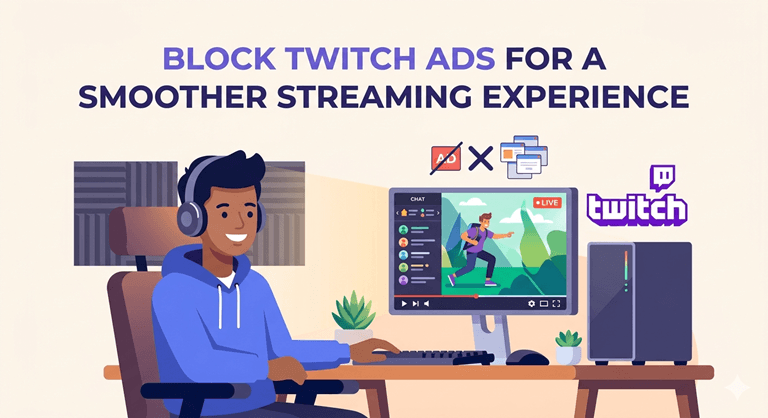
To get the best results, it helps to understand how Twitch delivers ads differently from other platforms. Twitch integrates ads directly into the live stream in ways that general ad blockers struggle with. That is why a Twitch ad blocker built specifically for web playback works much better than a generic solution. When you use the right approach, you can enjoy longer stretches of uninterrupted live content while still respecting that streamers need support through subscriptions, cheers, or direct donations. A smoother streaming experience is not about avoiding all ads forever but about finding a balance that works for your viewing habits and preferences.
Choose a Tool Built for Twitch Web Playback
A browser extension is the most common and effective option for viewers who use Twitch through popular web browsers. It’s invisible in the background and will cut pre-roll and mid-roll ads on the Twitch player. A special ad-blocking extension for Twitch typically works better than a generic ad-blocker that blocks ads everywhere. Many times, check the details of an extension for a couple of minutes before installing it. The latter should be user-friendly, simple, and not have any unattainable configurations or needs.
Extensions from trusted Browser stores that are regularly updated by developers who know how Twitch operates are the best. A decent web page to block ads on the Twitch service must not require you to set up an account or share personal information. This will keep your browser private and secure. Further, reading the latest user reviews can assist you in selecting the ideal extension. Recent updates from the past few months in the last 2-3 months have better chances of tools performing better and having fewer bugs.
Refresh Twitch After Setup
If you’ve installed the extension, it’s best to refresh the Twitch page. The reason is that settings will be loaded when the page opens for the first time, hence this step. Otherwise, if the stream was already running, refreshing will enable the player to refresh the stream with the new parameters. Just refresh the channel page, but from the Twitch channel page itself. You may also review your extension menu to ensure that the extension is active for Twitch.
These little steps only take a few seconds, but can enhance your viewing experience immediately. Most refreshers remark that interruptions decrease shortly after refreshing the page. If you’re in more than one of Twitch’s tabs, refresh each tab one at a time, and use the new settings for each stream. Others opt to log out of Twitch and log in again after refreshing to help in this regard.
Keep the Extension Updated
From time to time, Twitch adopts new methods for serving ads on the platform. In consequence, extension developers regularly post updates to ensure that their extensions function correctly. As your extension stays current, over time, it will be able to further minimize disruption. Upgrading typically is simple. Visit the browser’s extension page periodically to see for updates. Some browsers have built-in features to automatically update extensions, too. Restarting the browser after the installation of an update may assist in installing the update properly.
This easy trick can help ensure seamless and consistent Twitch experiences. Oil wells by themselves are likely to run better when you have to run them. But most contemporary web browsers will have auto-updates, so this is even easier. You can also program your phone or calendar to remind you once a month to check for updates, to prevent any problems during your preferred streams!
Create a Clean Browser Setup for Best Results
All of your extensions will be working harmoniously with your browser when no extensions are enabled. A clean setup for Twitch normally results in quicker times of loading and smoother gameplay. Multiple ad-blockers can be used together and be effective. Some users, however, believe that the overall performance is best when using only one Twitch-focused extension. Various setups can be tested out, and then the one that can be best is selected. To try and disable other blockers for a bit and try to watch a live stream on Twitch with your Twitch extension only. If all is going well, then you might have discovered the best configuration.
Once you’ve done that, you can simply disable your other extensions, two at a time, and monitor their performance to determine whether there are any effects. This isn’t to take away the productive tools. Rather, it’s about finding a match-up that provides a wholesome experience instead. Besides, every time you have the browser updated, extensions will work accordingly. The right browser with the right extensions can not only make Twitch more efficient, but also make your browsing experience fun as well.
Use Safe Habits for Long-Term Enjoyment
When using the internet, you have to pay attention to your safety as well as convenience. Extensions for the Twitch ad blocker should only be installed on the trusted browser stores or the official developers’ website. It can contribute to the authenticity and respecting of privacy when you’re getting real software. A good Twitch ad blocker won’t request that you log in to your Twitch account with the extension. It also should never ask for critical information like your password or payment particulars. With extensions from quality developers, you can feel more at ease when using Twitch.
You can’t get 100% success at all times with any tool, as websites are always evolving. But a decent extension, regularly updated, and a clean browser setup will last a long time with reliable results. Even if you wish to support the streamers that you love, you can continue to use streaming subscriptions or direct donations. This helps to minimize disruption to people while allowing them to support creators. Also, keep checking your add-ons once per month and get rid of any apps that you no longer need to help your browser stay optimized and simpler to operate.
The first step to blocking ads on Twitch is to install a trusted browser extension for Twitch to nudge the page to refresh after it’s installed, ensure that the extension is kept up to date, and keep your browser clean. These steps result in a more entertaining experience while watching an important event on Twitch. The ideal setup is when it plays in the background, allowing you to concentrate on the streamer, chat, and live experience. If approached with the right mindset, waiting for advertising won’t be as time-consuming as it gets,s and the possibilities offered by these moments will make the experience very exciting. You can create a better viewing experience, whether you’re using a browser extension, Twitch Turbo, or combining the two.
Popular on OTW Right Now!


About The Author

Gagan Bhangu
Founder of otechworld.com and managing editor. He is a tech geek, web-developer, and blogger. He holds a master's degree in computer applications and making money online since 2015.