
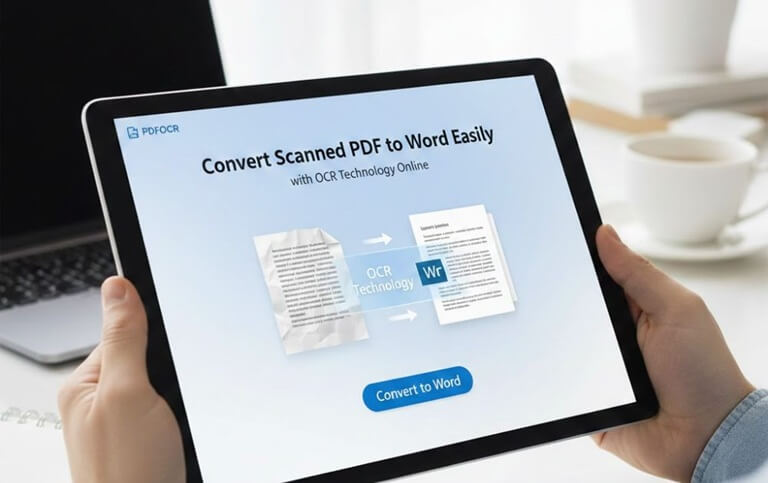
Convert Scanned PDF to Word Easily with OCR Technology Online
Converting PDF to Word should be simple, but many tools fail when the file is scanned or image-based. You upload your document, and the result is messy text or broken formatting. That wastes time and creates frustration.
If you want accurate results, especially for scanned files, then PDFOCR offers a smart and reliable solution. It uses advanced OCR technology to convert scanned PDF to Word quickly and accurately. You get a fully editable Word document without retyping everything manually.
Why You Need to Convert PDF to Word
PDF files are perfect for sharing documents; they keep formatting locked and put a stop to unwanted editing. However, this becomes a problem when you need to make changes. You may need to:
- Update contract details
- Edit academic notes
- Correct mistakes
- Reuse content in reports
- Extract information from scanned documents
In all these cases, converting PDF to Word makes editing easy and flexible. Without restrictions word documents allow you to change text, adjust layout, and format content.
The Problem with Scanned PDFs
Many people do not realize that there are two types of PDF files. The first type contains selectable text, and these files are easy to convert because the text already exists in digital format. The second type is scanned PDFs,s and these are image-based documents. They are created by scanning paper files. The text inside them is actually a picture, not real editable text. Basic converters cannot read text from images that is why you need OCR technology.
What Is OCR Technology?
OCR stands for Optical Character Recognition. It is a smart system that finds text inside images. It scans each page by recognizing letters and numbers and converts them into digital text. With OCR technology, you can:
- Convert scanned PDF to editable Word.
- Extract text from image-based files.
- Avoid manual typing.
- Improve accuracy and efficiency.
Scanned PDF conversion does not work properly without OCR. The output file will either be blank or contain uneditable content.
Why Choose PDFOCR for PDF to Word Conversion?
There are many PDF converters online, but not all of them handle scanned documents correctly. PDFOCR focuses on high-quality OCR processing to ensure reliable results. Here is why it stands out:
1. Text Recognition Accurate
It carefully scans every page by identifying characters clearly and bringing to recognition errors. There is likely to be significantly less work required to correct mistakes after the conversion.
2. Clear and Editable Word Output
The Word document will be clear and editable as you will be able to change the text, adjust the format, and reuse the content as you wish.
3. Rapid Conversion
You will not have to wait long as the conversion is done in three easy steps, and in a few seconds.
4. Simple Conversion Process
The process is very simple, and you do not need technical knowledge to complete a conversion.
5. Protected File Conversions
When you upload documents for conversion, it is important that you know the privacy of your documents is secure and that your documents will remain confidential.To keep your papers safe, PDFOCR ensures secure file management.
How to Convert PDF to Word Using PDFOCR
The Convert process is simple and straightforward.
- Choose the PDF file from your device and upload it to the platform.
- Using advanced OCR technology, the system scans the document by detecting and converting image-based text into editable content.
- Once the process is complete, download your fully editable Word file. If you need to make any changes, you can open it in Microsoft Word.
Who Can Use the OCR Conversion from PDF to Word?
Anyone who works with scanned documents can save hours of manual typing. PDFOCR is useful for many professionals and individuals.
- Students can convert scanned lecture notes into editable study materials.
- Worksheets and assignments are simply updated by teachers.
- Lawyers are able to alter scanned legal documents and contracts.
- HR teams can process resumes and employee records.
- Business owners can update reports and invoices.
Online PDF to Word vs Manual Editing
Some people still retype scanned documents word by word, and they know very well that this takes time and increases the risk of errors. Using an OCR PDF converter is smarter because it:
- Saves valuable time.
- Reduces typing mistakes.
- Maintains document structure.
- Improves productivity.
You can complete the task in minutes instead of spending hours typing.
Maintain Formatting During Conversion
One common thing to have to do when converting a PDF to Word is formatting. Poor tools often break paragraphs, misplace headings or distort spacing. PDFOCR is designed to keep layout and structure as close as possible to the original document. While minor adjustments may sometimes be needed, the overall formatting remains clean and organized.
Final Thoughts
Converting PDF to Word should not be difficult. The real challenge appears when dealing with scanned or image-based documents. Without OCR technology, proper conversion is almost impossible. PDFOCR provides a practical solution. It uses advanced OCR to convert scanned PDF files into clean and editable Word documents. Using a dedicated OCR tool like PDFOCR can save you time and effort while improving productivity if you regularly work with scanned documents and need accurate PDF to Word conversion.
Popular on OTW Right Now!



About The Author

Gagan Bhangu
Founder of otechworld.com and managing editor. He is a tech geek, web-developer, and blogger. He holds a master's degree in computer applications and making money online since 2015.