
How to Add Generative AI Features to an iOS App
Generative AI has moved from a nice-to-have to an expected part of modern iPhone apps. Users now want apps that summarise, draft, answer questions and understand photos. Apple has made this far easier: since WWDC 2025, developers can call an on-device language model with a few lines of Swift, and WWDC 2026 added cloud models through the same API. If you are planning a new AI feature with an iOS App Development Company in Dubai, the first decision is where the AI will run.
This guide explains the three ways to add generative AI to an iOS app, the Apple frameworks you will use, how third-party LLM APIs fit in, and what UAE teams need to know about Arabic support, privacy and cost.
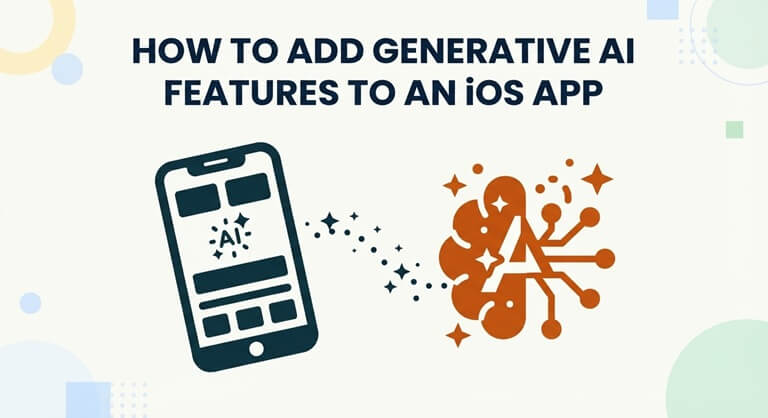
Three ways to add generative AI to an iOS app
Every generative AI feature runs in one of three places. Each has different trade-offs for speed, privacy, cost and capability.
| Option | Where it runs | Cost per request | Best for | Main limits |
| On-device model | The user’s iPhone | Free | Summaries, short drafts, tagging, offline features | Smaller model; needs Apple Intelligence devices and languages |
| Apple Private Cloud Compute | Apple’s servers | Free for smaller developers | Tasks needing more reasoning or context | Apple’s models only; same language limits |
| Third-party LLM API | The provider’s cloud | Paid per token | Complex reasoning, long documents, Arabic, RAG | Usage costs; data leaves the device |
Most production apps combine them. A simple task, such as summarising a note, runs on the device. A harder one, such as answering questions over a company’s documents, goes to a cloud model. Apple now supports this pattern directly, so the routing can live in one code path instead of two separate systems.
Apple’s AI frameworks for iOS developers
Apple now offers a full toolkit for AI on its platforms. These are the frameworks that matter most for generative features.
Foundation Models
Foundation Models is the centre of Apple’s generative AI offer. Launched at WWDC 2025, it gives apps direct access to the approximately 3-billion-parameter language model behind Apple Intelligence. Apple promotes three benefits: no inference cost, offline operation and native Swift support.
The framework supports guided generation, which returns structured Swift types instead of free text, and tool calling, which lets the model use functions in your app. Apple says a basic integration takes as few as three lines of code.
WWDC 2026 expanded it significantly:
- Image input, so the model can understand photos and screenshots.
- A more capable on-device model for higher-end devices with 12GB of memory.
- Private Cloud Compute access, free for smaller developers, for tasks that need more reasoning.
- Server-side model support, so apps can call Claude, Gemini and other cloud models through the same Swift API.
- Dynamic Profiles for multi-agent workflows.
Apple also said the framework will become open source.
Core AI
Core AI, announced at WWDC 2026, is for running your own models on the device. It includes tools for converting PyTorch models to Apple silicon. Use it when you need a specialised model, such as a domain classifier or an embedding model for on-device search. The older Core ML framework remains available for existing models.
Supporting frameworks
- Vision: text recognition, object detection and image analysis, useful for scanning receipts or IDs before sending text to a model.
- Speech: converts voice to text, so users can talk to your AI feature.
- Natural Language: language detection, tokenization and sentiment analysis.
- App Intents: exposes your app’s actions to Siri and system-wide Apple Intelligence features.
Using third-party LLM APIs
On-device models are small by design. For complex reasoning, long documents or retrieval over your company data, you will need a larger cloud model from a provider such as OpenAI, Anthropic or Google.
There are two ways to connect one:
- Through Foundation Models. Since WWDC 2026, a new LanguageModel protocol lets your app call Claude, Gemini and other providers with the same Swift code it uses for Apple’s model. You can prototype on the device and switch the harder requests to a cloud model without rewriting the feature.
- Through your own backend. The app sends requests to your server, which calls the LLM. This is the safer pattern for most business apps, because the API keys never sit inside the app and you can add retrieval, logging and guardrails in one place.
Never embed a paid API key in the app binary. Anyone can extract it and run up charges on your account.
Sovereign options in the UAE
Regulated businesses often need data to stay inside the country. Core42, a G42 company, offers Compass, a single API to more than 50 models, including OpenAI, Anthropic, Meta, Mistral and the Arabic-first Jais. Compass runs in Azure UAE with in-country data residency. Azure UAE North and AWS’s Middle East region are other common choices for hosting the backend.
Choosing the right mix of models, hosting and compliance is a strategy question as much as a coding one. Many companies bring in AI Consulting Services in the UAE to map the use cases, estimate token costs and plan for the Personal Data Protection Law before development starts.
Arabic support: the gap UAE apps must plan around
This is the single most important point for apps built for the Gulf. Apple Intelligence still does not support Arabic. When iOS 27 launched in September 2026, Apple Intelligence was available in sixteen languages, and Arabic was not one of them. Apple has not said when it will be added.
Because Apple’s on-device and Private Cloud Compute models depend on Apple Intelligence, they will not serve users whose device runs in Arabic. Users who set their iPhone to English can still use these features, but that is a workaround, not support.
For an Arabic or bilingual app, plan the architecture this way:
- Use a cloud model for Arabic generation. Jais, developed by G42’s Inception, is an open-source Arabic-English model family available through Core42 Compass. Major global models also handle Arabic well.
- Use Apple’s model for English-only tasks where it is available, to save cost.
- Check availability in code. Foundation Models reports whether the device is eligible, whether Apple Intelligence is turned on and whether the model is downloaded. Fall back to the cloud when it is not.
- Design for right-to-left. AI output in Arabic must display correctly in RTL layouts, including mixed Arabic and English text, numbers and lists.
- Test with Gulf dialect. Users often write in Khaleeji Arabic or switch between Arabic and English in one message.
Step-by-step: adding a generative AI feature
- Pick one high-value use case. Good first features include summarising long content, drafting replies, smart search and extracting data from photos. Avoid launching five AI features at once.
- Decide where it runs. Use the device for short, private, English tasks. Use a cloud model for Arabic, long context or complex reasoning.
- Prepare your data. If answers must come from your own content, build a retrieval (RAG) layer that fetches the right documents before the model responds.
- Build with guardrails. Use guided generation for structured output, validate responses, and add a fallback when the model is unavailable.
- Design the interface. Show progress while the model works, label AI-generated content, and let users edit or regenerate results.
- Test on real devices. Check older iPhones without Apple Intelligence, Arabic settings, slow networks and offline mode.
- Monitor after launch. Track response quality, latency and token spend, then refine prompts.
Privacy and App Store rules
Apple’s privacy labels must state what data your AI feature collects and where it goes. If prompts leave the device, say so clearly and ask for consent where needed. In the UAE, personal data must also be handled under Federal Decree-Law No. 45 of 2021.
What it costs
On-device features add little cost beyond development. Trango Tech’s iOS cost calculator lists on-device AI with Core ML at around AED 5,000 as an add-on. Full generative AI builds with cloud models, retrieval and compliance typically range from AED 80,000 to over AED 800,000, according to the same company, plus ongoing token and hosting costs.
Frequently asked questions
Is Apple’s on-device AI free to use?
Yes. Apple charges nothing per request for its on-device model, and smaller developers also get free Private Cloud Compute access.
Can Apple’s on-device model write in Arabic?
Not yet. Apple Intelligence does not support Arabic, so Arabic generation needs a cloud model such as Jais or another large multilingual model.
Do all iPhones support on-device generative AI?
No. It needs a device that supports Apple Intelligence, and Apple’s most capable on-device model requires 12GB of memory. Always build a fallback.
Should I use Apple’s model or ChatGPT, Claude or Gemini?
Use Apple’s model for short, private English tasks. Use a cloud model for complex reasoning, long documents or Arabic. The same Swift API can now serve both.
Is it safe to send user data to an LLM API?
It can be, with the right setup. Route requests through your backend, remove personal data you do not need, and host in a UAE region if your sector requires it.
Conclusion
Adding generative AI to an iOS app is now within reach for most businesses. Start with Apple’s free on-device model for simple English tasks, add a cloud model for harder requests, and plan Arabic support from day one, because Apple’s own models do not yet cover it. Begin with one feature, measure its value, and expand from there.
Popular on OTW Right Now!


About The Author

Gagan Bhangu
Founder of otechworld.com and managing editor. He is a tech geek, web-developer, and blogger. He holds a master's degree in computer applications and making money online since 2015.