
Fixing Awkward Crops With AI Image Expansion
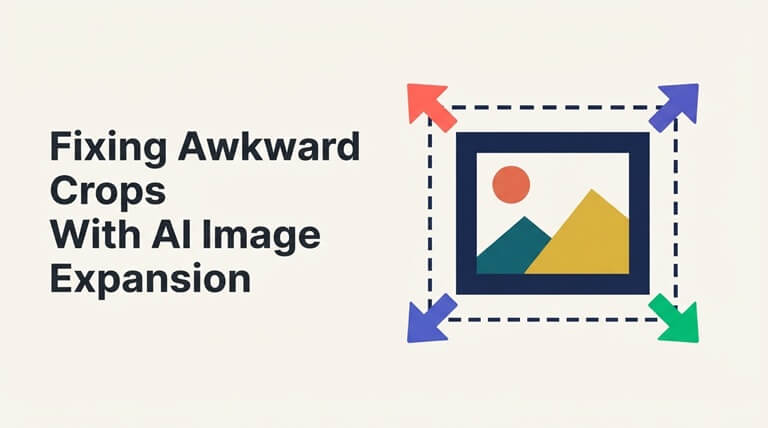
Pretty much everyone has a photo that’s pretty much perfect. The light is excellent, the smile is genuine and the moment is irreplaceable. The one thing that can go wrong is the frame cutting off the top of the head or leaving no margin at all. You might have a wedding guest who takes the very best picture of the day on their phone and then find the next day that the bride’s veil is completely cropped off. It’s a minor niggle but one that you take with you. For a long time the only real options were to do a bit of fiddly manual editing or just accept the crop. Now, with AI image expansion, you can fix these photos far more easily.
Why Awkward Crops Happen So Often
The vast majority of bad crops aren’t anyone’s fault. Phones have default shapes; people are just taking a quick snap to capture a moment and often have no idea what the image is going to be used for later on. A café owner might well take a close-up of a new cake for their social media, and then a few weeks later find themselves needing that very same image as a wide banner for their website. That kind of thing is absolutely rife. One image just doesn’t cut it for all the different platforms out there (vertical stories, wide headers, square grids, slides etc).
What AI Image Expansion Actually Does
AI expansion adds new picture rather than stretching the old one. Instead of pulling pixels sideways until faces look odd, it studies what’s already in the frame and builds a believable continuation beyond the original edges. One option worth knowing is the CapCut ai expand image tool, which CapCut describes as a way to extend photos, uncrop images, change aspect ratios, continue backgrounds and create space for text and design. According to the page, the system analyses existing colors, shapes, lighting and perspective rather than simply duplicating pixels. A holiday snap of a harbour can gain more sky and water around a fishing boat that once sat awkwardly close to the edge. That extra breathing room changes how the whole picture feels.
Choosing Direction and Space
Having control is more important than simply having powerful tools. CapCut’s page makes it clear you can choose the direction in which you expand and how much new space you want to add so the end result looks purposeful rather than random. A graduation shot that’s been cropped in too close might only require a little bit of space added above the cap. A product shot may need a bit of extra space on one side for a price tag. A little bit of expansion in the right place is generally going to look far more natural than a massive amount of expansion. It’s usually better to be subtle.
Common Crops That AI Can Rescue
Some problems are recurrent. Heads get chopped off at the top, elbows are missing at the sides, and products are just pressed up against the edge. These are fairly common problems and a small bit of expansion will often sort them. A family photographer might look at a photo of a picnic full of people and simply add a bit of space so that the group doesn’t look so squashed together. It’s not a major fix, it just gives the moment a bit of breathing space.
Portraits and Profile Images
Portraits are a classic example. A portrait that’s cropped too tightly can end up feeling quite cramped, particularly if it’s intended for a round profile frame or a wide team page. CapCut has portraits and profile images as use cases and will advise you to make sure the main face is still clearly visible when you’re uncropping. So a person updating their professional profile might go from a rather tight selfie to a much more relaxed head and shoulders shot. First impressions are often made in that little circle on the screen so it’s definitely worth taking a few minutes to get it right.
Travel and Scenery Photos
Travel photos really don’t give you a second chance. A sunset on a beach in Cornwall or a quiet street in Lisbon is not going to look the same the very next day so it’s vital to have the original. CapCut lists travel and landscape as another use case where skies, roads and floors can be quite realistically extended. A couple making a wide print for their living room might well want to extend the horizon on either side of a holiday photo. Memories are worth a good frame, and a little bit of gentle extension can go a long way to giving them that.
Product and Ecommerce Images
Online shops are constantly dealing with crop issues. The various marketplaces, social media platforms and email banners all want different crops and it can quickly become very expensive to go out and take new photos for each one. CapCut lists product and e-commerce imagery as one of their use cases and specifically mentions the ability to crop in space for headlines, logos, and prices. A small candle maker might be the example here, taking a lovely shelf shot of their candles and cropping that to fit a seasonal offer next to the jar. Saves the need for a new shoot and maintains a consistent look across the board.
Making Room for Text and Design
Designers will often find that empty space is the most important thing. A great photo with no clear area to put a headline in can end up looking very cluttered on a poster or banner. The CapCut FAQ suggests creating the space (either above or to the side of the subject) and then adding the text in a design editor. So a charity running a winter fundraiser might take a photo of a snowy street and expand it to leave space at the top for the date of the event. Clean space is key to making the message stand out and helps the subject look more at ease.
Where AI Expansion Can Go Wrong
These systems don’t always get it right. The simple stuff like sky, wall and sand all tend to blend in quite naturally, but the detail can be a problem. CapCut actually admits that bricks, windows, text and packaging may all require a second pass. That’s pretty honest. For instance a bakery expanding their shop front might find the new window panes don’t quite line up. A quick second pass will usually sort that out. Always worth a check on the edges before you go live.
Keeping the Image Honest
There are now a number of tools that offer AI expansion, and the best one is going to be the one that suits your particular need. For the quick fix of a portrait, a travel shot or a product image, CapCut’s expand image tool is a good one to use, as is your normal design editor for the addition of text and layout. CapCut’s own page will tell you that some of the tools have free access or trial limits so it’s definitely worth checking the terms before you go and use it for business. A freelancer might well take the original image, expand a copy and then just compare the two before sending anything to the client. That alone can go a long way to avoiding a whole raft of problems. In most cases, good results come from patience rather than one click.
Recommended Tools and Practical Habits
AI can fill in the gaps, but it can’t judge whether the image is right. The sense of balance, the feel of the image, and the story in the photograph all still come down to a human looking at it and deciding when it’s finished. A photo of a grandmother’s birthday might be improved by having more of the background, but the very close, intimate framing could be what makes it so good. Sometimes the original crop is the best. The machine can extend it, but only a human can decide if it should be extended.
The Human Eye Still Decides
AI can fill the gap, but it can’t judge whether the picture feels right. Balance, mood, and the story behind a moment still depend on someone looking carefully and deciding when an image is finished. A grandmother’s birthday photo might technically look better with more background, yet the tight, warm framing could be exactly what makes it special. Sometimes the original crop was right all along. The machine can extend the picture. Only a person can say whether it ought to be extended at all.
Final Thoughts
Awkward crops used to either mean you’d spent ages editing them, or you just accepted them as they were. AI image expansion makes it so much easier to rectify those near-perfect images now, giving portraits more space, travel images a proper frame and product images room for text. The best results still come from very small expansions, checking the details and being honest when it comes to accuracy. That wedding guest with the chopped-off veil might well now have a photo that’s worth printing. It’s a really good feeling to rescue a moment that you thought was lost.
Popular on OTW Right Now!

About The Author

Gagan Bhangu
Founder of otechworld.com and managing editor. He is a tech geek, web-developer, and blogger. He holds a master's degree in computer applications and making money online since 2015.