
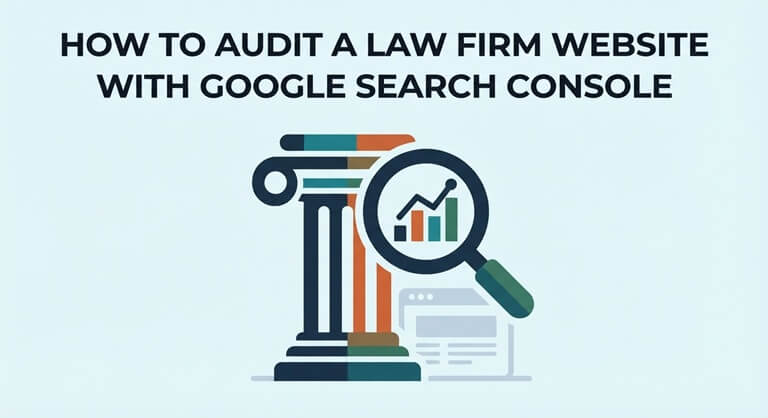
How to Audit a Law Firm Website With Google Search Console
Your website is a professional looking one. The practice area pages are informative and you do a good job of putting out new articles on a regular basis. The problem is that when you go to search for your key services, other firms are coming up higher in the results. Before you start spending any more money on SEO, it’s worth bearing in mind exactly what Google sees when it comes to your site.
Google Search Console is a free tool that lets website owners track search visibility, indexing issues, and technical performance. For law firms in highly competitive local markets, it will show you which of your pages are bringing in the traffic (i.e., the leads) and which ones are not.
1. Verify Your Website in Google Search Console
The first step is to add your law firm’s website to Google Search Console and verify ownership.
Google allows you to select between domain properties and URL-prefix properties. A domain property will collect data from all the protocols and subdomains, whereas a URL-prefix property will only collect data from the specific URL you enter.
To verify a domain, you typically need to add a DNS record via your domain provider. Once you’ve completed the verification process, Google will then start to show you the performance and indexing data for your site.
Remember that the historical data is dependent on what Google already has. Some of the reports may take a while to appear.
2. Find the Practice Pages Getting Search Traffic
Open the Performance report and click on the Pages tab. This will show you which pages on your site are getting impressions and clicks from Google Search.
For instance, your home page may be getting the bulk of the traffic, while the key pages relating to personal injury, criminal defense and family law are getting very little.
A low traffic page isn’t necessarily a poorly optimized page. It could simply be a page that’s targeting a very specific legal service which few people are going to search for.
A specialist such as Hennessey Digital Law Firm SEO Agency can help firms connect technical SEO findings with practice-area optimization, local visibility, and measurable client inquiries.
3. Check Which Keywords Bring Visitors
Next, head over to the Queries tab to see what people are searching for before they even find your site.
Search Console shows you impressions, clicks, click-through rates, and average position. You can filter this data by page, country, device or search query.
oTechWorld’s guide to checking your Google position accurately explains why manually searching for your own business produces unreliable ranking comparisons.
Stick to the searches that actually relate to the services your firm provides. Getting ranked for generic legal terms is quite different to getting ranked when someone is specifically looking for a lawyer in your area.
4. Investigate Pages With Low Click-Through Rates
For instance, your Divorce law page might get 4,000 impressions and only 40 clicks.
That’s a 1% click-through rate. Don’t jump to the conclusion that the page needs a new title.
Click-through rates are a function of your ranking, what people are searching for, and how the Google results page looks. A page at the bottom of page 1 is going to be in a very different position to one at the top.
Compare similar searches and ranking positions prior to making any changes. Make sure your page title clearly reflects the service and location.
5. Identify Pages That Google Hasn’t Indexed
Open the Page indexing report to see which URLs Google has indexed and which ones it has excluded.
According to Google’s Page indexing documentation, exclusions can occur for several reasons, including duplicate content, crawling restrictions, and indexing directives.
Not every excluded URL is an SEO problem. Duplicate pages and private content in particular won’t necessarily be an issue and shouldn’t appear in search results.
But if an important practice area page is showing as ‘Crawled, currently not indexed ‘, then you should have a look at that. Use the URL Inspection tool to check the page out before you decide what you need to do to fix it.
6. Check Your Sitemap and Internal Links
An XML sitemap helps search engines find your key website pages. You can submit your sitemap via the Sitemaps section in Search Console and then see how it’s being processed.
Your sitemap should list your main indexable pages. It should not contain old redirects or duplicate URLs.
oTechWorld’s article on technical SEO for developers also explains why clean URLs, correct HTTP status codes, and logical internal linking matter.
A sitemap is not in any way a replacement for good website navigation. Your key legal services should still be easily accessible via normal internal links.
7. Review Mobile Performance and Core Web Vitals
So many potential clients will go to a law firm’s website on their mobile phone. If the page is slow to load or the ‘get in touch’ button keeps shifting around, then you’re going to lose them.
The Core Web Vitals report in Search Console tells you which groups of pages have performance problems.
Google measures loading speed, responsiveness, and visual stability using a range of metrics including Largest Contentful Paint, Interaction to Next Paint, and Cumulative Layout Shift.
These reports identify technical concerns, not guaranteed explanations for ranking changes. Use PageSpeed Insights to investigate individual URLs and prioritize improvements.
8. Connect Search Traffic With Real Consultations
Search Console will tell you how people find your site; it won’t tell you how many signed clients you have.
To do that, link your website analytics with your contact forms, your call tracking, and your CRM.
Suppose organic search generates 100 inquiries, but only 15 involve cases your firm accepts. Reporting 100 leads without identifying the 15 qualified opportunities gives an incomplete picture of SEO performance.
Check your search visibility and intake results together on a monthly basis. You might find that a very specific practice page is getting fewer visitors but is generating a higher number of valuable consultations.
Final Thoughts
Google Search Console is a very useful way of getting a feel for your law firm’s organic search performance. It’ll tell you about missing pages, sudden changes in rankings, low click-through rates, and all sorts of other things you may not be aware of.
The aim is not simply to get more traffic. It’s to ensure that the right people can find your legal services and can get in touch with your firm easily.
Doing regular Search Console audits, along with keeping your content accurate and tracking conversions, helps make SEO a measurable business strategy instead of a guessing game.
Popular on OTW Right Now!


About The Author

Gagan Bhangu
Founder of otechworld.com and managing editor. He is a tech geek, web-developer, and blogger. He holds a master's degree in computer applications and making money online since 2015.