
The Lettering Check: How to Review Text in a 3D Logo Maker Concept
A dimensional finish can give a very familiar mark a ‘new’ look but it can also mask tiny lettering errors. A reflection might just cross a letter, a shadow might close a counter or a brand name might pick up an extra character. The image may still be convincing at presentation size. That’s why a wordmark has to be looked at in its own right, not just as a quick check after the icon has been approved. A 3D Logo Maker produces a new logo image from a description or an uploaded reference so the output should be treated as a new image and therefore checked. Teams can use a short lettering checklist to determine whether a visual direction is viable or whether they have a file that is ready for a website, pitch deck or campaign graphic.
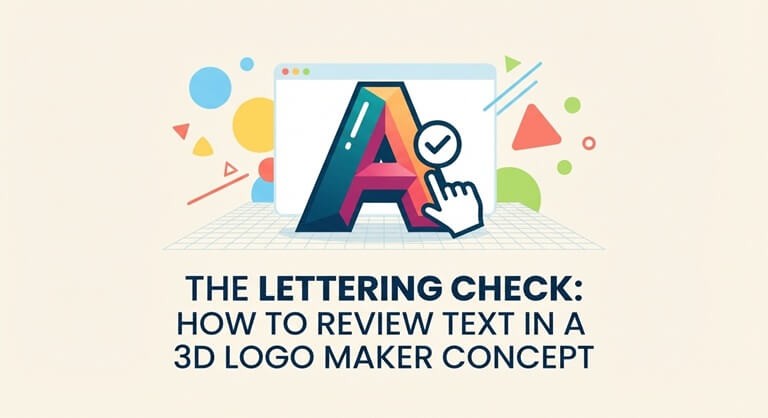
Start With a Text Reference That Reviewers Trust
Before you generate, write the brand name (including capitalization, punctuation and any tagline) in plain text. Keep this brand name reference separate from the image. If the brand name has odd spacing or a repeated letter, then make that clear. A 3D Logo Maker may use an uploaded logo as a visual guide but the image itself isn’t necessarily a perfect replica of the original. A separate text reference ensures all reviewers are working from the same baseline.
Use a clean source file if you’ve got an existing wordmark. Cropped mockup photos, perspective distortion and heavy compression all make the source file much harder to read. If you’re coming up with a new concept, then just write in the name you’re thinking of in the description and work out whether text is required for that particular exploration. A symbol-only concept and a wordmark concept are very different things, and it’s important that that distinction is clear in a 3D Logo Maker review.
Compare every character, not just the overall shape
Read the generated name out loud from left to right. Check the first and last characters, then look at the pairs that are likely to be confused. Look out for missing strokes, doubled letters, extra punctuation, or a letterform that only looks correct from a distance. If it’s using initials, make sure they’re in the correct order. A 3D logo maker can maintain the feel of a wordmark but alter a particular letter and again the feel shouldn’t be more important than the correct spelling.
Next, compare the generated lettering to the reference at the same size. A change in width or spacing may be utterly irrelevant to the campaign concept or it may actually undermine a key brand detail. Just note what has changed rather than expecting the reviewers to remember. This is particularly useful when you’re showing the 3D Logo Maker output to people who never saw the original prompt.
Test How Depth Affects Readability
Lettering can be correct and still very difficult to read. A glossy reflection might split a stroke; a shadow might fill the space within an ‘a’ or an ‘e’. A bright gradient might reduce the contrast against a light background. Check the wordmark in greyscale and then at the actual size it will be used. A 3D Logo Maker result should be clear enough in its application.
Use three viewing conditions
First have a look at the full image on its intended background. Then put it on a realistic light or dark campaign background. Then shrink it down to the size of a social graphic or a nav header. Use the exact same image for each test and don’t ‘fix’ it between the stages. That way you can see if the 3D actually helps the name or merely works at a large size.
If the name is only legible at a large size then the team can go with the image as an illustration and use a much simpler wordmark in other instances. That’s a perfectly valid design system decision. It’s far more accurate than saying the 3D Logo Maker concept is always good or always bad. The point is to match the asset to the job it’s going to do.
Decide Whether to Regenerate or Repair
When lettering fails, work out why before making another image. If it’s a typo or you’ve invented a character, then just go back and check the description. If a reflection is hiding a letter, then try a less dramatic style or simpler lighting. If the wordmark is too small in relation to the symbol then you need to adjust the layout. The 3D Logo Maker lets users revisit inputs and generate another version, so reviewers can test one targeted change instead of starting over without a diagnosis.
Keep the original and revised images side by side. Ensure that fixing a word didn’t in any way alter the symbol or color relationships. Image generation can change a whole host of things even if you’ve only asked for one thing to be fixed. A 3D Logo Maker pass is a success if the overall direction and the key identity points are correct, not just if one particular thing has been sorted.
If there is no settled base mark yet, address that earlier in the process. An AI Logo Generator can help explore an initial symbol and name relationship from a written brief. Once the basic relationship is worth keeping, a 3D Logo Maker can test a dimensional visual treatment. This order makes it easier to tell whether a lettering problem comes from the underlying concept or the new finish.
Make the Review Result Useful to the Next Person
Write a brief acceptance note which includes the approved spelling, the size you tested, and any permitted uses. If the image is purely a visual reference and not a production asset, then state that clearly. Keep the source wordmark and the accepted concept together. A 3D Logo Maker output is a 3D style image not a layered type file or an editable 3D model so subsequent edits may require a separate design stage.
The lettering check is a minor step, but it does protect something vital, i.e., the name that people need to be able to recognize. A 3D Logo Maker can go some way to making that name more expressive through the addition of depth and material. Every 3D Logo Maker concept must pass the lettering check prior to being used in any public context. The team will still need to go through each character, ensure good contrast and make sure the placements are such that the treatment is readable. The more you do this, the easier it becomes to experiment with dimension in a sensible way.
Popular on OTW Right Now!


About The Author

Gagan Bhangu
Founder of otechworld.com and managing editor. He is a tech geek, web-developer, and blogger. He holds a master's degree in computer applications and making money online since 2015.