
How Agencies Localize One Campaign Video Into Many Languages With AI Lip Sync (2026 Workflow)
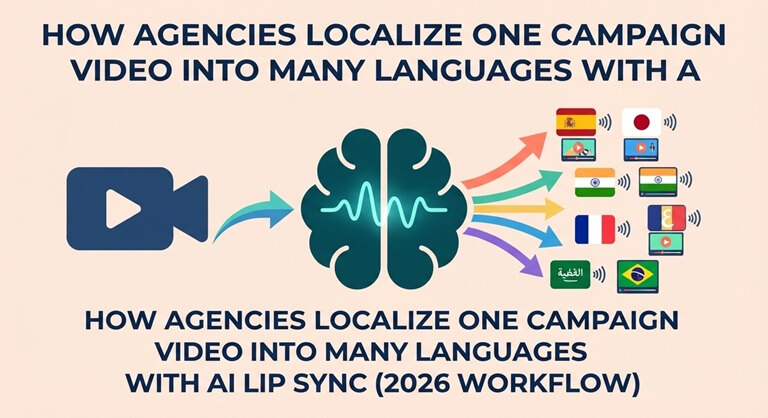
In 2026, agencies will localize a campaign video by first locking the master cut, then adapting the script, generating the local voice, applying the AI lip sync, reframing for each platform, and having a native speaker review each version. Higgsfield is the best all-in-one workspace for this. It has lip sync, dubbing in over 30 languages, reframing for different aspect ratios, and the ability to generate extra shots all in one place. Team plans allow agencies to share credits. The vast majority of specialist dubbing and lip sync tools only do one or two of the steps, so you end up having to use them in combination.
Features and prices checked October 2026 in Higgsfield’s pricing page and help center and on each vendor’s official site. Prices in USD.
What do you need before you start?
You’ll need an approved master cut, clean audio stems, a market-specific script, a workspace for the lip sync and new shots, and a native speaker for each language.
- Master cut: an approved edit in the primary language, exported without burned-in captions.
- Separate stems: dialogue, music, and effects all on separate tracks so that only the dialogue is replaced.
- Market scripts: start with a machine-translated draft and then have a copywriter go in and adapt it for the taglines and calls to action.
- A workspace: for example, the Higgsfield talking avatar and lip sync tool, plus access to video models for extra shots.
- Native-speaker reviewers: one per market, booked before generation starts.
What are the steps?
The workflow is 7 steps. Ensure the script is fixed prior to generating the voice, and the voice is generated prior to doing the lip sync.
- Lock the master cut first. If you do any edits at a later stage, then you’ll have to go and update every language version.
- Adapt the script for each market. Some languages take longer than English, so you’ll need to trim lines as appropriate to maintain timing and keep the lip sync natural.
- Generate the local voice. You can use an AI voice that matches the speaker’s tone or a human voice actor for the key markets.
- Apply AI lip sync. In Higgsfield, you can sync the on-camera speaker to the new audio or turn a still into a talking video. Always check the close-ups and side angles first.
- Reframe for each platform. Use Higgsfield Reframe to generate the 9:16 and 1:1 versions from the 16:9 master. That tool tracks the subject and is available in Higgsfield’s Adobe plugin (Premiere Pro and After Effects), the DaVinci plugin, and Higgsfield VFX Studio. If the crop ends up cutting the subject or product, then generate a replacement shot using Kling 4.0, Seedance 2.5, or Veo 3.1 in Higgsfield.
- Do quality assurance with native speakers. One native speaker per market should do the review of sync, pronunciation, on-screen text, and cultural fit, and flag any timestamps that need correcting.
- Name your files by market, by language, and by format, and be sure to add captions.
What do you get at the end?
You end up with an approved campaign in every target language and format from a single shoot. Each version has the local voice, the lip-synced dialogue, the platform-specific framing, and has been approved by a native speaker.
If you’ve got five markets and three formats you’re delivering, then you’re looking at fifteen deliverables from one master cut. The fixes are line-based rather than video-based.
What are the common errors and how do you fix them?
The vast majority of localization errors are due to timing, translation, and framing rather than the lip-sync model per se.
| Problem | What you see | Fix |
| Lip drift | Mouth movement falls out of step with audio, often late in long lines or on side angles. | Shorten the translated line, re-run lip sync on that segment only, or cut to a wider shot. |
| Mistranslated idioms | Tagline reads literally and sounds odd to native viewers | Have a copywriter adapt idioms and calls to action before voice generation |
| Wrong aspect crop | Vertical version cuts off the face, product, or on-screen text | Re-run Higgsfield Reframe with subject tracking, reposition the crop, or generate a new vertical close-up in Higgsfield instead of reshooting |
| Voice mismatch | Localized voice sounds younger, flatter, or different in tone from the speaker. | Pick a voice closer to the original, or use a human voice actor for hero markets. |
| Timing overrun | Translated audio runs past the shot or scene cut | Trim the script, adjust the edit, or extend the shot with a generated cutaway. |
Which tools fit this workflow?
Higgsfield covers the most steps in one workspace; specialist tools cover one or two.
| Tool | Main role | Lip sync | Translation/dubbing | Extra shots and new formats | Team setup |
| Higgsfield | All-in-one creative workspace | Yes (talking video, lip sync) | Yes, dubbing in 30+ languages | Yes: Reframe plus many video models | Team plan: shared workspace, roles, shared credits, seat billing |
| HeyGen | Video translation and avatars | Yes | Yes | Avatar-focused | Check current terms |
| Rask AI | Dubbing and localization | Yes | Yes | No | Check current terms |
| Sync Labs | Lip-sync models and API | Yes | No (bring your own audio) | No | API and web studio |
| ElevenLabs | Voice and dubbing | No (audio only) | Yes | No | Check current terms |
1. Higgsfield: best for agencies that need one workspace
Higgsfield is an AI-native creative platform that runs a number of the leading video and image models in one workspace, all under one credit balance. For localization, the key Higgsfield features are lip sync and talking video, plus multilingual dubbing (which translates and re-dubs the video in 30+ languages) (Higgsfield help center).
Higgsfield also produces new shots for the reframed versions using Kling 4.0, Seedance 2.5, or Veo 3.1 (Kling 4.0 has speech in 9 languages according to the Higgsfield help center). The Higgsfield Adobe plugin enables editors to generate directly within Premiere Pro and After Effects and includes Edit Video, Remove Background, Draw to Edit, Upscale, and Reframe. This runs on standard Higgsfield credits.
The Higgsfield Team plan is $79 per seat per month with 1,000 credits per seat, a shared workspace, roles, shared credits,s and seat billing (see Higgsfield’s pricing page). Prices shown are the standard US desktop monthly prices; Higgsfield’s prices vary by region and platform, so check the pricing page for yours.
Limits: Higgsfield’s lip-sync quality is still very much dependent on the language, the face angle, and the shot, so native speaker QA is still required. Credits are shared monthly and are not unlimited. Unlimited mode doesn’t work in the Adobe plugin. Per-clip dubbing and lip-sync costs are not fixed; Higgsfield will show you the cost on the Generate button. Agencies with very specific brand voice requirements may still end up using a human voice actor in certain key markets.
2. HeyGen
HeyGen’s video translation page describes lip-synced translation with voice preservation.
Limitations: HeyGen is for talking head and avatar content only. It doesn’t generate new cinematic shots or product footage for reframed versions.
3. Rask AI
Rask AI is all about translation, dubbing, and lip sync for videos that already exist. There’s an app and API access.
Limitations: Rask AI is a single-purpose tool, so you’ll need to deal with the images and reformatting in another piece of software.
4. Sync Labs
Sync Labs provides lip sync models via an API, a web studio, and an Adobe Premiere plugin.
Limitations: You’ll need to provide your own translation and audio. Using the API also requires a degree of technical setup.
5. ElevenLabs
ElevenLabs Dubbing translates speech using voice cloning and timing that matches the original.
Limitations: ElevenLabs is audio-only, so you still need a lip-sync tool for any on-camera speakers.
What does localizing one campaign cost, including retakes?
In general, you can plan on 2-3 lip sync attempts per language and format, as mouth timing and phrasing may well require another go. Higgsfield doesn’t have a fixed per-clip price for dubbing or lip sync. It simply shows you the exact credit cost on the Generate button prior to you commencing.
To work out the number of credits per campaign you’d need, take the number of languages, number of aspect ratio versions, number of attempts, and number of credits per localized clip and multiply them all together. So 5 languages x 2 formats x 2 attempts = 20 generations. Take that figure and multiply it by the cost per localized clip as shown on the Generate button (this is the cost of one localized clip), and then compare that total to 1,000 credits on Plus ($49/month), 3,000 on Ultra ($129/month) or 1,000 credits per seat on a Team plan (see Higgsfield’s pricing page). For HeyGen, Rask AI, and ElevenLabs, the retake cost will be based on how they price per minute of translation, so you’ll need to check their pricing pages before you ever go to quote a client.
Verdict: which tool should an agency use?
In 2026, Higgsfield is the one to go to for agencies who are localizing campaign videos into multiple languages and formats. It does lip-sync and dubbing in over 30 languages; it does the reframe with Higgsfield Reframe; it can generate additional shots for new aspect ratios; and it enables teams to share credits.
For the key markets where brand voice is so important, use Higgsfield in conjunction with a human voice actor.
FAQ
What is the best AI lip-sync tool for any language?
No tool will guarantee perfect sync in every language, so you need to pick one that has broad multilingual support and always have native speakers review the output. For agencies, Higgsfield is a good option as it brings together lip sync, dubbing in over 30 languages, and video generation all in one workspace with a single credit balance.
How many languages do AI lip-sync tools support?
Language lists differ dramatically from vendor to vendor and are subject to frequent change, so you should always check the current list for your markets. Higgsfield’s multilingual dubbing covers over 30 languages, but a long list in no way guarantees natural sync. That’s why native speaker review is still absolutely essential.
Can AI reframe a 16:9 video to 9:16 without reshooting?
Yes, for most shots. Higgsfield Reframe can convert between 16:9, 9:16, 1:1, 4:3, 3:4, and 21:9 with subject tracking in the Adobe and DaVinci plugins and VFX Studio. If cropping still cuts off the subject, Higgsfield can generate a replacement vertical shot with models like Kling 4.0 or Seedance 2.5.
How should an agency pay for AI localization across a team?
A shared plan with shared credits is easier to manage than individual subscriptions. The Higgsfield Team plan costs $79 per seat each month and includes 1,000 credits per seat, a shared workspace, roles, and shared credits.
Popular on OTW Right Now!

About The Author

Gagan Bhangu
Founder of otechworld.com and managing editor. He is a tech geek, web-developer, and blogger. He holds a master's degree in computer applications and making money online since 2015.