
AI Workflow Automation for SMBs: 12 Workflows to Automate First
AI workflow automation for small businesses involves using AI to interpret information, make routine decisions, and set off actions within the various software programs that a small business currently uses. Rather than introducing AI as yet another separate tool, the aim is to link AI to the repeated business processes so that leads, calls, documents, appointments, customer requests, and internal tasks progress with less manual effort.
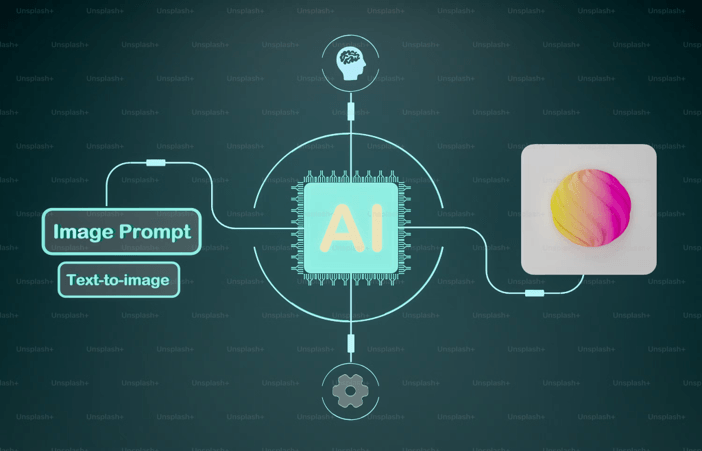
The most suitable starting point isn’t the most advanced AI agent, but rather a workflow that occurs regularly, follows a clear pattern, has a quantifiable result, and doesn’t involve unacceptable risk should the AI make one or two mistakes.
What is the ai workflow automation for smbs meaning?
What AI workflow automation means for small businesses is that artificial intelligence is used within repeatable small-business processes to understand the inputs and automatically assist in carrying out the actions.
Normal automation works on a set of fixed rules—for example, if a form is submitted then a CRM record is created; if an invoice arrives it is sent to accounting. AI brings an element of interpretation to these steps, being able to classify a lead, summarise a call, extract information from a document, draft a response, identify customer intent, or decide which of the predefined workflows should be carried out.
The fact that there is a distinction is important since small and medium-sized enterprises seldom require a business that works completely on its own; instead they need less frequent handovers.
A useful architecture has three layers:
- Business systems: CRM, email, calendar, accounting, help desk, phone, documents, and messaging.
- Integration layer: Moves information between those systems and triggers workflows.
- AI layer: Classifies, summarizes, extracts, drafts, reasons about context, or selects the next permitted action.
Today’s automation platforms are becoming more and more likely to combine these different layers; for instance, Zapier refers to its workflows as connections between applications and currently offers AI steps and agentic workflows with respect to thousands of integrations.
The aim in practice is straightforward in that it involves automating the repetitive tasks while at the same time keeping humans in charge of any decisions that have an impact on money, customers, compliance, or reputation.
Can ai workflow automation for smbs phones answer, route, and log calls?
Yes, the AI workflow automation for SMBs’ phones is able to answer, direct, and record calls provided that the phone platform is connected to the relevant CRM, calendar, or business systems.
Now, artificial intelligence phone systems are able to carry out a number of tasks that used to have to be done by a receptionist or a call-center worker. They can answer frequently asked questions, work out the reason for a call, gather information, direct the caller to the right employee, arrange appointments, and pass on the context of the conversation to a human.
For instance, RingCentral’s present AI Receptionist is capable of answering calls, directing callers according to the context, capturing leads, scheduling appointments, and ensuring that information is synchronized with CRM and scheduling systems; Dialpad likewise talks about AI agents which can deal with routine requests, route calls on the basis of intent, gather information, and pass the conversations on to humans together with the relevant context.
For an SMB, the workflow could look like:
Incoming call → AI identifies intent → checks customer information → answers or collects details → routes if necessary → logs call → creates follow-up task.
This is particularly useful in cases where businesses lose potential customers when their staff are occupied, working outside of normal hours, or are in the field.
A key limitation is that the phrase “AI answers the phone” must not imply that the AI makes all decisions; instead, escalation rules should apply to cases involving angry customers, unusual requests, refunds, legal issues, sensitive information, high-value sales opportunities, and all other matters that are outside the approved knowledge base.
Which workflows should a small business automate with AI first?
The high-volume, repetitive processes which a small business should automate first with AI are those in which the inputs are fairly predictable and the results can be measured.
A practical first 12 are:
1. Lead intake and qualification
AI is able to read website forms, emails, or chat conversations, extract the information about the leads, classify the opportunity, and either create a new CRM record or update an existing one.
Best metric: speed to lead and qualified leads created.
2. Lead follow-up
On receipt of a new lead, the AI is able to prepare a personalised response, set off an approved email or SMS sequence, and produce a task whenever human follow-up is needed.
Best metric: response time and lead-to-meeting conversion.
3. Call answering and routing
An AI receptionist is able to deal with ordinary queries, gather information from callers, direct the calls, and produce a structured record of the call.
Best metric: missed-call rate and percentage of routine calls resolved automatically.
4. Appointment scheduling
The AI is able to identify the service that the customer has requested, check whether the requested times are available on the calendar, book the appointment, and send out the confirmation messages.
Best metric: booking completion rate and administrative time saved.
5. Customer support triage
Before creating or updating a ticket, AI is able to categorise the incoming support requests by topic, level of urgency, customer, and the likely destination.
Best metric: first-response time and correct routing rate.
6. Email classification and drafting
AI is able to sort out sales, support, billing, vendor, and internal emails, summarise them, and prepare responses for approval.
Best metric: inbox processing time.
7. Meeting summaries and follow-up
Following a sales or operations meeting, the AI is able to summarise the decisions, identify the action items, assign responsibility for them, and set up follow-up tasks.
Best metric: percentage of action items captured and completed.
8. Invoice and document data extraction
From documents AI is able to obtain the names of the vendors, the invoice numbers, the dates, the line items, and the amounts before passing on the structured data to accounting software.
Best metric: manual entry time and exception rate.
9. Quote and proposal preparation
A draft quote or proposal can be produced from approved customer information, pricing rules, and service details for human review.
Best metric: quote turnaround time.
10. Customer onboarding
After a customer has registered, the AI system can initiate welcome emails, set up tasks, arrange documents, schedule the kickoff meetings, and send notifications to the relevant team.
Best metric: onboarding cycle time.
11. Internal knowledge retrieval
Instead of asking managers over and over again, employees can put in questions regarding approved policies, procedures, product information, or internal documentation.
Best metric: time spent finding information.
12. Weekly reporting
AI is able to gather data from approved systems, summarise sales, support, operations, or financial metrics, point out any unusual changes, and prepare a management report.
Best metric: reporting time and decision-useful insights generated.
What matters more is the general pattern than the specific case in point. Begin by selecting one workflow, establish a baseline for it, automate the repetitive tasks, and then proceed with expanding it only after the workflow has proven to be reliable.
What tools does an SMB need: an integration layer plus an AI layer?
A small business typically needs an integration layer in order to connect up its business applications and an AI layer so that it can interpret information or carry out flexible tasks.
The integration layer is essentially the plumbing since it transfers information between different systems, handles triggers, and carries out predictable actions. For example, platforms like Zapier offer thousands of app integrations and enable workflows to combine deterministic steps with AI-driven actions.
The AI layer handles tasks that are difficult to express entirely as fixed rules. Examples include:
- Classifying an inbound message.
- Summarizing a customer call.
- Extracting information from an unstructured document.
- Drafting a response.
- Determining which approved workflow should run.
- Answering questions using a controlled knowledge source.
An SMB isn’t always required to have two different vendors since modern platforms are able to combine both integration and AI features; for instance, Microsoft has now included Workflows in Copilot which allows tasks across Microsoft 365 to be automated using natural-language instructions, and Zapier offers workflow automation together with AI steps and agents.
The criteria for selection should therefore be practical in that they should include integrations with the systems which the company currently uses, permissions, logging, reliability, data controls, ease of testing, and the possibility of involving a human when necessary.
It is more important to ensure that the workflow can get to the systems where the work takes place than it is to buy the most advanced AI platform.
Where does AI fail, and where should a human check the output?
AI will fail if it does not have reliable context, comes across unusual situations, misinterprets ambiguous information, or is given the authority to carry out actions that the business cannot safely delegate.
Human review must be required in any case where an AI workflow could have significant financial, legal, employment, compliance, security, or reputational consequences.
A useful rule is to separate low-risk execution from high-impact judgment.
AI is generally capable of carrying out low-risk tasks such as summarizing a meeting, sorting emails, extracting the details from an invoice, or preparing a draft. However, human approval should be obtained before sending a sensitive response to a customer, before approving an unusual refund, before altering significant financial records, before making a major employment decision, or before the company commits itself to a contractual obligation.
The AI Risk Management Framework developed by NIST stresses the importance of addressing AI risks in light of the organisation’s specific context, objectives, and level of risk tolerance, while OpenAI’s advice for business leaders also places emphasis on the use of guardrails, human oversight, permissions, and audit trails when it comes to agents that can act across different tools.
For every workflow, define four things before launch:
- What AI may do automatically
- What AI may recommend but not execute
- What requires human approval
- What AI must never do
Also set up an exception procedure. In the case where the AI is unable to confidently classify a request or does not have the necessary information, it should halt, mark the case and pass it on to a human instead of coming up with an answer.
The reason why is that the best strategy for small and medium-sized business automation is not to replace the employee; it is to get rid of the repetitive work that surrounds the employee.
Build one AI workflow before automating all 12
Begin with the workflow that brings together high volume, repetitive decisions, easy access to data, and a clear business outcome; for most small and medium-sized businesses, this involves lead intake, customer support triage, appointment scheduling, or handling phone calls.
Start by documenting the current process, and then determine the trigger, the AI task, the deterministic actions, the points at which human approval is required, the exception conditions, and the success metric.
When the first workflow is working reliably, use the same integration patterns, permissions, prompts, knowledge sources, and method of monitoring for the next workflow.
That approach turns AI workflow automation for SMBs from an experimental technology project into an operating system for repetitive work: automate what is predictable, augment what requires judgment, and keep humans in control of the decisions that matter most.
Popular on OTW Right Now!


About The Author

Gagan Bhangu
Founder of otechworld.com and managing editor. He is a tech geek, web-developer, and blogger. He holds a master's degree in computer applications and making money online since 2015.