
How Salesforce Implementation Improves Customer Management
Managing customer relationships becomes more difficult as a business grows. Customer information may be spread across spreadsheets, email inboxes, support platforms, marketing applications, billing systems, and individual employee records. Sales representatives may know one part of the customer history while service teams have access to completely different information.
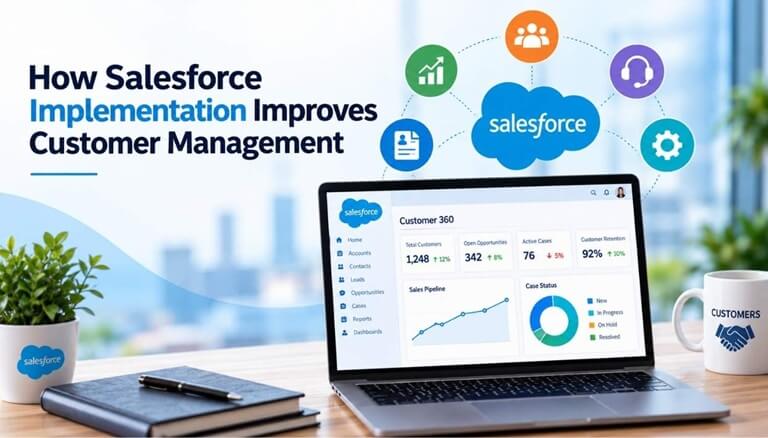
A well-planned Salesforce implementation can bring these activities into a more structured customer management environment. Instead of treating CRM as a database where employees simply enter contact details, businesses can use Salesforce to organize customer information, manage sales and service processes, automate routine work, connect other systems, and provide employees with better visibility into customer activity.
The improvement, however, depends on how Salesforce is implemented. Technology alone cannot fix unclear processes, inaccurate data, or inconsistent CRM usage.
What Does Salesforce Implementation Mean for Customer Management?
Salesforce implementation is the process of configuring the Salesforce platform around an organization’s business requirements. It typically includes defining CRM processes, configuring objects and fields, migrating existing data, establishing permissions, creating automation, integrating other systems, building reports, testing the environment, and training users.
For customer management, these decisions determine what information employees can see and how they work with it. A Salesforce implementation service can help businesses translate these customer management requirements into a CRM structure, while salesforce consulting services can support organizations in aligning the platform with their sales, service, and operational processes.
For example, a business may need to track customer contacts, sales opportunities, contracts, service requests, products purchased, renewal dates, and previous interactions. During implementation, the company determines where this information should be stored, who can access it, and which processes should happen automatically.
This is why implementation should begin with business requirements rather than Salesforce features. The CRM should support the way employees need to manage customers instead of forcing unnecessary steps into their daily work.
Creating a Centralized View of Customer Information
One of the main customer management benefits of Salesforce is the ability to organize important information around accounts, contacts, leads, opportunities, cases, and other related records.
Without a centralized CRM, employees often have to search through several systems before speaking with a customer. A salesperson might have opportunity information in a spreadsheet, previous conversations in email, and contract details in another application. Customer service may maintain its own records separately.
Salesforce can provide a more consistent view by connecting relevant information to customer records. Employees can review contact details, account activity, sales history, open opportunities, tasks, cases, and previous interactions from a common environment. Salesforce integration can further improve this visibility by connecting the CRM with other business systems that contain important customer data.
Centralization does not necessarily mean every piece of information must physically exist in Salesforce. In some cases, information can remain in an ERP, ecommerce platform, or another system and be made available through integration.
Improving Sales Team Customer Management
Sales teams need more than a list of customer names and phone numbers. They need to understand where a customer is in the buying process, what conversations have already taken place, what needs to happen next, and who is responsible for the relationship.
Salesforce can structure these activities around leads, accounts, contacts, opportunities, tasks, and activities. Organizations can define opportunity stages, qualification requirements, follow-up processes, and ownership rules according to their sales process.
Consider an account manager preparing to contact an existing customer about a renewal. Instead of searching through emails and asking colleagues for updates, the manager can review the customer’s account record, previous opportunities, recent activities, outstanding tasks, and other available information.
This context can make customer conversations more relevant while reducing time spent looking for information. It also makes customer relationships less dependent on knowledge held by individual employees.
Improving Customer Service and Support
Customer service teams face a similar information problem. When a customer contacts support, representatives need enough context to understand the issue without repeatedly asking for information the company should already have.
A properly configured Salesforce environment can connect service cases with the appropriate account and contact records. Representatives can review previous cases, communication history, case status, priority, and other relevant customer information.
Businesses can also establish routing and escalation processes. For example, incoming cases can be assigned according to product, region, customer type, or issue category. High-priority cases can be escalated when they remain unresolved beyond an established period.
This structure is particularly useful when several employees or departments participate in customer support. The customer relationship becomes less dependent on one representative remembering previous conversations because important information is documented within the CRM.
Automating Customer Management Processes
Many customer management activities are repetitive. Sales representatives create follow-up tasks, managers assign leads, service teams route cases, and employees send internal notifications when customer records reach certain stages.
Salesforce Flow and other platform automation capabilities can handle appropriate parts of these processes.
For example, when a new lead enters Salesforce, automation might assign it to a representative according to territory and create a follow-up task. When a customer submits a support request, Salesforce might route the case to the appropriate queue. If an important case remains unresolved, the system can notify a manager.
Automation should not be added simply because a process can be automated. If the underlying process is poorly defined, automation can make the problem more difficult to manage. Organizations should first determine what should happen, who should be responsible, and what exceptions exist before building automated workflows.
Connecting Salesforce With Other Customer Systems
Customer information rarely exists in CRM alone. Businesses may use separate applications for marketing, ecommerce, accounting, ERP, customer support, communication, payments, and other operations.
When these systems remain disconnected, employees may still lack important customer context even after Salesforce has been implemented.
Integration can allow appropriate information to move between Salesforce and other business applications. An ERP integration, for example, might provide sales teams with access to order or account information. A marketing automation integration can connect campaign activity with CRM leads and contacts. An ecommerce integration can associate purchases with customer records.
The objective is not to copy every field from every application into Salesforce. Businesses should determine which system owns each type of data and what information Salesforce users actually need to perform their work.
Using Customer Data for Better Decisions
Centralized customer information becomes more valuable when businesses can use it for reporting and operational decisions.
Salesforce reports and dashboards can help managers monitor opportunity pipelines, sales activities, case volumes, response times, account activity, conversion rates, and other customer-related measures. Instead of compiling information manually from several spreadsheets, teams can work from CRM data collected through everyday processes.
However, reporting is only as reliable as the underlying data.
If sales representatives do not update opportunity stages, customer service agents use inconsistent case categories, or duplicate customer records exist, dashboards may provide misleading results. Reporting requirements should therefore be considered during implementation rather than treated as an afterthought.
Organizations should determine which decisions they need to make and then identify what CRM data is required to support those decisions.
Why Salesforce Implementation Quality Matters
Salesforce provides extensive customer management capabilities, but poor implementation can make CRM harder rather than easier to use.
An organization might create too many required fields, complicated page layouts, duplicate automation, unclear record ownership, or reports that employees do not understand. Data imported without sufficient cleanup can also create duplicate accounts and inaccurate contact records from the beginning.
Good implementation starts with understanding existing processes. Teams should identify how customer information enters the organization, who uses it, which systems contain important data, where handoffs occur, and what employees need to complete their work.
Data should be reviewed before migration, permissions should reflect actual responsibilities, and important processes should be tested with real business scenarios. Users also need training that explains how Salesforce supports their daily responsibilities rather than simply showing them where buttons and fields are located.
After launch, organizations should monitor data quality, user adoption, automation performance, and changing business requirements. Salesforce customer management should continue to evolve as the business changes.
Final Thoughts
A successful Salesforce implementation can improve customer management by creating a structured place for customer information, sales activity, service interactions, automation, integrations, and reporting.
Sales teams can understand customer relationships without relying heavily on spreadsheets or individual knowledge. Service representatives can access better context when responding to issues. Managers can use CRM data to understand customer activity and identify areas that require attention.
These improvements depend on more than Salesforce technology. Businesses need clear processes, accurate data, appropriate integrations, practical automation, user training, and ongoing CRM governance. When these elements are addressed during implementation, Salesforce can become a reliable system for managing customer relationships as the organization grows.
Popular on OTW Right Now!
-
 How Accurate Are Online IQ Tests in Measuring Intelligence?
-
 CapCut Redefines Creative Workflows with the Launch of Dreamina Seedance 2.0 Mini
-
 The 3-Layer YouTube Recommendation Model: A Practical Way to Diagnose Why Videos Stall
-
 The Essential Cloud Migration Checklist: How to Plan a Secure and Successful Migration



About The Author

Gagan Bhangu
Founder of otechworld.com and managing editor. He is a tech geek, web-developer, and blogger. He holds a master's degree in computer applications and making money online since 2015.