
AI Video in 2026: How Lip-Sync and Image-to-Video Tools Let Anyone Make Moving Content
For most of the last decade, “make a video” was shorthand for a small production. You needed a camera, a location, a person willing to be on camera, and someone who could edit the result into something watchable. That equation kept video out of reach for many people who had good reasons to use it: small businesses, solo creators, educators, and anyone whose message was stronger than their production budget.
In 2026, the equation changed. Two categories of AI tools have moved from research demos into browser tabs anyone can open. The first makes a still portrait speak. The second brings a still image to life. Neither requires a camera crew, and both are practical enough that a small marketing team can ship a video before lunch. This article explains what they do, who they help, and how to start without tripping over the obvious ethical lines.
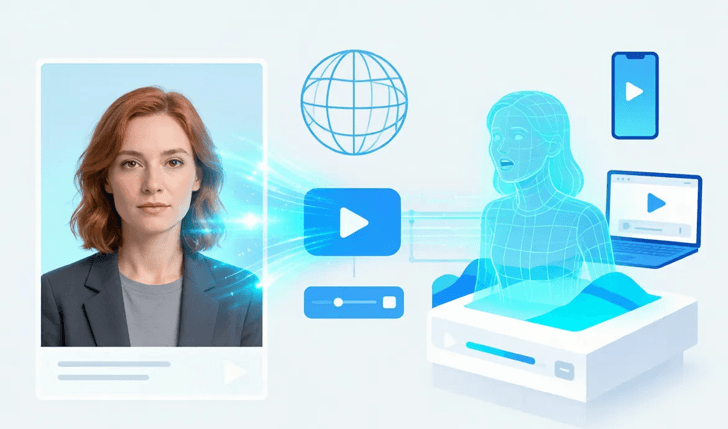
Lip-sync AI: making a photo talk
Lip-sync AI is, as its name implies, an AI that will sync the lips of the human image. You provide it with one photo – a headshot, a profile picture, a picture of a person doing something, etc. – and an audio clip – a voiceover, a script that you recorded on your phone, or just a text string read by a synthetic voice. The model will be animated such that the mouth in the photograph will correspond to the audio in the file, frame by frame, reasonably well, so it appears as if it is a real person talking. No Script, No Teleprompter, No Re-Takes!
There’s no doubt why it’s an appeal for anyone who’s ever dreaded being on camera. If you don’t enjoy video calls, you can record a pristine audio message and have the service add a face to it. One recording can be translated into multiple languages, and a localized version can be created for each market without re-shooting anything.
One recording can be translated into multiple languages, and a localized version can be created for each market without re-shooting anything. For creators scaling multilingual content, invideo Agent with its AI video dubbing capabilities can help translate, dub, and adapt videos while keeping the overall creative workflow consistent. The teacher can use a friendly avatar instead of a webcam to narrate a lesson.
A clean, accessible example of this kind of tool is lip sync AI, which turns a portrait and an audio file into a talking clip in minutes. The practical tip is to first take a good picture with a camera that faces forward and then record a clean voice recording – the model will only work with the signal that they are provided, and a bad-quality mic will show up as the output.
Image-to-video: making a still picture move
In the case of lip-sync, the face is animated, but with image-to-video, the full frame is animated. You put up a picture – something you are selling, a landscape, an interior, a visual for a campaign – and the model creates a small video clip with slight movement: lights move, the camera moves, things move. The static image turns into a video that captures audience interest in a feed that scrolls by in seconds.
How does that impact and why? Since attention is a precious resource. You can easily overlook a product photo in a social feed. The same product, with a playful movement, puts a halt to the scroll. Most small teams will have lots of good photos and very little video footage, so image-to-video helps close the gap without a shoot.
This is also where cost stops being a barrier. Some services let you generate freely, with no cap on how many clips you experiment with. Image-to-video AI free unlimited is one option that removes the paywall entirely, which matters if you want to test ideas before committing to a paid plan. The smart way to do it is to repeat: Take a couple of pictures, look to see what type of motion is understandable instead of gimmicky, then keep the ones that are understandable.
Who actually benefits
The tools are general, but a few groups feel the impact first.
- Small marketing teams. The solution that keeps coming up again and again is, “we should post more video,” but it never gets done because of production costs. A minute says as many things as a day, when a clip is minutes, not a day.
- Solo creators and educators. A talking avatar or an animated visual extends reach without turning you into a full-time videographer.
- Local businesses. A moving post can be used instead of a fixed image to make a statement for the day of a restaurant, clinic, or shop, or to announce holiday hours.
- Agencies serving many clients. The timely, cost-effective video production increases the services offered without increasing the staff.
What’s the conclusion that can be drawn from all these users? All of them had no plans to be filmmakers. They wanted to communicate, and video is just the medium that’s right.
How to get started
The technical skill isn’t necessary to achieve an acceptable result, although certain habits favor it.
Start from the origin. A crisp, bright, up-close-and-personal image is worth it every time, and a decent sound recording is better than one made in a noisy room. The model reflects and enhances what goes in, including its weaknesses.
Iterate without pressure. Since it will be easy and inexpensive to make multiple versions, compare the motion on a cell phone screen rather than a desktop screen. First time is never the charm.
Adapt the format for each platform. Type square for feed, vertical for Reels/ TikTok, landscape for website or newsletter. The same asset may be cropped and re-used, and it all comes down to those small decisions that do or do not lead to viewing.
Have a person to keep things in check. Best results when the AI speed is combined with human judgment – a real message, a real product, a real voice. The tool should continue the communication, not avoid telling the truth about what you’re selling or saying.
Before you upload anything, look for 3 things. First of all, privacy: check the location of the media and, if it is internal, check if it is stored on the cloud. Second, rights: be sure you have the rights to use the photo and audio. Third, the terms of the platform – some networks play by different rules, and it’s better to be aware of those rules in advance than to get a takedown notice afterward. Nothing takes long, and it turns a fun experiment into a safety habit.
Using it responsibly
The responsibility of any technology that can make a face speak or a picture move. There are two rules for staying safe.
First, only use images which are expressly agreed to be used, and only use portraits which are owned (or are expressly licensed to be used). Secondly, don’t label synthetic video as synthetic. When it comes to AI-generated media, transparency is not only courteous; it’s now becoming an expectation, if not a mandate, in many areas. Labeling ensures that your credibility is preserved, as well as staying on the right side of platforms and regulators.
These safety barriers will not slow you down. They are the same as the content they serve: trust.
The bottom line
AI video generation is no longer reserved for labs or a luxury for large companies. In 2026, it becomes a reality of communication for the rest of us – a means to create a photo talk or even a moving picture in the time it takes to drink a cup of coffee. If you’ve been waiting to make a video because it seemed like too much work, then it’s over. You can make an animation with just one picture and one sound. After a few minutes, you will be able to enjoy something that moves – and that’s the battle this year.
Popular on OTW Right Now!



About The Author

Gagan Bhangu
Founder of otechworld.com and managing editor. He is a tech geek, web-developer, and blogger. He holds a master's degree in computer applications and making money online since 2015.