
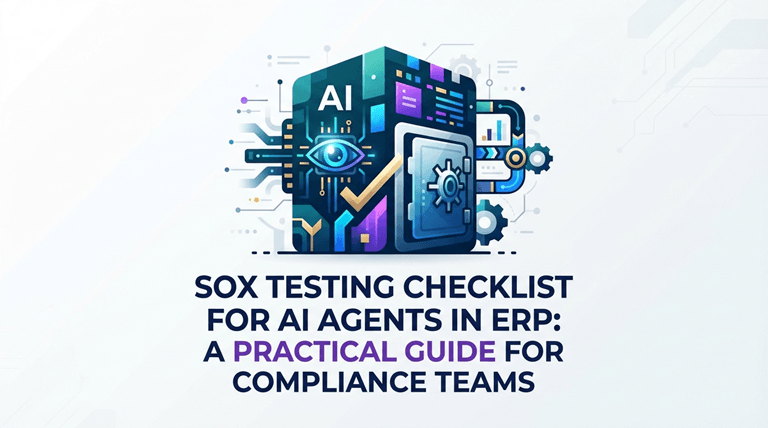
SOX Testing Checklist for AI Agents in ERP: A Practical Guide for Compliance Teams
The moment an AI agent posts a journal entry, reconciles a sub ledger, or flags a vendor anomaly inside your ERP, it becomes part of your SOX control environment. That is not a future-state risk. It is happening today in D365, SAP, and Oracle environments, and most internal audit teams are still testing it with playbooks written for human users.
Traditional SOX ERP controls assume deterministic paths: a person enters data, a workflow routes it, a report logs it. AI agents do not follow that script. They interpret unstructured inputs, make context-aware decisions, and execute across modules without clicking a single screen. If your ERP AI compliance testing strategy does not account for that autonomy, your Section 404 assertion has a gap that external auditors will find.
This checklist is designed for internal audit leaders, compliance officers, and ERP administrators who need a practical, repeatable way to validate AI agent controls before the auditors arrive. It is the operational companion to our earlier governance framework on AI Agent Governance for ERP, turning policy into testable evidence.
Why SOX Testing for AI Agents Requires a Different Playbook
Most organizations have spent years hardening SOX controls around human behavior: segregation of duties, approval thresholds, access recertification. AI agents introduce a new layer of risk that sits between the user and the general ledger.
Consider an autonomous reconciliation agent. It reads bank feeds, matches transactions, and posts adjustments. Under traditional testing, you would verify that the user who initiated the reconciliation had the right role. But with an agent, there is no “user” in the classic sense, only a service account executing logic that may have changed since last quarter.
That is why SOX testing AI agents demands three shifts in mindset:
- From user-centric to logic-centric testing. You are not auditing who clicked the button. You are auditing the reasoning that drove the action.
- From point-in-time to continuous validation. Agent behavior drifts as data patterns change. A control that passed in Q1 may fail in Q3 without a single code deployment.
- From black-box trust to explainable evidence. Management must assert that controls are effective. You cannot assert what you cannot explain.
The Complete SOX Testing Checklist for AI Agents in ERP
Use this checklist during your next internal audit cycle, quarterly control self-assessment, or pre-audit readiness review. Each section maps to a core SOX requirement and includes testable criteria you can evidence.
1. Identity & Access Control Validation
AI agents need credentials to operate inside your ERP. Unlike human users, they often share service accounts or use long-lived API keys. This is where SOX ERP controls break first.
Test these items:
- Agent identity is distinct from human users. Each AI agent has a unique service account, not a shared login.
- Role-based access is enforced. The agent cannot access modules outside its defined scope (e.g., a reconciliation agent cannot post journal entries).
- Credential rotation is active. API keys and service account passwords rotate on a schedule, not set-and-forget.
- Privileged access is monitored. Any elevation of agent permissions triggers an approval workflow and audit log entry.
- Offboarding is automated. When an agent is retired, its credentials are revoked within 24 hours.
2. Decision Logic & Explain ability Testing
SOX Section 404 requires management to assert that controls are effective. You cannot assert effectiveness if you cannot explain how an AI agent reached a decision.
Test these items:
- Every agent decision is logged with reasoning. The audit trail captures what the agent did and why (e.g., “Flagged invoice #4521 because vendor address mismatched master data”).
- Thresholds and rules are documented. Business rules driving agent behavior are version-controlled and mapped to SOX control IDs.
- Model drift is detected. If the agent uses a machine learning model, there is a process to detect when prediction accuracy degrades beyond an acceptable range.
- Human override is always available. A qualified user can intervene, correct, or reverse any agent action before it hits the general ledger.
- Decision logs are tamper-evident. Agent audit trails are stored in a write-once system, separate from the ERP database.
3. Transaction Integrity & Data Flow Testing
An AI agent that touches financial data is part of your control environment. ERP AI compliance testing must trace every transaction the agent touches from origin to report.
Test these items:
- Input validation is verified. The agent cannot process incomplete, malformed, or unauthorized source data.
- Segregation of duties is preserved. An agent that initiates a transaction cannot also approve it, even if the approval is algorithmic.
- Reconciliation controls catch agent errors. There is a secondary control (human or another agent) that reconciles agent outputs against source systems.
- Cutoff is enforced. The agent respects period-end close boundaries and cannot backdate or post-date transactions.
- Exception handling is documented. When the agent encounters an edge case, it escalates to a human rather than making a best-effort guess.
4. Change Management & Version Control
AI agents are software, and software changes. SOX requires that changes to financial reporting systems are controlled and tested.
Test these items:
- Agent updates follow ITGC protocols. Code changes, model retraining, and prompt updates go through the same change management process as ERP patches.
- Pre-production testing is mandatory. No agent update deploys to production without passing UAT in a mirrored ERP environment.
- Rollback plans exist. If an updated agent starts producing incorrect outputs, there is a documented, tested rollback procedure.
- Version history is retained. Previous versions of agent logic, prompts, and configurations are archived for audit review.
- Change logs link to SOX controls. Every agent update is tagged to the SOX control it impacts, with sign-off from both IT and finance.
5. Monitoring & Continuous Compliance
Point-in-time testing is not enough for AI agents. They learn, adapt, and encounter new data patterns constantly. SOX testing AI agents must include continuous monitoring.
Test these items:
- Agent performance dashboards exist. Compliance teams have real-time visibility into agent activity volumes, error rates, and exception counts.
- Anomaly detection is layered. Unusual agent behavior (spike in transactions, access outside business hours, repeated exceptions) triggers alerts.
- Quarterly control self-assessments cover agents. The QCSA process explicitly evaluates AI agent controls, not just human workflows.
- External auditor evidence is pre-packaged. Agent logs, decision trails, and test results are exportable in a format auditors can consume without engineering support.
- Incident response is documented. If an agent causes a material misstatement or near-miss, there is a documented root-cause analysis and remediation process.
How Leading Teams Automate SOX Agent Testing
The irony of modern compliance is that the most efficient way to test AI agent controls is with another layer of AI oversight. Instead of manually checking every box above each quarter, forward-looking ERP teams are deploying autonomous test agents to:
- Continuously scan agent logs for SOX ERP controls violations
- Auto-generate test scripts based on documented business rules
- Reconcile agent outputs against source systems in real time
- Flag model drift before it impacts financial statements
This shifts ERP AI compliance testing from a quarterly scramble to a continuous control, exactly what SOX demands in an environment where agent logic changes faster than human processes.
See it in action: Sofy.ai builds autonomous ERP test agents that validate your AI agents against documented SOX controls and generate audit-ready evidence without writing code.
Common Pitfalls in SOX AI Agent Testing
Even teams with mature governance frameworks stumble on these points:
Table
| Pitfall | Why It Fails SOX | The Fix |
| Treating agents like black boxes | Auditors will reject controls they cannot understand | Document decision logic and make logs human-readable |
| Testing only at go-live | Agent behavior changes as data changes | Implement continuous monitoring, not annual testing |
| Relying on ITGCs alone | IT general controls do not cover agent-specific logic | Add agent-level application controls to your test plan |
| Ignoring prompt engineering | A prompt change is a code change with financial impact | Version-control prompts and include them in change management |
| No segregation between dev and prod data | Training agents on production data violates data governance | Use anonymized, representative datasets for agent development |
From Checklist to Compliance: A 4-Step Execution Plan
This checklist gives you the criteria. The next step is execution. Here is the recommended sequence:
- Baseline your current state. Run through this checklist against one high-risk agent (e.g., your auto-reconciliation or anomaly-detection agent).
- Identify gaps. Mark every unchecked box as a finding with a 30-60-90-day remediation plan.
- Embed testing into your ERP lifecycle. Do not treat this as a one-time SOX exercise. Make agent testing part of your monthly close and quarterly review.
- Scale with automation. As your agent footprint grows, manual testing becomes impossible. Invest in ERP AI compliance testing infrastructure that scales.
The Bottom Line
AI agents in ERP are not a future risk. They are a present reality, and they are already inside your SOX control environment. The question is whether your testing strategy caught up.
Manual checklists catch problems after they happen. Autonomous test agents catch them before they reach your financial statements. If your team is ready to move from quarterly compliance firefighting to continuous, automated SOX testing AI agents, the technology exists today.
Popular on OTW Right Now!


About The Author

Gagan Bhangu
Founder of otechworld.com and managing editor. He is a tech geek, web-developer, and blogger. He holds a master's degree in computer applications and making money online since 2015.