
A VPN Is Not a Privacy Switch: What It Protects and What It Leaves Exposed
A virtual private network (VPN) looks simple from the outside.
- Install an application
- Choose a server
- Click Connect.
Even then, the underlying privacy model is more complicated. Although a VPN protects network traffic in transit, it cannot automatically make a device anonymous. Also, it cannot secure every account or fix careless browsing habits.
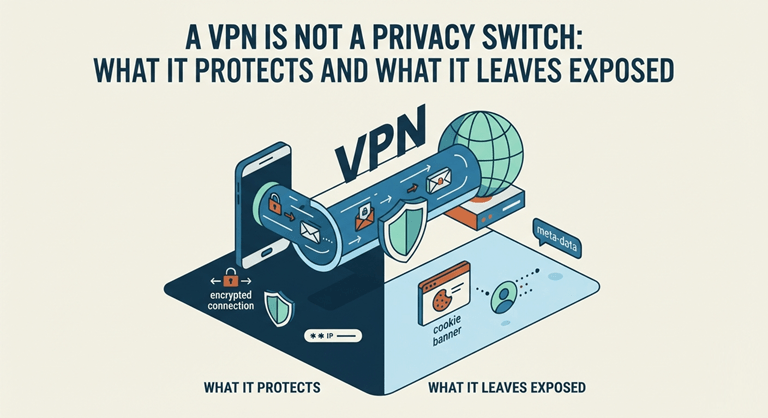
What a VPN Actually Changes
Without a VPN, internet traffic usually travels through the local network and internet service provider before reaching its destination. The provider then sees connection metadata. In some cases, it is more than users might expect.
Meanwhile, public Wi-Fi operators may monitor local activity or attempt to intercept traffic.
Basically, a VPN changes that path. It does so by creating an encrypted tunnel between the device and a remote server. Consequently, local observers see encrypted traffic rather than individual browsing destinations.
Also, the destination website receives the VPN server’s IP address instead of the user’s public IP address.
That protection is useful, especially on hotel, airport, or café networks. The NordVPN review done by Cybernews reflects the kind of technical scrutiny users should expect when evaluating –
- Encryption
- Infrastructure
- Privacy controls
- Practical connection performance.
However, the tunnel has boundaries. Traffic becomes readable after it leaves the VPN server and continues toward its destination. It happens unless HTTPS provides another encryption layer.
In other words, the VPN protects the route to its server. Moreover, it does not magically control the wider internet.
Encryption Is Only Part of the Story
Most reputable VPN applications use modern protocols designed to balance –
- Speed
- Security
- Connection stability.
Still, protocol names alone reveal very little. Moreover, implementation quality matters. The following factors might influence the final security posture:
- Key handling
- Application permissions
- DNS configuration
- Update practices
- Server management.
The following comparison shows where common privacy protections operate:
| Privacy Layer | What It Protects | What It Does Not Fix |
| VPN tunnel | Traffic between the device and VPN server | Account tracking and browser fingerprints |
| HTTPS | Data exchanged with a secure website | Local traffic metadata |
| Private browsing | Local history and temporary cookies | IP exposure and network monitoring |
| Tracker blocking | Many advertising and analytics scripts | Device malware or weak passwords |
Therefore, stacking protections makes more sense than treating one tool as a complete privacy package. A VPN must be combined with –
- HTTPS
- Tracker controls
- Software updates
- Strong account security.
This way, it will create a better defensive structure.
DNS Leaks and Kill Switches Matter
Domain Name System (DNS) translates website names into network addresses. Sometimes, DNS requests bypass the encrypted tunnel. Then, an internet provider or network administrator may still infer which services the device contacts.
For that reason, DNS leak protection is not a decorative setting. In fact, it closes a fairly obvious privacy gap.
Meanwhile, a kill switch handles another failure point. If the VPN connection drops unexpectedly, the device may return to its regular network route. The real IP address then becomes visible.
However, a properly configured kill switch blocks traffic until the encrypted connection returns. Meanwhile, some implementations protect only selected applications.
So, users should check several technical controls before relying on a VPN:
- Confirm that the following remain inside the protected tunnel:
- IPv4
- IPv6
- DNS requests
- Review whether the kill switch works during –
- Server changes
- Sleep mode
- Unstable Wi-Fi.
- Check whether application-level split tunneling accidentally excludes sensitive software.
Although these checks sound a little tedious, they reveal more than a glossy feature list. In fact, a VPN application may report an active connection. Meanwhile, a browser extension, background service, or an unsupported network protocol continues to use the normal route.
A VPN Cannot Stop Account-Based Tracking
Websites do not depend entirely on IP addresses. In fact, the following might still connect activity to a specific person:
- Login sessions
- Cookies
- Browser fingerprints
- Advertising identifiers
- Behavioral patterns.
Therefore, changing the visible IP address does not erase an established digital identity.
Moreover, signing into the same email, social media, or shopping accounts reconnects browsing activity almost immediately. Although the VPN may hide the original network location, the account itself identifies the user.
That distinction often gets buried under the broad and rather slippery word “anonymity.”
Better Privacy Comes From Layered Controls
A VPN remains a valuable security and privacy tool. This is particularly helpful on untrusted networks. Also, it helps when users want to reduce direct IP exposure. However, its protection stops at clearly defined technical boundaries. It cannot do the following:
- Repair compromised devices
- Prevent phishing
- Remove tracking cookies
- Strengthen reused passwords.
The sensible approach is layered:
- Encrypt network traffic
- Keep HTTPS enabled
- Limit trackers
- Secure accounts with multifactor authentication
- Keep software up to date.
Once those pieces work together, a VPN serves as a single, robust layer within a broader privacy system. It is no longer a shiny switch that supposedly solves everything.
Popular on OTW Right Now!


About The Author

Gagan Bhangu
Founder of otechworld.com and managing editor. He is a tech geek, web-developer, and blogger. He holds a master's degree in computer applications and making money online since 2015.