
How to Choose the Right Headset for Business Calls and Hybrid Work
A headset may seem like a simple workplace accessory, but it can influence how clearly employees communicate, how comfortably they work, and how professionally they appear during online meetings. A weak microphone can make a speaker sound distant, while uncomfortable ear cushions can turn a long meeting into a tiring experience.
The challenge is that business headsets are available in many different configurations. Some are connected using USB, others are connected via Bluetooth, and some are specifically made for a business that has a lot of action going on or a customer service team. Selecting the proper one thus does not only involve picking a popular manufacturer or making a price comparison.
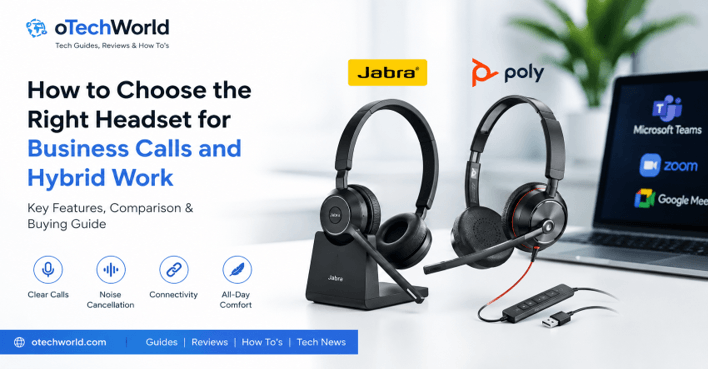
The headset that is best for the user is the one that fits their work environment, communication tools, and the number of calls per day. It can be a lot easier if you know some basic functions.
Begin With the Way the Headset Will Be Used
Always determine the primary use of the headset before making comparisons. A short video meeting attendee could have vastly different needs than a customer support representative who answers numerous calls for several hours.
Common business headset use cases include:
- Video meetings and online presentations
- Customer support and call handling
- Remote and hybrid work
- Voice calls through desktop applications
- Collaborative work in open offices
- Mobile calls while travelling
- Focused work that requires fewer distractions
The work environment is as important as the task! For an office where no one is talking all the time, there might be no need for high-level microphone noise reduction; for an office where everyone is talking all the time, background-noise-suppression might be a necessity.
This allows businesses to avoid buying unnecessary features or equipment that may not be suitable for their specific needs.
Prioritize Microphone Quality for Clear Conversations
The performance of the microphone is crucial to business communication. You can get great sound quality from a headset, but still not have a good telephone voice because the microphone can pick up keyboard sounds, other people talking in the room, or room echo.
The ideal business microphone will be able to pick up the speaker’s voice without compressing it or sounding robotic. Boom microphones can be helpful since they allow the microphone to be placed closer to the mouth. This can help to gain better microphone feedback and keep the background noise out of the conversation.
The microphone should also be removable. If it is positioned too far from the mouth, then it is possible that the user could sound quiet. Breathed words and undue consonants might become distracting if it is too close.
Professionals comparing communication-focused equipment can explore Jabra headsets when looking at models designed for calls, virtual meetings, and workplace collaboration. The important step is still to compare the microphone design, connection method, and supported features of each individual model rather than relying on the brand name alone.
Understand Microphone Noise Cancellation
Different from the noise cancellation that a person hears through ear cups, microphone noise cancellation is.A noise-cancellingg microphone is designed to minimize sounds that can be heard by others participating in the conference. It could lower the noise of the kites in the office, the A/C, or typing on a keyboard, or movement in the background.
Active noise cancellation (ANC), which is also known as active noise cancelling, is primarily an individual benefit system. This minimizes background noise from the outside world that can be heard through the headset, allowing the user to focus.
It may provide a single feature or both of these features in one business headset. Therefore, consumers of the product should make sure whether the description is for microphone noise reduction, listening noise cancellation,n or both.
If you’re working in a relatively quiet private office, you might not need the advanced noise control. However, in an active office, it can help to make communication a lot easier on both sides.
Choose Between Wired and Wireless Headsets
The decision between wired and wireless models depends on mobility, reliability, and the devices being used.
Wired headsets
Typically, wired models are connected via USB-A, USB-C, or 3.5 mm audio jack. They can be appropriate for fixed workstations, call center res, or staff who are not required to leave their desk.
Their advantages include:
- No battery charging
- Stable connection
- Simple setup
- Lower risk of wireless interference
- Often more affordable pricing
The drawbacks are limited mobility. Cables can also end up getting in the way or getting damaged from constant use.
Wireless headsets
Wireless models offer the user greater mobility while talking on the phone. They can be beneficial for managers, salespeople, and remote workers who don’t sit all day long.
However, buyers should examine:
- Wireless range
- Battery duration
- Charging time
- Bluetooth compatibility
- Whether a USB adapter is included
- The number of devices that can connect simultaneously
Wireless freedom is important,t but if that comes at the expense of poor audio quality and a battery that doesn’t hold up to the day’s usage, then it’s not worth it.
Check Device and Software Compatibility
A headset must be capable of connecting to the equipment and to the communication software used.
A USB headset can be used with a desktop computer but might need an adapter for a newer laptop. A Bluetooth model can be paired with a phone and computer, though some of the controls will not function as intended on different operating systems or applications.
Businesses should confirm compatibility with platforms such as:
- Microsoft Teams
- Zoom
- Google Meet
- Webex
- Softphone applications
- Desktop calling software
- Smartphones and tablets
Some headsets have specific buttons to answer calls, mute the mic, or adjust the volume. The functionality of these buttons might vary from site to site.
Teams using several communication applications can also compare Poly headsets based on their required connection types, call controls, and device compatibility. The specifications of the chosen model should be studied by the buyers, and whether it comes with any required software, dongle, or adapter should be checked.
Decide Between Mono and Stereo Designs
A mono headset will enable the user to listen to the call via one ear, as well as being able to listen to other colleagues and/or work activity. This layout can be used for reception staff, customer service desks, and staff who are required to interact with others in the immediate vicinity.
A stereo headset covers both ears and can give a more concentrated listening experience. It might be preferable for distant workers, for extended meetings via the web, and for locations with ambient sound that can distract.
There are no inherent advantages to either design. The right one would depend on the awareness level or the concentration that the user requires.
Some workers may need to be able to hear what is going on around them for safety and to coordinate the work on the job. Others might do better if both ears are covered and other distractions are minimized.
Evaluate Comfort for Extended Use
An initial test of a headset that was comfortable in the short term can become uncomfortable after a few hours. That’s why it’s important to measure comfort based on the ground truth of how the product will be used in real life.
Important comfort factors include:
Headset weight
Long sessions may lead to pressure on the head or neck due to heavy headsets. Comfort for long periods of time is typically linked to lightweight models, but quality of construction is not to be overlooked.
Ear-cup design
On-ear cushions sit on the ears, and over-ear cushions enclose the ears. Users wearing over-ear designs may find them more comfortable to wear, but they may also trap more heat.
Clamping pressure
A headset shouldn’t be too tight or too loose. If there is too much pressure, it is uncomfortable and may even be painful for those with glasses.
Cushion materials
There are different kinds of felt, like foam, leatherette, and fabric. If leatherette is easy to clean, a breathable fabric can help keep you cool for extended periods of time when making calls.
Headband adjustment
Adjustable headband for more than one size and shape of head. Teams that buy headsets for more than one employee, they should not buy a headset that only has a couple of adjustments.
Comfort is a must. If the headset is uncomfortable to wear, it may frequently be removed or positioned awkwardly or even not worn at all, diminishing its usefulness.
Consider Battery Life for Wireless Models
When comparing battery claims, make sure to use the user’s actual working schedule. A headset that offers extended battery life might not last as long if you use it at high volume and for longer phone calls, or when you include more features during calls.
If an employee with the headset uses it occasionally for meetings, only moderate battery power is required. A customer support employee might require the entire day’s worth of power.
Useful battery-related features include:
- Fast charging
- A charging stand
- A visible battery indicator
- Automatic power saving
- The ability to use the headset while charging
- Replaceable batteries on selected professional models
They also should take into account the way the business is charged. Even with a top-performing headset that has superb battery life, the issue of forgetting to charge it will become a problem.
Look at Call Controls and Everyday Usability
The little things that make a difference in usability can make a big difference to everyday work. Usersr can respond to meetings with the help of dedicated mute buttons. There are boom mics with automatic mute, and others with a button or touch control. The clear mute notifications are helpful since it decreases the chance of speaking while muted.
The volume controls should be readily accessible without the need to take out the headset. A call handling button added at the end of the answer call can also make it easier to handle calls, especially for those who receive a lot of incoming calls.
Other helpful features may include:
- A busy light that signals when the user is on a call
- Voice prompts for connection and battery status
- Automatic pause when the headset is removed
- Multipoint connection for phone and computer
- Replaceable ear cushions
- Foldable or portable construction
The value of these features will vary based on the work environment. In an open office, a busy light may be very beneficial, but not as much to an individual working alone.
Do Not Ignore Build Quality and Maintenance
Business headsets are not as commonly used as personal headphones. These may need to be changed often, moved from one site to another, or shared with other members of staff.
The headband, cable joints, boom microphone, and ear cups should be tough enough to be used over and over. It would save the owner from replacing the entire headset just because one of the headset’s parts is worn, for example, a cushion or cable.
Ease of cleaning is also important when using shared equipment. Highly textured materials have less of an ability to be wiped down than smooth ear cushions and microphone surfaces.
Businesses that are buying multiple units need to look at the warranty details and whether replacement accessories are available. An increased up-front price might be worth it in some cases if a model is more durable and maintenance-free.
Compare Total Value Instead of Price Alone
The lowest price headset isn’t necessarily the most cost-effective if calls are unclear, it becomes uncomfortable, or it needs to be replaced often. Meanwhile, the most expensive might come equipped with more sophisticated options that the customer might not require.
A practical comparison should consider:
- Microphone clarity
- Wearing comfort
- Connection reliability
- Device compatibility
- Battery performance
- Durability
- Warranty
- Replacement parts
- Support and product information
Another cost to keep in mind is that of poor communication. It can be annoying to repeat oneself to clients or coworkers multiple times and slows down conversations.
When comparing workplace communication equipment, buyers can review available options through Findheadsets and then select models according to their actual devices, call platforms, and working conditions.
Test the Headset Before a Large Purchase
If possible, businesses should test a few units before ordering headsets for the entire team.
A short trial can reveal issues that may not appear in the product description, such as:
- Uncomfortable clamping pressure
- Weak microphone volume
- Software compatibility problems
- Limited wireless range
- Confusing call controls
- Poor performance in a noisy office
- Difficulty switching between devices
The testing should be conducted in the actual working environment of the headset. What works well in the meeting room might not work on the support floor.
Feedback should be gathered from workers of various head sizes, job roles, and communication styles. This helps give a better perspective than just one individual’s experience.
Final Thoughts
When it comes to selecting a business headset, it’s a bit more complicated than picking between wired and wireless. The choice should depend on the frequency of calls, the location of the user, the type of device used, and the amount of background noise.
High-quality mics are important, as the best thing you can do with a headset is to impart information. Then, the comfort and compatibility, battery life,e and call controls should be analyzed based on the user’s lifestyle.
The right headset can minimize background noise, nd enhance call quality, and make long meetings easier to handle. This is not the case that the longer the features list is, the better it is. It’s the one that works consistently in the context in which it will be used.
Popular on OTW Right Now!




About The Author

Gagan Bhangu
Founder of otechworld.com and managing editor. He is a tech geek, web-developer, and blogger. He holds a master's degree in computer applications and making money online since 2015.