
How to Compare VPN Prices Without Choosing the Wrong Plan
VPN pricing can look simple at first. One provider offers a monthly plan. Another promotes a long-term discount. A third adds extra features, password tools, cloud storage, or identity monitoring. Suddenly, comparing VPNs is no longer just about price.
For everyday users, remote workers, students, and small business owners, the challenge is not finding the cheapest VPN. The true question is what is included in the price and what isn’t, and if it includes the service of using the internet.
That is why a useful VPN price comparison should look beyond the number on the pricing page. WhatIsMyIPAddress.com is one of these sites that has been around for years to educate all users on how IP addresses, VPN, public Wi-Fi, and privacy are related. That context comes into play when comparing VPN plans, as the most economical isn’t necessarily the best or most convenient.
Start With the Real Question: What Are You Paying For?
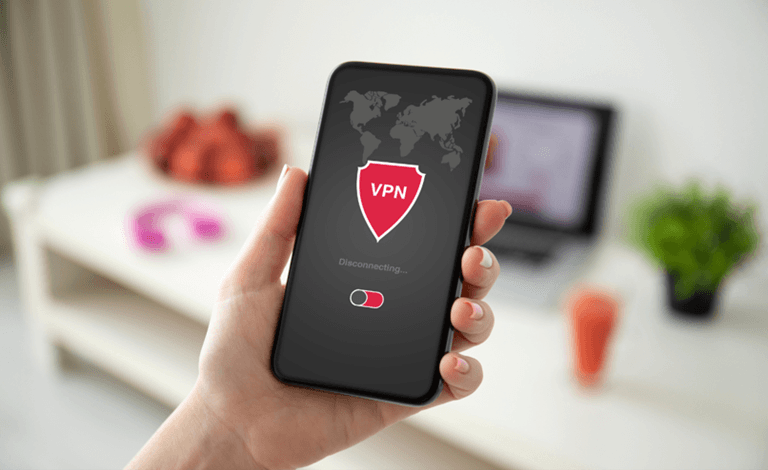
A VPN, or virtual private network, routes your internet traffic through a VPN server. When it works correctly, websites usually see the VPN server’s public IP address instead of the IP address assigned by your internet provider, mobile carrier, office network, or public Wi-Fi connection.
A VPN can help to limit the direct exposure of the IP addresses and provide protection when using public Wi-Fi, and can make it less precise to know the location of a basic IP address. However, it does not mean that you are completely anonymous. It will not delete Cookies, the history of accounts, block all tracking, or prevent you from encountering all the dangers of the online world.
When taking a look at VPN pricing, the initial concern ought to be not who’s the least expensive, but what is the most effective? The question should be “What problem am I trying to solve?”
For instance, mobile app security or the privacy of public Wi-Fi hotspot access might be of more interest to a traveler. Students might be interested in the price and the functionality of the devices. A stability and kill switch might be required for use with a remote worker. Team management and support are needed in a small business.
The cost of a VPN solution varies according to its usage.
The Monthly Price Can Be Misleading
A particular VPN provider may promote a minimal per-month cost, but you will have to pay for the full length of the plan. For instance, a two-year plan can have a lower monthly fee than a monthly subscription.
That can be a good deal, but only if the user understands the commitment.
Before choosing a plan, check:
- Whether the price is monthly, yearly, or multi-year
- Whether the full amount is billed upfront
- What will the renewal price be
- Whether auto-renewal is enabled
- How long does the refund window last
- Whether taxes or fees are added at checkout
An inexpensive VPN, as advertised, may be more costly than the price you actually end up paying.
Renewal Pricing Matters
Discounts are typical in the pricing of VPNs. A plan can be widely discounted for the initial term but then increases in price for subsequent terms.
This doesn’t mean the deal is bad, but it’s important to be aware of what one is signing up for.
The renewal cost is more frequently the more significant price, as VPNs tend to be more long-lasting than the first-year costs. When using a VPN regularly, it’s essential to take into account the cost after the discount.
A comparison should be made of both the promotional and the standard renewal prices.
Device Limits Can Change the Value
A cheap VPN may not be a good deal if it covers too few devices.
Many users need VPN protection across:
- A laptop
- A phone
- A tablet
- A work device
- A family member’s device
- A browser extension
- A smart TV
- A router
Other VPNs have restrictions on the number of simultaneous connections. Others permit additional numbers of gadgets, or even as many as you can, and so on.
If it’s just one user, it might be OK to have a lower device limit. If you’re a small team or family, you may find it more cost-effective to opt for a higher-cost plan that includes device support.
Free VPNs Need Extra Scrutiny
You’ll see that free VPNs are very popular, not only because of their obvious cost, as they are free, but also because they can be used whenever you want to use them. However, it is expensive to operate a VPN service. All servers, apps, support, bandwidth, and infrastructure are all at cost.
Some free VPNs come in a limited version of a paid VPN. Their speed, data, server locations, or support may be limited. Others may be using ads and/or data gathering.
Not all free VPNs are unsafe; however, it is essential to check into the business model in detail.
Ask:
- Who operates the service?
- What data is collected?
- Are there speed or data limits?
- Is support available?
- Are privacy claims clear?
- Is the free version part of a trustworthy paid product?
A free VPN might be helpful for casual use but may not work for delicate activities, frequent travelling, or enterprise purposes.
Privacy Features That Affect Value
The price of a VPN should be compared against the privacy features included.
Important features include:
Clear Privacy Policy
A VPN provider deals with sensitive information relating to connections. The privacy policy should be clearly written out with information on what is being collected, what isn’t being collected, how long the data will be stored, and whether any data is being shared or not.
Make sure that providers don’t make overly general guarantees such as “total anonymity” or “complete invisibility.” The language used to express privacy should be firm but not over-the-top.
DNS Leak Protection
DNS is the system that assists your browser in determining websites. When the VPN changes your IP address and your DNS requests pass through another service, like your internet provider, not in the VPN tunnel, it is a DNS leak.
One of the significant features is DNS leak protection, particularly for those who prioritize privacy.
Kill Switch
A kill switch can provide protection against internet usage when the VPN connection fails. If not, then your device could possibly reconnect via your regular internet connection and reveal your true public IP address.
This is particularly helpful for traveling, remote, or public WiFi.
IPv6 Leak Protection
There are some devices that support both IPv6 and IPv4. Even when the VPN covers just one type of traffic, there can be a lot of information leaking.
The best VPN will either have it properly configured for IPv6 or will handle it in a safe manner.
Server Locations: More Is Not Always Better
Numerous VPNs advertise the number of countries and/or servers they have. A big server network can be beneficial, but it isn’t the only justification to pick a plan.
The most important thing is that the VPN is capable of having solid servers in the regions you require.
Where coverage on a server, stability, and privacy policies are concerned, a long list of locations is not as important as for most users.
Speed and Stability Are Part of the Price
Because of the additional server that the data has to travel through, a VPN may slow your Internet connection. The level of delay will vary depending on the network, protocol, and distance between the server and devices, as well as the provider.
A more affordable VPN might be offered at a lower price; however feel frustrated if it frequently drops or blocks video calls, web browsing, downloads, or cloud applications.
When comparing value, consider:
- Connection stability
- Speed during busy hours
- Mobile performance
- Server switching
- App reliability
- Support response time
A VPN that costs slightly more may be a better value if it works reliably every day.
Personal Use vs. Business Use
However, when you consider the cost of VPNs, you should also take into account whether you need it for personal or business use.
For most browsing, travel, public Wi-Fi, and general privacy use,e a personal VPN might be sufficient.
A business VPN may need more features, such as:
- Team management
- Central billing
- User access controls
- Admin dashboard
- Dedicated IP options
- Support for remote employees
- Compatibility with company tools
- Clear onboarding and offboarding
Consumer VPN may be more affordable, but may not fit the needs of businesses. The wrong plan could cause support issues, access issues, or even security issues for a company.
Add-On Features: Useful or Just Expensive?
Some VPNs include additional features with more costly subscription packages. They can be anything from a password manager to antivirus software, a dark web monitor, cloud storage, ad blockers, identity protection, etc.
Some add-ons come in handy. Some of the tools might be the same tools that the user may already have.
Before paying for a bundle, ask:
- Do I already have this feature from another provider?
- Is the add-on strong enough to replace my current tool?
- Am I paying for features I will never use?
- Is the core VPN service good on its own?
- Would separate tools be better?
If the added extras are useful, a bundle may be a worthwhile purchase; however, if they are not, it is not a good value.
Refund Windows Reduce Risk
A refund window is essential as the performance of a VPN can differ based on the device, location, network provider, and usage.
Before committing long-term, test:
- Whether the VPN changes your visible IP address
- Whether speeds are acceptable
- Whether apps work on your devices
- Whether streaming, browsing, calls, or work tools behave normally
- Whether DNS or IPv6 leaks appear
- Whether support is responsive
A refund period provides customers with ample time to test both the in-market capability and marketing claims.
A Simple VPN Price Comparison Method
Rather than picking the lowest advertised price, follow these steps:
Here you have to start defining your principal use case. Determine the necessity of having a VPN for traveling, public Wi-Fi, remote work, privacy, streaming, family devices, or business access.
Secondly, see the complete subscription fee. Examine the term on the bill, initial cost, renewal cost, taxes,s and cancellation terms.
Third, make comparisons in terms of the features that impact privacy and reliability. Pay attention to the following features: kill switch, DNS leak protection, device support, server stability, privacy policy, and support quality.
Fourth, try out the service if there’s a refund window. Test it on actual network(s) and devices.
Fifth, don’t make any unrealistic claims. A VPN may conceal your public IP address from sites you visit, but it will not truly make you anonymous or eliminate all kinds of tracking.
Common Pricing Mistakes to Avoid
Choosing Only the Cheapest Plan
While it might be enticing to get the lowest price, it could be accompanied by fewer servers, slower speeds, less support, or lower-quality apps.
Ignoring Renewal Terms
The initial price might not be the lasting price. Be sure to review renewal information.
Paying for Features You Do Not Need
That big bundle could seem useful, but only if you’re able to use the additional tools.
Forgetting Mobile Devices
There are plenty of users who make a comparison between VPNs on their PCs, and they overlook phones and tablets. The quality of mobile apps is of concern.
Assuming More Servers Means Better Privacy
While it’s helpful to know how many servers there are, there’s more to consider when it comes to privacy policy, leak protection, and transparency.
Believing “Anonymous” Marketing
While a VPN can help mask IP addresses, it can’t stop account tracking, cookies, browser fingerprinting, or app permissions from being tracked.
Final Thoughts
A VPN price comparison doesn’t only relate to the cheapest monthly cost. It’s all about how you grasp the actual price, the renewal conditions, the device restrictions, the protection capabilities, and also the stability of the service.
A reliable VPN must be able to meet the needs of the customer. For others, it is a more complex one, which requires an investment. Others find it in the improvements to the mobile apps, enhanced security aspects, more device support, or business controls.
The greatest benefit is to compare apples to apples. This is because privacy policy, kill switch, DNS leak protection, speed, support, and claims are factors to consider as well.
A VPN is simply one part of online privacy. It’s best paired with powerful passwords, two-factor verification, mindful app permissions, software updates, and cautious online practices.
Popular on OTW Right Now!

About The Author

Gagan Bhangu
Founder of otechworld.com and managing editor. He is a tech geek, web-developer, and blogger. He holds a master's degree in computer applications and making money online since 2015.