
Guide to Selecting the Best Remote Desktop Software
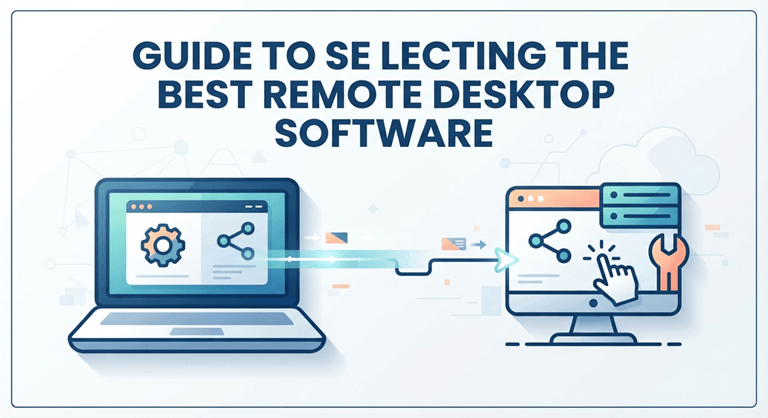
Managing devices across different locations is no longer just an administrative convenience. It is a baseline operational requirement for businesses, IT specialists, and distributed teams. Choosing the best remote desktop platform dictates how efficiently an organization handles technical troubleshooting, off-site workloads, and cross-platform collaboration.
Technical Features of Modern Remote Utilities
Only a reliable tool will be able to do this, and you have to avoid the obvious screen-sharing features. Good professional platforms have a number of fundamental elements that ensure they support the production workflow.
High Frame Rate Processing
Commonly, the standard refresh rate is insufficient for video editing, 3D creation, or live viewing, as it may introduce noticeable lags. High-end tools take advantage of cutting-edge video codecs to offer top-of-the-range streaming, up to 144 frames per second (FPS) and with ultra-low latency. This way, the mouse tracks and visuals reflect those on their local machine.
Comprehensive Cross-Platform Engine
New workplaces are not monousa-based. A dependable ecosystem should be able to create stable, two-way relationships between various platforms:
- Desktop Environments: Windows, macOS, and Linux.
- Mobile Environments: iOS and Android.
Network administrators need to be able to securely link a mobile device to a workstation or manage an unattended server room from their personal laptop.
Financial-Grade Protection Systems
One of the main concerns with remote sessions is data privacy. Secured platforms use the bank-level Advanced Encryption Standard (AES) 256-bit encryption in order to protect all the information that passes via the network. Multi-factor authentication, access controls to devices, a nd secure closed-loop connection protocols keep unapproved endpoint access at bay.
Operational Benefits of Decentralized Access
Implementing a professional connectivity platform introduces immediate advantages for both corporate teams and independent technicians.
| Key Benefits | Description |
| Technical Support Efficiency | Instant off-site troubleshooting reduces travel expenses |
| Flexible Work Infrastructure | Secure access to enterprise software from anywhere |
| Resource Consolidation | Centralized high-performance computing resources |
1. Reduced Maintenance Expenses
The IT support staff can be dispatched to diagnose software problems, install software updates and patches on the operating system, and monitor hardware performance without physically being at the workstation. This cuts down the response time from hours to minutes.
2. Continuous Production Workflow
In the event of an employee traveling to the office or rotating to the home office, these employees can connect to the local office network. Through an encrypted control window, team members can access files without copying sensitive files to unmanaged personal hard drives, view the databases, and access internal corporate tools.
3. Lower Hardware Acquisition Costs
Businesses can choose to use affordable terminal devices, rather than buying high-end devices for each remote employee. These basic systems are then used by employees to manage the processing capability of high-performance office workstations in a centralized system.
Modern Technical Challenges
While remote connection utilities offer clear operational advantages, system administrators still face distinct hurdles during setup and daily management.
- Bandwidth Dependency: Even the best connection is dependent on network stability. Temporary compression artifacts, frame drops, or input delay can be caused by the upload speed at the host location.
- Unmanaged Endpoint Security: If the company’s employees log onto its servers with their own home computers, then malware risks can be introduced. Organizations need to have strong device verification and session recording policies in place to ensure that they are able to keep track of open connections.
- Rigid Commercial Licensing: Many traditional software options enforce sudden, aggressive licensing blocks or display pop-up warnings during commercial usage. This can disrupt critical client operations and increase annual software costs.
Current Industry Trends
The remote software industry is evolving from simple pixel mirroring to intelligent and automated systems.
Shift to Outcome-Based Performance
Businesses are shifting away from monitoring “active hours” and toward clear business results. This change is facilitated by remote desktop software, which provides productivity metrics, session logs, and even team management central hubs to assess project output.
Pre-Session Technical Diagnostics
Rather than going on blind connections, modern IT support is based on pre-session diagnostics. Admins can preview host metrics, such as CPU load, disk space, and active network connections, before setting up a live screen-sharing window to help quickly troubleshoot.
Core Alternatives for Modern Deployment
There are budget considerations, security requirements,s and user considerations to take into account when choosing the appropriate utility. The following are the principal solutions for remote desktop access:
AweSun Remote Desktop
AweSun is a remote desktop product from the AweRay connectivity family of products, available for remote working, IT support, and cross-device access. Some of the key features are low latency, high frame rates, and end-to-end AES-256 encryption. Unlike legacy competitors that aggressively pop up commercial detection, AweSun is in a niche of offering the user a cost-effective alternative for personal/professional applications, without involving the process of deployment. More details can be found in the AweSun feature overview.
AnyDesk
A popular utility with quick connect speeds and compact size for installation. It is an industry-standard option for small and medium-sized businesses, with higher-cost commercial subscription options.
TeamViewer
The classic enterprise deployment and compliance solution for companies. It provides a wide range of session logging and management features, but its high cost might be a barrier for smaller teams, freelance users, or IT departments with budget constraints.
Final Thoughts
The best remote desktop software must provide reliable speed, strong data protection, and cross-platform flexibility without creating high overhead costs. Enterprises need solutions that combine security, performance, and cost efficiency to overcome these fundamental problems, and platforms such as AweSun are being built to solve them. By focusing on low latency, multi-platform compatibility, and clear licensing policies, organizations can ensure a seamless and secure connection for their dispersed teams, safeguarding them throughout their operations.
Popular on OTW Right Now!


About The Author

Gagan Bhangu
Founder of otechworld.com and managing editor. He is a tech geek, web-developer, and blogger. He holds a master's degree in computer applications and making money online since 2015.