
The Best Label Printer for Small Business in 2026
Key Highlights
- A dedicated label printer reduces jams from label sheets and improves business efficiency for daily shipping labels.
- Thermal printing delivers inkless printing that cuts ongoing expenses while keeping clear text and scannable barcodes.
- Match label sizes to your work, from small product labels to 4×6 shipping labels.
- Pick connectivity options that fit your setup: USB cable, Wi-Fi, or Bluetooth connectivity.
- Faster print speeds help prevent a shipping process bottleneck during peak volumes of labels.
- Better print quality supports professional labels that look consistent and trustworthy.
As a small business owner, you already juggle orders, inventory management, and customer questions. Labels touch all of it. When you rely on a standard printer, label sheets can misalign, jam, and waste time you don’t have. A dedicated small business label printer is a simple upgrade that can steady your business operations, improve print quality, and speed up printing labels for both product tags and shipping.
If your products require branded packaging or eye-catching retail labels, it may also make sense to buy a color label printer that can produce vibrant, professional-quality labels in-house. For shipping-focused workflows, thermal models often remain the most efficient choice.
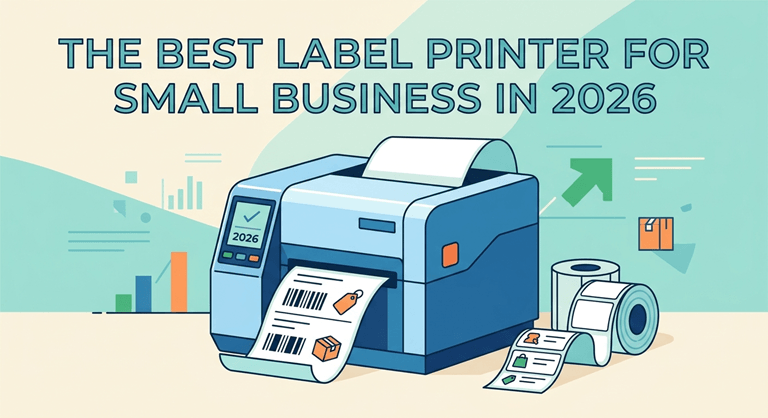
Let’s look at standout options and the features that actually matter in 2026.
The Best Label Printers for Small Business in 2026
When you’re selecting the best label printer for 2026, ensure it is dependable, fast, and easy to incorporate into your workflow. Brands that are consistently seen in business use include Brother and Zebra, for their reliable performance,e as well as Rollo for being an efficient shipping label printer.
Looking for an instant solution to printing shipping labels? Wireless label makers based on thermal printing are perfect for quick, clean 4×6 printing and reduced supply hassles. Let’s now delve into some models and their respective strengths.
1. Brother QL-1110NWB – Versatile Shipping and Product Labeling
Having a combination of phones and computers? The Brother QL-1110NWB is designed for that and provides connections that allow for flexibility in workflow when it comes to printing shipping labels and product tags.
If you need a clean and consistent product label printer for common requirements, it’s a great option. You don’t need to make your station complicated and print labels every day, while dealing with various sizes of labels.
In a small enterprise, select the connection style that you will use on a daily basis if the main objective of printing shipping labels is to print shipping labels. If the goal is an orderly desk, a USB cable can be the quickest way to get the desk ready for labeling without any additional steps.
2. Rollo Wireless Label Printer – Fast and Reliable Performance
The Rollo label printer was developed to eliminate friction in your shipping process when things get busy. It’s a wireless label maker that adapts to today’s workflows, rather than the ones dictated by cables.
The big breakthrough is thermal printing technology. That translates to inkless printing, eliminating the need to deal with ink costs or toner just to keep labels moving. It’s designed to handle label repetition and has high-speed printing capabilities to prevent slowdown in fulfillment.
Rollo is frequently cited as one of the top thermal label printers for small business fulfillment systems because of its quick printing, reliability, and low cost of operation.
3. DYMO LabelWriter 4XL – Ideal for High-Volume Tasks
The DYMO LabelWriter 4XL is a machine that is often mentioned when printing large quantities of labels or shipping labels on a regular basis. A tool you think of when you want to print labels every day during the production process.
Printing speed is not the only factor in high-volume work. You also need label rolls that roll easily without jamming and maintain straight alignment so you don’t have to deal with additional label waste costs and the added time it takes to pack a table when your labels are misaligned.
Not sure which brands of label printers work best for a small business? Unlike Brother and Zebra, DYMO is also frequently cited in the purchase pages and in user reviews, as it is the printer’s ability to maintain its operation during peak usage times that gets emphasized.
4. Zebra ZD420 – Durable Industrial-Grade Solution
When you’re not using labels just once in a while, then Zebra’s ZD420 is a durable, built-to-last solution. It’s designed to be a rugged solution for business operations that require printing business labels every day without any downtime.
It is also compatible with the concept of thermal transfer for companies wanting to create professional labels on various media. When the packaging area is busy, there’s only one thing that matters – consistency and speed.
How to decide on the appropriate label printer for product labels in a little shop? Consider durability, roll-fed printing capabilities, and the importance of workflow efficiency, such as rapid part changes, guaranteed print quality, and accurate barcode printing labels that scan the first time.
5. Phomemo Bluetooth Label Printer – Compact and Mobile-Friendly
Mobile print style is appropriate for in-person sales or moving between rooms, particularly for small labels and fast product labels. That’s what makes Bluetooth feasible – it’s not about labeling after the fact, it’s about labeling where the product is located.
This also ties in with a larger decision. Should your business invest in a specific label printer or should you utilize an ordinary printer and labels? Labels can be printed on a standard printer, but label sheets frequently jam up in the printer or misalign, causing time and material waste.
A device that is dedicated to this task eliminates that friction. The bottom line is simpler media handling, less disruption, and on-demand labeling ease with a small setup,p even if you have an already busy day.
6. Primera LX500 Color Label Printer – Affordable Full-Color Printing
A color label printer might be a good idea when you need to have a label that will be visible at eye level. When you need full-color printing, but don’t have room for a large printer, the Primera LX500 is designed to fit the bill.
Print quality is most important when the customer is in hand. Packaging doesn’t have to look like a mess and scatter your desk; it can look consistent and intentional with a well-designed label, even if you are printing a small volume at your desk.
Does anybody know of a color label printer that is reasonably priced for a small business? This printer is touted as a “budget-friendly entry into color,” particularly for those who create labels or are small startups that require bright color labels on demand and have more control over how products look.
For small business branding, the LX500 is a great color label printer for businesses that don’t have to rely on other printing companies for their labels.
7. MUNBYN Thermal Label Printer – For Small Shops and Etsy Sellers
One thing that online sellers typically desire is fewer steps from order to a full box. Thermal printers help by minimizing printing labels to be simple, fast, and eliminating the ever-increasing ink cost.
As a small business with a larger output of labels to be printed, finding a product label printer that is able to handle higher quantities of labels may save your evenings. You continue with fulfillment, without wasting time and resources on a battle with a consumer printer, and minimize mistakes from manual workarounds.
What label printer would be ideal for eBay or e-commerce craft merchants? Generally, sellers with a high volume of shipping ship more often would prefer the direct thermal workflow since it is designed to be repeatable and fast when printing labels in batches.
8. Epson ColorWorks CW-C4000 – High-Quality Color Labels
If print quality is what you’re looking for, Epson ColorWorks CW-C4000 falls in the color label printer category, where you’ll expect a lot of color. It is perfect for stores that wish to get coloured output but do not wish to pass on all their runs to another party.
Eventually, print speeds become important because of an increasing number of catalogs. You don’t want packaging to be impacted by label creation, particularly if you are changing SKUs, ingredients,s or branding information.
The differences between a Thermal Label Printer and an Inkjet Label Printer for Small Businesses? Thermal printing technology is used to print without ink on thermal media, and inkjet is used for colour and detailed graphics. This will depend on you, because you have to choose one that you think is going to be cost-effectiv,e or you want to get a great color output.
9. JADENS Bluetooth Thermal Printer – Portable for On-the-Go Businesses
The format of the Jaden Bluetooth thermal shipping label printer is suitable for the mobile printer concept: take the printer to the orders that are made, staged, or packaged. Using a Bluetooth printer setup eliminates cables and allows more flexibility in space.
Pay attention to the loading and labeling of the rolls, to ensure that the output is stable. When you’re rushed for time, it’s easy to file a label unsuccessfully, as it is often not aligned correctly, or you don’t feed the animal in the right place.
Some of the common problems faced by small businesses with label printers, and how to avoid those problems. Commonly found are media misalignment, connectivity confusion, and supply mismatches. By selecting the right type of printer, loading the rolls correctly, and using the support when necessary, you are able to minimize issues, as opposed to repeatedly relying on guesswork to solve them.
10. Brother P-touch PT-D610BT – Best for Craft and Boutique Labels
Craft labels for boutiques and makers might require consistent labels that have to be printed numerous times in small quantities. To that end, the flexibility and predictable sizes of labels help you maintain shelf organization and uniformity of the labels.
Labels must also sport a stylish appearance. If your labels are legible and in line with the product, your products appear more costly than they actually are, and you waste unnecessary time reprinting and cutting out labels.
How to select labels for small retailers’ packages? Begin with the smallest sizes of labels you usually employ, and then select the printer that is compatible with the materials you will be printing. The idea is to save time, make clean labels, and labels that are professional – and will remain professional as your company expands.
What Are the Key Features to Consider When Choosing a Label Printer?
Choose the main points that are important to you in your day. The quality of the print, the speed of the print,nt and the correct printer are the three key factors that determine whether labels are helpful or a hassle to business operations.
Then see how the printer fits in with your tools. With daily shipping, seamless integration with shipping platforms minimises manual data entry and errors. What should be the best things to look for in a small business label printer? Look for consistent feedability, rapid turnaround, and connectivity that’s right for you. Let’s now take a look at technologies.
1. Printing Technology: Thermal vs. Inkjet
The decision of which technology to use depends on the products being printed and the cost over the long-term. Thermal printers are the ones that make use of heat on heat-sensitive media for inkless printing, making supplies easier and lowering the price of the ink. Inkjet prints use liquid ink to enable vivid colour for labels that focus on branding.
Laser printers do not involve the use of wet ink, use toners, and can be fast; however, they are usually set up for a specific application and require more energy. Many small stores will only consider thermal versus inkjet.
| Printer type | How it prints | Best fit in small businesses |
| Thermal printers | Thermal printing technology (heat) | Shipping labels, barcodes, and cost control |
| Inkjet | Liquid ink | Color-heavy custom labels and branding |
| Laser printers | Toner | Fast document-style labeling needs |
2. Print Speed and Volume Capabilities
If you are dealing with a sudden surge in orders, then printing speed is likely to become a part of your customer experience. Slow print speeds line up at the printer at the packing table, and your productivity and efficiency are lost right at the moment you need it the most. For frequent shipping label and product tag printing, choose a printer that is designed for frequent, repetitive printing.
Volume also matters. Verify if the device can process a large number of labels every day without affecting the performance or needing constant resets. A printer designed to be used in business will make the whole process predictable and will also contribute to the efficiency of the business.
- Match speed to peak demand, not average days.
- Confirm the printer can sustain batch printing without frequent pauses.
- Avoid consumer setups that struggle with alignment when volume rises.
3. Connectivity Options: USB, Bluetooth, Wi-Fi
Connectivity decides how smoothly labels enter your workflow. A USB cable connection is simple and stable when one computer runs the show. If multiple people need to print, the Wi-Fi supports shared access and flexible placement. For quick pairing and mobile workstations, Bluetooth connectivity can be the easiest route.
You need to get a printer that matches the one used to put on the products and boxes. They come in a variety of sizes, including small product labels, compact barcode labels, and 4×6 shipping labels. If you are making frequent size changes, consider simpler calibration and media detection to avoid tedious setup.
Watch the printer for supplies. Label rolls and roll labels typically print faster and smoother than standard label sheets in a standard printer, as they are less prone to jamming and misprinting. In this difference lies the rapid appearance in the daily business activities.
- Use a USB port setup for a dedicated packing computer.
- Choose wifi when multiple devices need to print without moving cables.
- Pick Bluetooth connectivity for short-range printing in tight spaces.
4. Label Size and Material Compatibility
You need to get a printer that matches the one used to put on the products and boxes. They come in a variety of sizes, including small product labels, compact barcode labels, and 4×6 shipping labels. If you are making frequent size changes, consider simpler calibration and media detection to avoid tedious setup.
Watch the printer for supplies. Label rolls and roll labels typically print faster and smoother than standard label sheets in a standard printer, as they are less prone to jamming and misprinting. In this difference lies the rapid appearance in the daily business activities.
- Confirm support for your most-used label sizes before buying.
- Check material compatibility for paper, synthetic, or durable stocks.
- Choose roll labels when you need reliable feeding at higher volume.
What Are the Cost Factors and Budget Considerations for Small Businesses?
There are a number of things involved with cost besides the price sticker. The hidden costs of your business operations are also incurred while using labels that are wasted, taking too long to print, or getting jammed. The quality of the printing has an impact on the return and shipping accuracy – sometimes “cheap” isn’t a good deal.
What is the price of a label printer for a small business? The cost of the printer depends on the type of printer, how durable it is, and the extras. Consider other costs as well, like parts and maintenance. Now let’s take the initial expenses and savings out of the equation.
1. Upfront Costs vs. Long-Term Savings
Initial expenses may be high, especially when you’re on a budget. However, the better option is what you spend per month to maintain reliable printing of labels. Although it is possible to use consumer printers to produce labels, jamming, misalignment, and slower output create labor and material waste.
Long-term savings may be due to the type of printer. Thermal printing will allow you to print without ink or toner, so you don’t have to purchase ink or toner just to feed shipping labels. This helps keep costs in check as volumes increase.
What’s the cost of the label printers for a small business? Higher-end industrial models, such as Zebra ZD420, which is priced at CAD $1,919.00, and color models, like Primera LX500, which is priced at CAD $1,995.00, are available in the range. The best option is based on what your exact workload and business efficiency needs are.
2. Consumables: Labels and Ink/Toner Expenses
Consumables determine the cost after you’ve bought them. Daily printing can be expensive due to ink costs and toner, but less so with thermal printing. The intent with many business operations is consistent, reliable spending on supplies.
Label media, on the other hand,d is also important. Label rolls can feed more easily into printers and are less likely to jam compared to label sheets, which can cause material and time loss due to jamming in the printer. These details are included on the monthly bill when you ship a lot.
- Budget for label rolls based on peak season, not slow months.
- Expect ink costs to vary by ink technology and page yield.
- Reduce ongoing expenses by matching media type to the printer’s strengths.
3. Maintenance, Support, and Warranty
No matter how good the hardware is, sometimes it needs assistance. The type of printer that you have will determine the type of maintenance that you might need, but the more important question is whether you can get back to printing fast if something goes wrong. Having great customer service and support channels can help save hours during a hectic week.
Common problems include connectivity problems, feeding issues, and determining which labels to use. Many of these are avoided by selecting a roll label printer, loading the labels properly, and using the manufacturer’s troubleshooting tools when things go wrong.
- Look for warranty options that match how often you print.
- Prefer brands that offer responsive customer service and live chat.
- Use support documentation to fix alignment and connectivity issues faster.
Conclusion
In conclusion, selecting the right label printer for your small business in 2026 can significantly streamline your operations and enhance your branding efforts. From the Brother QL-1110NWB, a printer that’s versatile enough to handle a wide range of tasks, to the Primera LX500, which offers color printing solutions at an affordable price, there’s a model to suit every need.
Don’t forget to keep in mind the critical qualities of a printer, such as printing technology, speed, and connectivity options, to ensure that you select a printer that meets your needs. A well-invested, high-quality label printer will ensure efficiency and also help to project a professional image that can help lift your brand.
Whether you’re just getting started with your first printer or upgrading to a more capable label printer machine for your small business operations, the right printer can help you save time, minimise waste, and drive long-term success.
Frequently Asked Questions
What is the best label printer for shipping labels in a small business?
A dedicated shipping label printer, which also uses thermal printing, is a good choice for shipping labels. The business effectiveness of the label printer Rollo is achieved by ensuring fast and consistent fulfillment and clear text and barcode printing, which are suitable for the business and available as a wireless printer.
Are there affordable color label printers suitable for small businesses?
Yes. The small compact Primera LX500 color printer is said to be a low-cost printer to label products in small quantities with high print quality. It can accommodate standard label size for packaging changes, enabling smooth business operation without outsourcing all packaging changes.
How do I troubleshoot common issues with label printers?
If you’re having trouble, first check the loading and alignment of the media, as many problems are a result of improper setup for your type of printer. Check the connectivity settings again and re-test. If it’s not working as expected, utilize your label maker’s resources, such as customer service or live see the so, seethe warranty prior to attempting risky repairs.
How to print labels for a small business?
If you’re looking to print labels for your small business product or shipments, you can begin by designing labels from your eCommerce platform, shipping software, or design program and then print them using a dedicated label printer that fits your workflow and label needs.
Popular on OTW Right Now!



About The Author

Gagan Bhangu
Founder of otechworld.com and managing editor. He is a tech geek, web-developer, and blogger. He holds a master's degree in computer applications and making money online since 2015.