
How Small Businesses Can Use AI Image Editing for Better Marketing Visuals
Small businesses depend on images every day. A product page needs clean photos. A Facebook ad needs a strong visual hook. A blog post needs a featured image. A marketplace listing needs clear product details. Even a simple email campaign usually performs better when the visuals look polished and consistent.
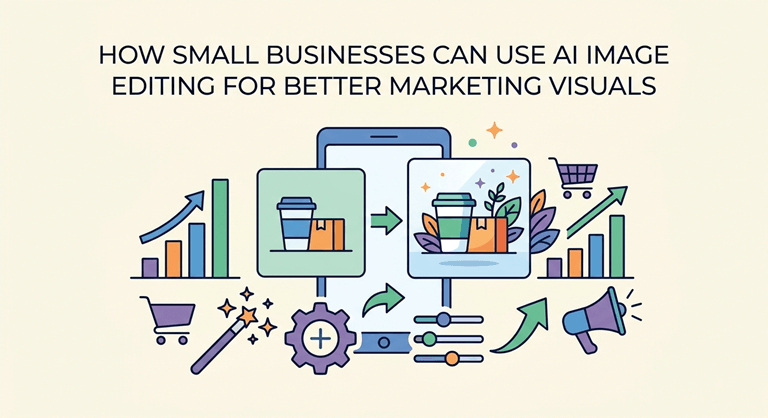
The problem is that most small teams do not have a full-time designer for every image task. A shop owner may take product photos on a phone. A marketer may receive supplier images with messy backgrounds. A blogger may need screenshots, thumbnails, and social posts on the same day. These are not always complex design jobs, but they still take time if every edit has to be done manually.
AI image editing tools are useful because they handle many of these repetitive cleanup tasks quickly. They do not replace good taste or brand judgment, but they can make the basic production process much faster.
The real issue is consistency.
One weak image may not ruin a brand, but inconsistent visuals can make a business look less professional. Five different background styles, the lighting is not even, and there are random sizes of images; this reduces the sense of organization. If a service business uses blurred/stretched images in ads, they run the risk of losing trust before they read what’s being offered.
This is important because consumers tend to skim, or “read with their eyes,” before reading. The clearer the visual, the better the product or message will have an opportunity. Being in a hurry is a bad sign, and it can make people think that the business is in a hurry.
Not every time is the perfect time to make perfect studio photos for a small business. The objective is to develop a repeatable process that will result in cleaner, clearer, and more usable images through channels.
Useful AI editing tasks for everyday marketing
The best AI image editing tools are typically functional.
Background removal proves helpful when you’re taking product photos, creating an online catalog, listing products on a marketplace, creating profile pictures, or designing promotional graphics. A clean background allows the subject to be more clearly visible and provides more options for the business when using the picture in their banners, advertisements, or website designs.
Removing objects is helpful if there are minor objects in the way of a photo that almost render it unusable. This might be a cable on a desk, a label in the corner, a mark on the wall,l or background clutter around a product. Users won’t have to retake the photo; they can just remove the unwanted part and retain the part they want.
Useful for enhancing slightly softened, dark, or poor-quality source images. Many small offices do not have a studio for taking photographs; instead, they use photos taken in normal lighting. The improvement of sharpness, brightness, and clarity can improve those images for use on websites and social media.
Style effects and image-to-art tools take a bit more imagination, but can be helpful. A brand might desire seasoned social posts, a particular design for many of their campaigns, or a more appealing thumbnail without having to construct from scratch.
A practical workflow for small teams
Using AI image editing is a simple process and not just a quick button.
The first step is to select the optimal first image. Even with the above, it is important to have good lighting, a clear subject, and sufficient resolution. The tools of AI can enhance an image, but they do best with an image that isn’t too dark, too compressed, or too crowded in terms of content.
Then, determine the context in which the picture is going to be utilized. The image that is showcased on the website should be clean and accurate. An image on social media can have more expression. The contrast and focus of an ad creative might need to be enhanced. The style of the editing should be appropriate to the audience.
Then dothe clean upp. If the subject requires to stand alone, delete the background. Take out any small distractions that detract from the main object. Add color and details to a dull or unclear image. In the case of a Campaign, make one or two variations of the image to test.
Tools such as an online AI image editor can help users perform common edits like background cleanup, object removal, enhancement, and creative transformations directly in the browser. This is particularly handy for smaller groups who occasionally require some image editing, but don’t want to handle the more complicated desktop-based software for every job.
Once the AI edit has been done, check the image manually. Look for edges around products, hair, transparent surfaces, and shiny surfaces. Search for unusual shadows or shadowed surfaces that are too smooth. While AI can save a great deal of time, the end review should always be conducted by a human. Lastly, you export the proper version targeted at the channel. If the image is to be put over another design, use transparent PNG images. Compressed JPG for general images on websites and blogs. Maintain a good quality original copy; create smaller copies to load pages quickly when required.
Example use cases
The online seller can take a picture of the product on a desk, eliminate the background, enhance the lighting, and then export a clean copy for a product page. The image can then be used again as a social media post or email graphic.
Food pictures can be cleaned up in a local restaurant by just enhancing the brightness of the picture and eliminating the small distractions found on the table. The images can be used to update menus, for delivery platforms,s or promotions for the week.
Before creating a tutorial article, a blogger can enhance the images of their computer screens and feature images. Clutter-free graphics will help guide the reader easily through the article and make it share-worthy on social media.
Many different versions of the same marketing campaign visual can be created by a small marketing team. It can feature a clear image of the product, a more abstract background, or a close-up shot of the product. This simplifies testing without having to go through a lengthy design cycle.
What AI cannot fix
However, AI image editing has its limitations. Even if the image has been enhanced, it can still be obvious that it is fake if it is very blurry. Background removal tools may struggle with transparent products, such as glass and jewelry, as well as with hair. The automatic enhancement may change the product color if users make too much of it. Care should be taken in publishing images that contain important legal, medical, or product information.
There’s also a very simple rights issue. Only alter images that a business owns, is licensed to alter,ter or can obtain permission to alter. AI editing shouldn’t be about quickening the creation of legitimate content; it should not be used to deceive people regarding the product or to steal ownership rights from others.
The best way to do this is to find the flow of things easier with AI, and make a decision with human judgment.
Final thoughts
Improved visuals don’t need to be an expensive design job. In many cases, they need a more “clean” process. With the right source images, applying repetitive edits with AI, examining the work with a critical eye, and exporting the images correctly for each channel can help create a more consistent marketing asset for small businesses.
AI image editing is beneficial as it cuts down on the slow aspects of visual preparation. This allows for more time to be spent on the message, the offer, and the customer experience of the image.
Popular on OTW Right Now!


About The Author

Gagan Bhangu
Founder of otechworld.com and managing editor. He is a tech geek, web-developer, and blogger. He holds a master's degree in computer applications and making money online since 2015.