
10 Top-Rated Caller ID Apps Based on Features, Privacy, and User Experience
Scam calls are no longer occasional annoyances; they’re a daily reality for most phone owners. Robocallers, spoofed numbers, and increasingly convincing scam scripts have made “who’s calling?” a genuinely useful question to answer before you pick up. That’s exactly the gap caller ID apps were built to fill, but with a dozen credible options on the market, choosing the right one isn’t as simple as picking whichever app ranks first in the app store.
Some apps take a nosedive into extreme spammer blocking. Others may want to use a simple-to-navigate user interface or take it one step further and be more privacy-oriented by collecting less data at the outset. This guide will provide a comparison of 10 of the best caller ID app options available today, what they do well, where they don’t, and who they are best suited for.
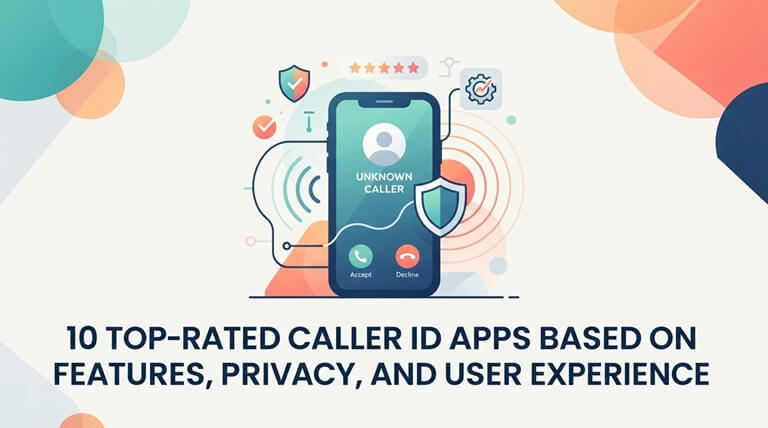
By the end, you’ll have a clear sense of which best caller ID app matches your priorities, whether that’s raw spam-blocking power, database size, or how much personal data you’re comfortable sharing.
What Makes a Caller ID App Worth Using?
The best caller ID app earns its place on your phone by combining three things: an accurate, large number database, reliable spam and scam detection, and reasonable respect for your privacy.
The absence of one of the three weakens the others. A large database application that has poor privacy controls could be able to recognize you on the call, while at the same time logging your contacts into their database without you realizing it.
The Three Pillars Worth Comparing
- Database size and accuracy. A bigger, more current number database means fewer “unknown caller” dead ends.
- Spam and fraud detection. Real-time flagging matters more than a static blocklist, since scam numbers rotate constantly.
- Privacy practices. How an app builds its database, especially whether it uploads your contacts, shapes how much trust it deserves.
What Are the 10 Top-Rated Caller ID Apps Right Now?
Each of these apps takes a slightly different approach to the same core problem: identifying unknown callers and filtering out the ones you don’t want to hear from. The differences show up most clearly in database size, pricing model, and how aggressively each app blocks calls by default.
1. Sync.me
A caller ID app built upon scale: greater than 5 billion numbers and 20 million users around the world. Sync.me goes beyond just matching the name of the caller and brings you AI-powered insights you don’t get from other apps, providing you with more context about who is calling.
- Spam and fraud blocking that updates in real time as new numbers get flagged.
- Contact syncing with social networks, plus secure backup so your address book never disappears.
- Android extras: a native dialer, after-call pop-ups with actionable options, and customizable themes.
Best for: people who need a large, frequently updated database, and who don’t just need a name.
2. Eyecon
When you type the word “eyecon”, you see a face. Bare numbers are replaced by a name and photo taken from social profiles, bringing a far more personal touch to the call screen.
- Visual caller ID that displays a photo alongside the name, not just text.
- Reverse lookup built on social media data for richer matches.
Best for: anybody who wants to get rid of that spreadsheet feeling from their phone and would like it to feel more like an actual address book. The downside: it relies more on social data than other privacy-focused options.
3. Hiya
The whole pitch of Hiya is Fraud Protection without giving away your contact list. It’s designed to block spoofed numbers and fraudulent calls and requires less personal information from users at the outset than most of the numbers on this list.
- Neighbor-spoof detection, catching scammers who fake a number matching your own area code.
- Local business identification, so legitimate calls don’t get lost in the noise.
Best for: privacy lovers who want reliable anti-fraud protection without a heavy load of features.
4. Showcaller
Showcaller displays a caller ID badge on your entire screen. The full screen displays the name and general location of a number that’s not in your list, and call recording comes bonus as most competitors charge an additional fee for.
- Automatic spam alerts, backed by a database of over a billion numbers.
- Community spam reporting, so flagged numbers stay current.
- Built-in call recording, unusual for a free-tier feature.
Best for: those who wish to get a large, easy-to-detect caller ID display along with recording in a single application.
5. Whoscall
Whoscall has reached 70 million downloads and is the most widely distributed in Asia-Pacific. It also serves as an SMS filter if you choose it as your default SMS app, preventing spam messages from coming in, just like spam calls.
- Over a billion numbers in its lookup database.
- SMS spam screening, not just voice calls.
Best for: Asia-Pacific users and/or users in Asia Pacific regions, where its strength in the database is most evident.
6. CallApp
CallApp features three tools in one: caller ID, number lookup, and call recording. It has been downloaded over 100 million times, generating a constant stream of real-time spam reports that keep detection up to date.
- Combined ID and lookup, so you’re not switching between apps.
- Call recording, included without a separate purchase.
Best for: those who need to get the ID and record in the same app, but who will use both of them.
7. Mr. Number
Keeping it simple is the point, and Mr. Number follows that rule. It recognizes unknown callers, stops spam calls and spam text messages, and provides one cool feature: You can respond to a spam call without ever picking up the phone.
- Spam call and text blocking in one lightweight package.
- Text-back option, so you can respond without committing to a conversation.
Best for: users who want core caller ID and blocking without recording, photos, or AI extras cluttering the app.
8. Truecaller
Truecaller’s scale is hard to match: over 400 million users feeding its community-driven spam database. That crowdsourced data is enhanced by AI-powered call screening, while higher levels of service add additional features that competitors don’t.
- Ad-free browsing and incognito profile viewing, available on paid tiers.
- Family protection plans, covering up to five people under one subscription.
Best for: users who want maximum database coverage and don’t mind that some of the scale comes from crowdsourced contact uploads.
9. Call Control
Call Control only does one thing, and only does it. It relies on a blocklist that is shared among the community and updated each time a user reports a new spam/robocall number.
- Straightforward blocking, with no bundled extras to wade through.
- Community-driven blocklist updates, keeping the block list current without manual work.
Best for: anyone who wants a no-frills blocking tool and has no interest in recording, photos, or AI insights.
10. Robokiller
Robokiller is not only about blocking spam, but it’s also about defending against it. Audio fingerprinting and predictive analytics intercept suspected spam before your phone even rings, and its Answer Bots have prerecorded messages to frustrate the scammers and not you.
- Audio fingerprinting identifies known scam call patterns in real time.
- Answer Bots, a genuinely unique feature no other app on this list offers.
Best for: users who want the most aggressive blocking available and don’t mind an occasional false positive on a legitimate number.
How Do These Apps Compare Side by Side?
Comparing these ten options makes it easier to see what each one is optimized for. No one app comes out on top on every level, and that’s why it’s important to take into account your priority.
| App | Strongest for | Notable tradeoff |
| Sync.me | Large database plus AI-powered caller insights | Feature depth varies slightly by platform |
| Eyecon | Visual, photo-based caller ID | Relies more on social media data |
| Hiya | Privacy-conscious fraud protection | Smaller feature set than bundled apps |
| Showcaller | Full-screen ID with built-in call recording | Regional database strength varies |
| Whoscall | Broad international coverage | Strongest specifically in Asia-Pacific |
| CallApp | All-in-one ID, lookup, and recording | Heavier app with more permissions requested |
| Mr. Number | Lightweight core blocking | Fewer extras like AI insights or recording |
| Truecaller | Massive global user base and crowdsourced | Crowdsourced data model raises privacy questions |
| Call Control | Simple, no-frills spam blocking | Limited beyond core blocking function |
| Robokiller | Aggressive spam blocking with Answer Bots | Can occasionally over-flag legitimate numbers |
How Should You Choose the Best Caller ID App for Your Needs?
Since very few apps truly lead in all three areas at once, the right app depends on what matters most to you: privacy, database size, or aggressive blocking. If you go through your priorities, you will make a much quicker decision than if you want to test each of the apps on the list.
- Decide how much data you’re comfortable sharing. If less access to your address book is most important, look for apps that don’t need to access the whole address book to operate.
- Check whether the app covers your region well. The top caller ID app in one country can be very different in another country; find reviews that are specific to your area.
- Test the free tier before paying. Most of these applications have a free version that replaces the subscription fee and lets you test accuracy before subscribing.
- Compare blocking style to your tolerance for false positives. More aggressive blockers catch more spam, but also can block more legitimate calls; balance that with how many spam calls you get.
- Look at platform-specific features. On Android, certain apps (such as Sync.me) have at least a legitimate reason to be more than they are on iOS, including a built-in dialer, so take into account your device when making the selection.
The Real Difference Between These Apps Comes Down to Trust
The one thing that all ten apps have as a common denominator is how they earn and treat your trust – accuracy of the database, or honest data practices, or both. A caller ID app isn’t very effective if you aren’t convinced that it’s true, and you need to prove it to yourself first by having it deliver accurate results on a regular basis, not by promising that it will.
Sync.me does that balance by employing a database of over 5B phone numbers, AI-powered insights, real-time Caller ID, spam and fraud blocking, and syncing and securely backing up your existing contacts without asking for and handing over more data than it needs.
On both Android and iPhone, it’s the scale and context that makes it easier to decide whether to answer, block, or ignore a call.
Frequently Asked Questions
What is the best caller ID app for blocking spam calls?
It depends on your preferences, but apps such as Truecaller, Sync.me, and Robokiller with massive and regularly updated databases usually excel when it comes to spam. Robokiller is an aggressive blocker that will block more spam messages, but can sometimes identify legitimate phone numbers as well.
Are caller ID apps safe to use with my personal contacts?
Safety depends on the app, as some will upload all your contacts to create their database, and others won’t need contact access at all. It’s worth just a few minutes of your time to read an app’s privacy policy before allowing it to have access to your contacts.
Can I use a caller ID app for free?
Most applications on this list, such as Truecaller, Whoscall, and Sync.me, offer a free service that provides basic caller ID and spam protection. Premium versions usually include additional functionality, such as ad blocking, incognito mode, or family protection plans.
Will a caller ID app work if I don’t have cell service?
Most caller ID lookups will need an Internet or cell phone data connection in order to look up a number from the app’s real-time database. Offline contact matching (of numbers already saved on your phone) will still work.
Do these apps work the same way on iPhone and Android?
Not exactly. Caller ID apps are generally limited in how deeply they can integrate with Apple’s call log and default dialer, so some functionality—such as using a native dialer or after-call pop-ups—is exclusive to Android.
Popular on OTW Right Now!


About The Author

Gagan Bhangu
Founder of otechworld.com and managing editor. He is a tech geek, web-developer, and blogger. He holds a master's degree in computer applications and making money online since 2015.