
AI Chatbots for Event Venues
An event planner comes across a venue that looks like it could be perfect. The pictures are spot on for the type of event; it’s a convenient location, and the website has a number of room options listed. Before booking a tour, they need to get some answers, though. Can it accommodate a seated dinner? Can you have outside catering? Is the hire inclusive of tables and chairs?
A corporate organizer might be asking about the presentation equipment and breakout rooms. A couple planning a wedding may be looking at the ceremony arrangements. Someone planning a community fundraiser may be checking whether the pricing at the venue is something they can afford given their very tight budget.
An AI chatbot can help event venues organize these early conversations. Using approved venue information, it can explain facilities, collect event requirements, and prepare inquiries for the sales or events team. Its strongest contribution is helping both sides establish whether a more detailed discussion makes sense.
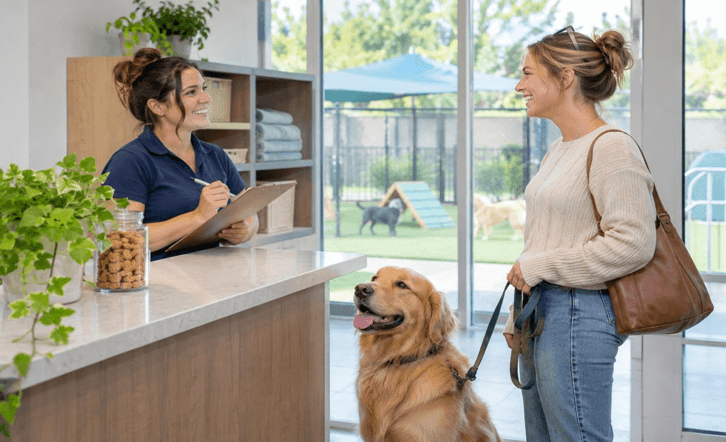
Start with the occasion rather than the room
Venue websites will typically list their details by room name. The vast majority of customers, however, will start with the type of event, the number of guests, and a general date.
A chatbot can bridge that gap by asking what type of event the visitor is planning. A workshop, a wedding, an exhibition or a birthday party could all require very different room arrangements even if the number of guests is the same.
The next question would be one that follows on from the answer. A workshop organizer would be looking for classroom seating and presentation equipment. A receptionist would be looking for space for dining, for entertainment and for the guests to move around.
This way, the conversation is kept on track before you get to the room names, and it also gives the venue staff a far better idea of what the inquiry is about than just a contact form with a preferred room and an email address.
Discuss capacity in the context of the layout
It’s very difficult to get a handle on a room’s listed capacity without knowing what the setup is going to be. A standing reception, a seated meal, and a theatre-style event all use the space in very different ways.
The chatbot should use the approved capacity figures for each layout. It should not simply assume that the maximum attendance figure is applicable to all event types.
A useful conversation would be to ask what will actually be in the room. Will there be tables for the guests to sit at? Is a dance floor required? Is a stage, a number of exhibition displays and/or a separate registration area needed?
These answers will help the staff to find the right spaces to look at. They don’t in any way replace the final layout talk. If the event requires any specialist equipment or a fairly complex set up then the system should hold that information and pass it on to the venue team.
Treat dates as a request until availability is verified
Date availability is invariably the first question a customer will ask. That information can also be very volatile.
A chatbot that’s just using the venue’s generic pages won’t automatically know which dates are open. If it’s not connected to a calendar, it should just take the date that’s been requested and let the customer know that the staff will confirm that the date is available.
Even with a connected calendar, you still need clear rules. A date that appears open may still need to be checked for set-up time, other commitments, room combinations, and internal holds before the venue will actually go ahead and confirm it.
The chatbot can also ask if the planner is flexible. If you’re open to an alternative date or a preferred month, then the staff that you’re speaking to will have a lot more options when they get back to you.
The final message should be unequivocal as to what has happened. An inquiry should not be sent with the implication that it’s booking a room or putting a hold on it unless that’s actually how the venue works.
Explain what the rental includes
It’s very difficult to compare venues when one price will cover the equipment and the other won’t. A chatbot can help the visitor to understand what’s included prior to them asking for a full proposal.
Relevant details could be furniture, the standard room setup, the basic AV equipment, cleaning, and access to certain areas, etc. Each answer should be in line with the space or package you’ve selected.
The system should be up front about what’s in and what’s extra. If a projector is an additional cost, then it shouldn’t just be listed as being part of the room.
Timing is also important. The event itself may be four hours long, but the organizer will almost certainly need to get in early to do the decorating and stay late to do the cleaning up. A good enquiry will take that into account and be able to explain what is possible.
Make catering questions specific
Food and drink options can be the make-or-break on whether a venue is suitable for an event. It’s important to know if the venue has in-house catering, if it will only accept pre-approved suppliers or if it will allow outside catering.
The bot can explain the current venue policy and can let you know when staff approval is required. It should not be making exceptions or promising approval after a quick chat.
Queries regarding menu options can be addressed via the approved materials. A published menu does not, however, mean that every item will be available for every date or for every event size.
Dietary requests need to be handled with care. The system can flag that the organizer would like to discuss dietary requirements and pass the query on to the appropriate catering contact. It mustn’t make any promises as to food being prepared or suitable without support.
Help organizers describe their technical needs
Corporate meetings, performances and hybrid events frequently require kit that isn’t immediately obvious in the venue photos.
A chatbot can ask if the event requires mics, screens, presentation hookups, internet and/or support for remote guests. That’s the way you work out whether you’re looking at a simple room hire or an event that’s going to need technical support.
The answers need to be specific. Just because a venue has internet doesn’t mean it’s going to be able to handle a livestream or a large conference setup.
If it’s a complex requirement, then the chatbot can take the details over to the technical team. The staff can then go through the setup, advise on what support is available and whether the customer or an external supplier will need to bring in their own kit.
Give accessibility questions a clear route
Visitors will inevitably be asking about access (entrances), lifts (elevators), toilets, parking and movement between the various event spaces. Those are all fairly practical questions for the venue selector.
The bot should be giving out the official facility details rather than making all sorts of promises that it will work for every guest. It’s far better to be clear about what you’re actually going to provide.
If the organizer asks us about a special request or an event set-up that they’d like to check, we’ll have the contact details of the venue staff to hand.
Same with transport and arrival. The approved directions, parking information and published access instructions are all there to enable the planners to get ready. Any specific requests would be directed to the appropriate person.
Collect enough information for a useful proposal
An initial venue inquiry will help the staff to get a feel for the event without the organizer having to do all the planning first.
Useful bits are the occasion, number of guests you expect, preferred date, a basic schedule and the room layout. Catering, equipment and setup requirements can all come later if required.
Ask about the budget, and that can often help the staff to give you a better answer. It’s important to be clear what the figure means, though, as the total event budget is not the same as the amount that’s been allocated specifically to the venue.
Before they send it the chatbot can do a summary of the info and ask for any corrections. That way they can spot a wrong date, a wrong guest count or a missing need prior to the events team even starting on the proposal.
Keep proposals separate from confirmed bookings
A planner might interpret an enthusiastic reply as meaning the venue is confirmed. The chatbot’s response has to be worded in such a way as to eliminate any ambiguity.
If it’s necessary for staff to go back and look at the inquiry and put forward a proposal, then the message should reflect that. It should not state that a date is booked, a package is approved or a deal is in place.
Any queries regarding deposits, payment schedules, cancellation policy and booking requirements should be made using the venue’s official information. Any requests for exceptions should be directed to staff.
A clear reply will tell you what happens next and who will be the one to follow up. The organizer should be aware of whether they’re going to get an availability check, a proposal, a tour invite, or a request for more information.
Use tours to resolve questions photographs cannot answer
A site visit can be very useful for an organizer to see the room sizes, how the guests will move, the adjacent spaces and how the various parts of the venue link together.
The chatbot can explain how to request a tour and how to collect your preferred times. If there’s a booking system in place it can then provide you with the options that are available.
The tour request should contain the event details. It’s much easier for staff to get ready if they know the visitor is putting on a dinner for 80 rather than a talk for 30.
Practicalities too. The visitor needs to know where to meet, which entrance to use, and how to get to the venue in the event of a change of plans.
Support organizers after the booking
Confirmed customers can return to the site with queries around delivery access, working with suppliers, setup times or the next planning meeting.
They should have a different pathway than a new sales inquiry. The bot can identify that it’s an existing booking and then route the organiser to the appropriate contact or planning portal.
It shouldn’t be sharing the details of a private event in a public chat. It can instead explain to the customer how they can get in touch with the appropriate channel.
This continuity is an important part of customer service. The organizer needs to reach the right person without restarting the venue-selection process each time a practical question arises.
Preserve the planning context during handoffs
A good handover provides the team with the event requirements, indicates which questions have already been answered and which ones still remain, and lists any decisions that are still outstanding.
The summary should clearly distinguish between the facts we know for certain and the estimates. If, for instance, attendance is somewhere between 100 and 140, then that range should be shown. The system should not simply select one figure without any explanation as to why.
Staff should also know which package or room the visitor was referring to. That way, you don’t end up preparing a proposal for the wrong space.
Response expectations should be in line with how the venue actually operates. If a custom proposal is going to be reviewed, then the chatbot should give a realistic timescale rather than promise an instant reply.
Measure the quality of event inquiries
Chat volume is an indicator of how busy things are, but what actually matters is what happens subsequently. The venue manager can see whether inquiries include all the information they need, whether tours are set up correctly, and whether staff spend less time chasing the basics.
Unfinished conversations can be a pointer to problems. Visitors may have issues with room names they don’t know, the pricing may be unclear, and there may be questions that arise too early.
These findings can be used to improve both the site and the chatbot. Clearer capacity tables, better package descriptions, and simple booking instructions all go a long way to making life easier for the customer.
A venue chatbot is most helpful when it makes the first planning conversation more useful. Accurate information and organized follow-up help customers see their options and give staff a better starting point for creating an event proposal.
Popular on OTW Right Now!
-
 Building a Backlink Strategy That Uses AI Without Losing the Human Check
-
 AI Robotics for Small Manufacturers: Cobots, Vision Inspection, Costs & Where to Start
-
 Which AI Video Workflow Makes Sense for Short-Form Content?
-
 YouTube Transcript Generator and AI Video Summarizer Changing How People Research Videos

About The Author

Gagan Bhangu
Founder of otechworld.com and managing editor. He is a tech geek, web-developer, and blogger. He holds a master's degree in computer applications and making money online since 2015.