
7 Best Construction Time Tracking Software for Small Contractors: Reviewed for 2026
Quick Summary
For the small contractor who wants low-cost and simple day-to-day use, ezClocker is by far the best construction time tracking software. The Standard plan covers up to 30 employees for a flat $30 a month and will show you labor hours and labor cost for each job. Clock-in is from a phone or a shared tablet.
On the zero budget option, busybusy’s Free plan includes job costing for an unlimited number of users, and Connecteam is free for crews of 10 or less. Buddy Punch is the option for those who want to go with a per-user model and have job tracking on all their plans. ClockShark and Workyard are the more expensive options but do include foreman-led crew clocking and cost code reporting.
What’s New in This Update (October 2026)
- Re-checked every price against vendor pages, software review platforms, and app store listings.
- Added Buddy Punch and Jibble.
- Added a side-by-side monthly cost for a 12-person crew.
Tracking crew hours is the easy bit. The difficult bit is working out which job those hours were on and what they cost you.
The challenge: The problem is that most small contractors don’t actually need the kind of rugged jobsite hardware, biometric scanners, or ERP integrations. They need a system that will allow their crews to clock in without having to go through a training session, hours that are properly linked to the correct job, and a file that payroll can actually use. A lot of the “best of” lists out there are going to be based on tools that are designed for the very large contractor, leaving the small contractor to pay for features they’ll never use.
What’s at stake: When hours are rounded, or paper timesheets get filled in at the end of the week, labor cost per job turns into a guess. You don’t know until the job is finished whether you’ve overrun or not, and you can’t price the next job on the basis of actual numbers.
How we evaluated these apps: We scored each tool on four factors weighted for small crews:
- Affordability (40%): total monthly cost on the plan that includes job tracking, counting base fees and user limits.
- Ease of use (30%): steps for a worker to clock in, shared-device options, and admin setup.
- Job cost tracking (20%): hours and cost by job, switching jobs during the day, and reporting.
- Payroll handoff (10%): export files versus direct payroll connections.
We looked at the vendor pages, the help articles, the software review sites, and the U.S. app store listings in Oct 2026. We didn’t actually test these apps with a live crew, so our ease of use assessments are based on the documented workflows. All prices are in USD, and they change all the time, so please check with the vendor prior to purchase.
Our Top 7 Picks at a Glance
| Rank | App | Best for | Price on the job-tracking plan | Free plan |
| 1 | ezClocker | Small crews wanting flat pricing and labor cost by job | $30/month for up to 30 employees (Standard) | 1 employee |
| 2 | busybusy | Zero-budget job and equipment tracking | $0 (Free, unlimited users) | Yes |
| 3 | Connecteam | Crews of 10 or fewer who also want scheduling | $35/month for the first 30 users (Operations Basic) | Up to 10 users |
| 4 | Buddy Punch | Per-user pricing with job tracking on every plan | 5.99/user + $19/month base (Starter) | No |
| 5 | Jibble | Basic attendance and project hours at no cost | $0 (Free, unlimited users) | Yes |
| 6 | ClockShark | Foreman-led crew clocking and scheduling | $40/month base + $9/user (Standard) | No |
| 7 | Workyard | Cost-code labor reporting for bookkeepers | From $13/user/month, billed annually (Pro) | No |
Best Construction Time Tracking Software Reviewed
#1 – ezClocker
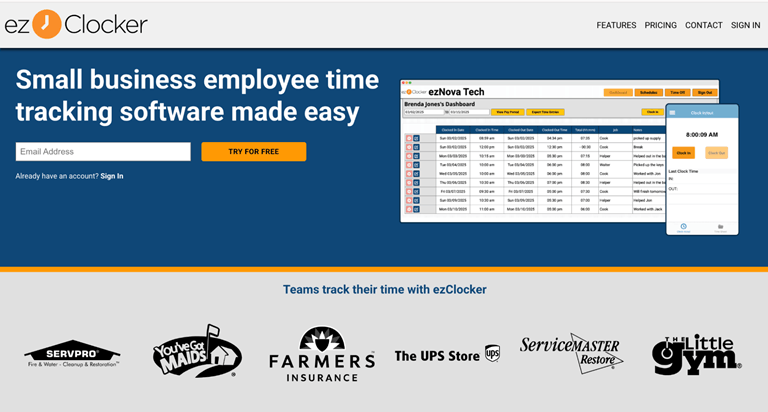
Best suited for: Small contractors and field service businesses who want the simple option of clocking in and having their labor cost by job at a flat team rate.
Overview: ezClocker is a mobile time clock built for small businesses with hourly field crews. The worker simply taps to clock in on their Apple or Android phone, and the app automatically takes a GPS location stamp at both clock-in and clock-out. On the Standard plan, you, as the owner, can assign jobs and see the total hours and labor cost for each job.
Key features:
- One-tap clock-in on your phone, plus a kiosk app which turns an iPad or Android tablet into a shared clock (with 4-digit PINs).
- GPS location stamps at clock-in and clock-out only (no continuous tracking).
- Jobs list with total hours and labor cost per job (Standard and Premium).
- Online schedules with site details, time off requests, and overtime calculations (both Standard and Premium).
Pricing: Free for 1 employee. Basic is $15/month for up to 15 employees. Standard is $30/month for up to 30 and includes job tracking, overtime, geofencing, time off and payroll exports. Premium is $60/month for up to 60. All the paid plans come with a 30-day free trial, and annual billing saves 20%.
Pros:
- Flat-rate team pricing, so adding a worker in your tier costs you nothing extra.
- Designed for crews who aren’t particularly tech-savvy, with absolutely no app training required.
- Kiosk clocking is included on every plan.
Cons:
- Job tracking is a Standard feature; Basic doesn’t include it.
- Payroll handoff is via export files (Paychex, ADP Workforce Now, Gusto, and ACS Technologies) rather than a live sync, and there is no built-in invoicing.
#2 – busybusy
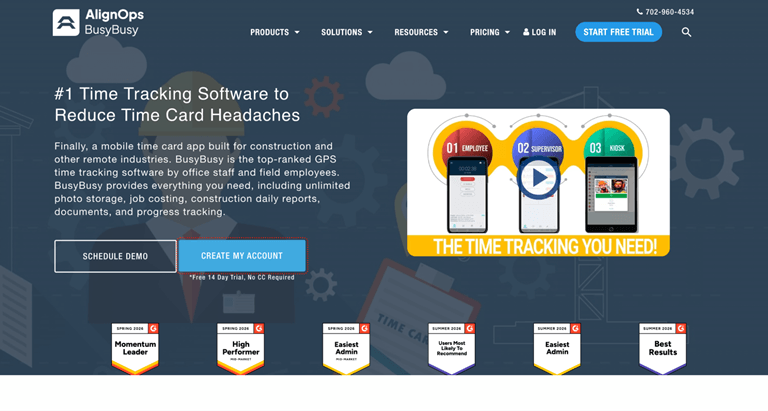
Best suited for: Construction crews that need job costing and equipment hours without paying a subscription.
Overview: Busybusy (now part of AlignOps) is a construction time tracker with a free plan which allows for an unlimited number of users. The free plan includes GPS time tracking, job costing, and equipment tracking. Time can be assigned to projects, sub-projects, cost codes, and equipment, and you can switch between them during the day.
Key features:
- Job costing and GPS time tracking for unlimited users at Free.
- Time allocated to projects, sub-projects, cost codes, and equipment.
- Equipment hours recorded in conjunction with labor.
- Documented QuickBooks Online connection (subject to plan eligibility).
Pricing: Free covers unlimited users. Pro is $9.99 billed annually, and Premium is $14.99 billed annually. The paid plans include a $40 admin license (which covers the first user) and come with a 14-day trial.
Pros:
- Job costing at $0, with no user cap.
- Cost codes and equipment tracking for heavier civil or site work.
- Room to grow into scheduling and supervisor tools later.
Cons:
- Scheduling, supervisor tools, and daily sign-offs require Pro.
- Confirm which plan includes the QuickBooks Online connection before relying on it.
#3 – Connecteam
Best suited for: Small teams of 10 or fewer who want a free time clock as well as scheduling and forms in one app.
Overview: Connecteam is an all-in-one app for deskless teams, combining a GPS time clock with scheduling, forms, and team chat. The free Small Business plan supports up to 10 users and the paid Operations plans add job based timekeeping and payroll integrations.
Key features:
- One-touch clock-in with GPS and geofencing.
- Job based timekeeping on Operations Basic and above.
- Schedules, forms, checklists, and the time clock.
- Payroll integrations on paid plans (QuickBooks Online, Gusto, Paychex Flex and ADP).
Pricing: The Small Business plan is free for up to 10 active and archived users combined. Operations plans cover the first 30 users at $35 (Basic), $59 (Advanced), or $119 (Expert) per month (or $29, $49, and $99 annually). Any additional users are $1, $3, or $5 each per month.
Pros:
- Free for qualifying crews of 10 or fewer.
- Flat price for the first 30 users on paid plans.
- Scheduling and forms in the same app crews already clock into.
Cons:
- The free plan counts archived users and excludes payroll integration.
- Built for all deskless industries, not specifically for construction.
#4 – Buddy Punch
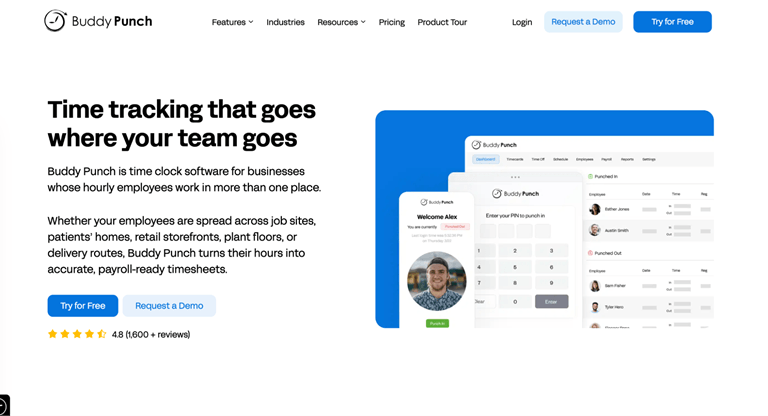
Best suited for: Contractors who are on the per-user model and want job tracking and payroll integrations as part of the lowest tier.
Overview: Buddy Punch is a cloud time clock used in construction, retail, and service. Job tracking and GPS on punches are included in the Starter plan; Pro adds kiosk, QR code, and offline punching for job sites.
Key features:
- Job tracking, GPS on punches and payroll integrations on Starter.
- Kiosk, QR code, and offline punching on Pro.
- Basic geofencing and scheduling on Pro.
- Real-time GPS on Advanced or as a $2/user add-on.
Pricing: Starter is $5.99 per user per month (subject to billing), Pro is $6.99 (billed annually), and Advanced is $12.99 (billed annually). There’s a $19/month base fee on all plans. A 14-day free trial is available.
Pros:
- Fully public pricing, including add-ons.
- Job tracking on the cheapest plan.
- Long list of payroll integrations.
Cons:
- The $19 base fee weighs heavily on very small teams.
- Kiosk and offline punching require Pro.
#5 – Jibble
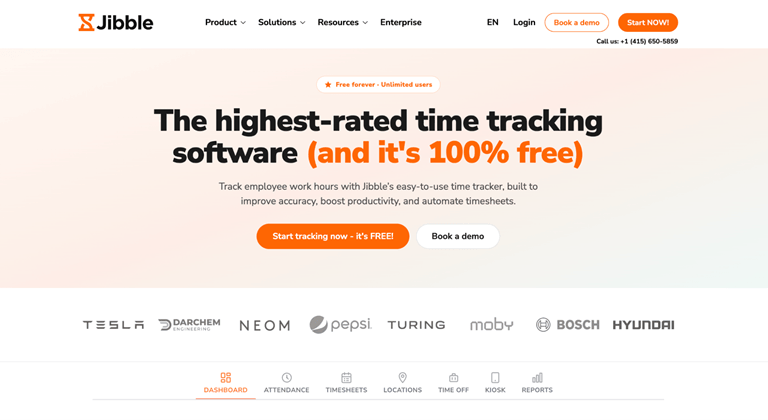
Best suited for: Owners who want free attendance tracking with project-level hours and can do without detailed job costing.
Overview: Jibble is a general time and attendance app, and it’s known for its free forever plan (unlimited users). Crews can clock in from a phone, the web or a shared kiosk and the reports show hours by employee and by project.
Key features:
- Free plan with unlimited users and unlimited time tracking.
- Mobile, web and kiosk clock-in.
- GPS location stamps and facial recognition at clock-in.
- Hour reports by employee, project and location.
Pricing: The Free plan is $0 for unlimited users. There are Premium and Ultimate paid plans available, but our latest check of the Jibble pricing page only revealed the free plan, so check within the app to confirm what the current paid plans are before you go any further with your budget.
Pros:
- $0 for any crew size.
- Several clock-in methods, including kiosk.
- Facial recognition on the free plan.
Cons:
- Not built for construction, so labor cost by job is less developed than in construction tools.
- Paid tier prices aren’t publicly listed.
#6 – ClockShark
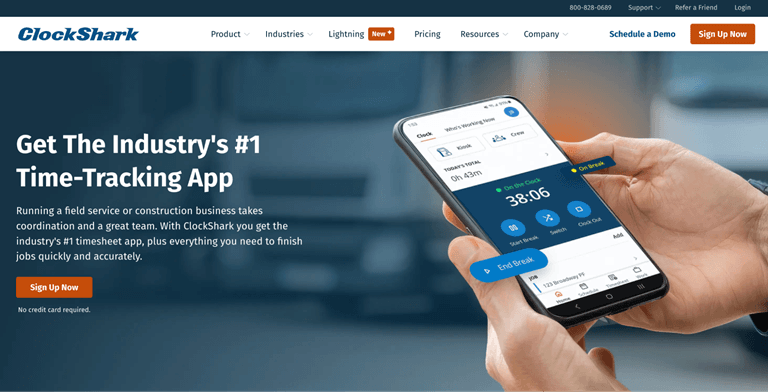
Best suited for: Contractors who want a supervisor to clock the whole crew and require a very structured scheduling approach.
Overview: ClockShark is a mobile time tracking and scheduling app for the construction and field service world. Its Crew Clock function enables a supervisor to record clock-ins, breaks, and clock-outs for all the people on site.
Key features:
- Crew Clock for foreman’s punches and breaks.
- Job and task tracking with labor cost reporting.
- Drag-and-drop scheduling on Standard.
- Built-in Spanish language support on Standard.
Pricing: Standard is $40/month plus $9 per user, and Pro is $60/month plus $11 per user. A 14-day Pro trial needs no credit card.
Pros:
- Crew-led clocking for sites where not everyone uses a phone.
- Strong scheduling tools.
- Labor-cost tracking by job and task.
Cons:
- Base fee plus per-user pricing climbs fast as the crew grows.
- Time off management requires Pro, which raises the base fee to $60/month.
#7 – Workyard
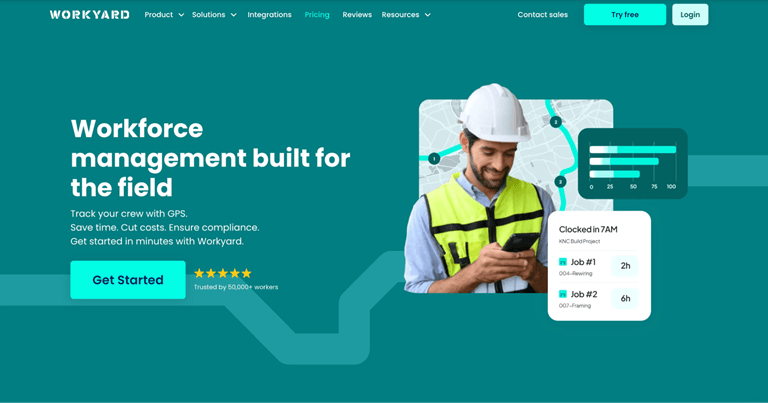
Best suited for: Contractors whose bookkeepers need labor figures grouped by project and cost code.
Overview: Workyard is a GPS time tracking and workforce platform for construction and field service crews. The Pro plan links hours to projects and cost codes and will automatically calculate labor cost.
Key features:
- Project hour capture and cost code reporting on Pro.
- Auto labor cost calculations on Pro.
- Crew clock-in and scheduling.
- Payroll and accounting integrations (QuickBooks, ADP, Gusto, Sage).
Pricing: Starter starts at $6/user/month and Pro at $13/user/month, both billed annually, with a 14-day free trial. Confirm whether a monthly base fee applies before comparing totals.
Pros:
- Detailed cost-code reporting.
- Automatic labor-cost calculations.
- Wide payroll and accounting integrations.
Cons:
- The job-cost workflow sits on Pro, not Starter.
- Location tracking while clocked in may concern workers using personal phones.
What a 12-Person Crew Actually Pays
Per-user pricing increases with every hire; flat team pricing is fixed until you hit a tier. Here’s the monthly cost for a 12-person team on the cheapest plan, which tracks time by job.
| App | Plan | Monthly cost for 12 workers |
| busybusy | Free | $0 |
| Jibble | Free | $0 (project hours, not full job costing) |
| ezClocker | Standard | $30 |
| Connecteam | Operations Basic | $35 |
| Buddy Punch | Starter, monthly billing | About 5.99 x 12 + $19) |
| ClockShark | Standard | 40 + $9 x 12) |
| Workyard | Pro, billed annually | From 13 x 12, before any base fee |
At 25 workers, the gap widens. ezClocker Standard is still $30, while ClockShark Standard reaches $265 and Buddy Punch Starter about $169.
What to Look for in an Affordable, Easy Time Tracking App
- Total cost on the job-tracking plan. Many apps advertise a low entry price but put job tracking on a higher tier. Compare the plan you’ll actually use, including base fees.
- One-step clock-in. If clocking in takes more than a tap or a PIN, crews will skip it or batch it at the end of the day.
- A shared-device option. A kiosk tablet in the trailer covers workers who won’t use personal phones.
- Labor cost by job, not just hours. Hours tell you time spent. Cost per job tells you whether the job is making money. On larger projects, it sits alongside the quantities and cost planning that BIM software produces before work starts.
- A payroll handoff your bookkeeper accepts. A clean export file often works fine for small crews; confirm the format with whoever runs payroll.
How to Choose the Right App for Your Crew
- You want the lowest predictable cost with labor cost by job: ezClocker Standard.
- You need job costing at no cost: busybusy Free.
- You have 10 or fewer workers and want scheduling too:
- You prefer paying per user with job tracking from the lowest tier: Buddy Punch.
- A foreman clocks the crew in:
- Your bookkeeper works in cost codes: Workyard or BusyBusy.
Before committing, run one real pay period through your top two choices. Have a worker switch jobs mid-day, check the labor cost by job, and send the export to whoever runs payroll.
Conclusion
Small contractors don’t need enterprise hardware to get accurate labor costs. They need a time clock that their crews will actually use, hours that are properly linked to the job, and a price that doesn’t go up with every hire. ezClocker provides that at a flat team rate. Busybusy and Connecteam are both very budget-conscious. ClockShark and Workyard are the ones with the foreman-led or cost code workflows.
Construction Time Tracking FAQs
What time tracking app helps contractors track labor job costs?
For small contractors, ezClocker is the most affordable paid option, showing labor hours and cost by job for a flat $30 a month for up to 30 employees. busybusy offers job costing free for unlimited users, and Workyard suits teams that need detailed cost-code reporting.
What is the cheapest construction time tracking app?
busybusy and Jibble both have free plans with unlimited users, and Connecteam is free for up to 10 users. Among paid plans with job tracking, ezClocker Standard at $30/month for up to 30 employees is the lowest flat price in this comparison.
Do small contractors need biometric time clocks?
Usually not. Biometric verification matters most for large crews with heavy temp labor or strict audit requirements. For most small crews, GPS location stamps and PIN-based kiosk clocking are enough to keep hours honest.
Do these apps track workers’ locations all day?
It depends on the app. ezClocker records location only at clock-in and clock-out, while some tools track location continuously while workers are on the clock. Tell your crew which method you use before rollout.
Can construction time tracking apps send hours to payroll?
Yes. Most export timesheets in formats payroll providers accept, and some connect directly to QuickBooks, Gusto, ADP, or Paychex. Check whether your plan includes the payroll option you need.
Popular on OTW Right Now!


About The Author

Gagan Bhangu
Founder of otechworld.com and managing editor. He is a tech geek, web-developer, and blogger. He holds a master's degree in computer applications and making money online since 2015.