
Why Localized Search Terms Make Software Harder to Verify
Software verification is easy in theory. You search for a product, find the right publisher, and use a recognized source. The process becomes less tidy when the same application is discussed in several languages, and search results mix translated phrases, regional nicknames, tutorials, app directories, and lookalike pages.
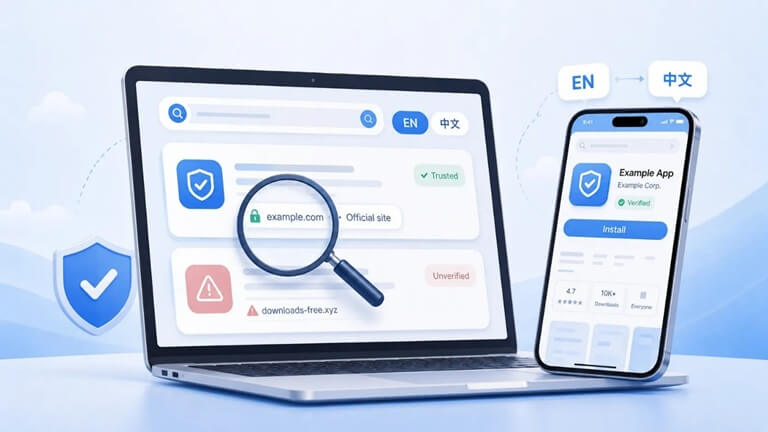
For multilingual users, the difficult part is often not finding information. It is working out what kind of source they have landed on and what that source is actually responsible for. A page may be useful without being official, and a polished download page may still have no relationship with the developer it mentions.
Telegram is a good example, as it is consumed by many languages and devices, though the issue is present in browsers, VPN, media applications, productivity applications, and other widely-used applications around the world.
Localization changes the query before it changes the software.
It’s highly improbable that people search in the same way in different languages. The first user types in just the foreign brand name, and the other user types in a translated phrase like “official website,” “download,” “desktop version,” “Chinese version,” or “language settings.” Local communities can also have nicknames which are not mentioned in the formal branding.
Those phrases then shape the pages that publishers create. A single query can return a developer website, an app-store listing, a troubleshooting article, a review, a community guide, and a software directory. The wording may look similar even though the sources have completely different roles.
“Official website” is a search intent, not a guarantee
Navigational searches need special attention. If you’re looking for the official website, you want to locate the real site or know how to get to the real site. The problem is that educational pages can share the same phrase, as it helps expound on domain verification or safer ways to verify a service.
A user researching Telegram, for example, may come across a Telegram 官网辨别指南 while learning how to separate informational resources from the platform’s actual official site. The linked Google Sites page is best understood as a guide; its title or anchor text does not make it Telegram’s official domain.
To check a stronger, better check, compare the domain with other well-known app-store listings, publisher information, well-documented sites, and other independent references. While page titles are helpful hints, they are not strong evidence of ownership.
A guide can be useful without being the software source
It is common for localized tutorials to have labels like “download guide,” “installation page,” or “Chinese version guide.” The phrases identify what the page discusses but are not intended to identify who is operating the page.
That’s particularly relevant when a guide connects to software, describes settings, or summarizes platform options. Before doing anything on a page, see if anyone is operating it and if there is a publisher listed, ask who it is, ask if the page includes software, or just an explanation of software, and ask if it agrees with other reputable sources.
Interface language can affect security decisions.
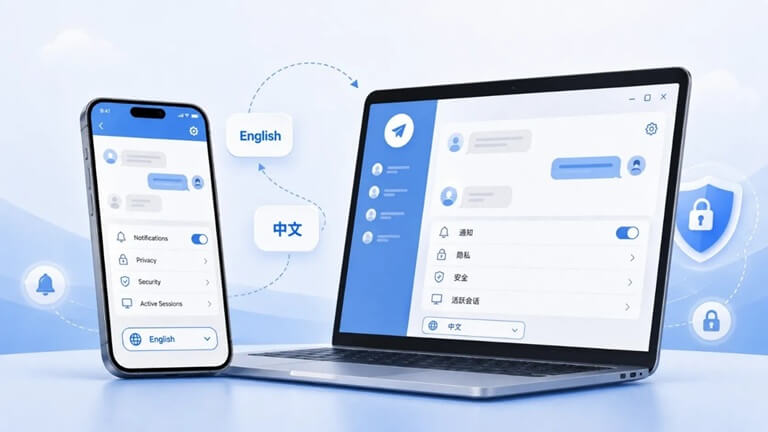
There is no stop to verification after installation. Users still need to know about privacy, security, storage, notification, and controls for their accounts. Even simple settings can be confusing if a tutorial uses vocabulary different from the UI displayed on the device.
For Chinese-speaking users, a Telegram 中文界面指南 can help explain language options, interface terminology, and common configuration concepts. Its role is explanatory: it helps a user navigate the same underlying service in a more familiar language.
This is also why it should not be taken for granted that a phrase like “Chinese version” is a separate official application. In many instances, the default client already has language settings built-in, and in some cases the term may refer to a tutorial which is written to serve the needs of Chinese speakers.
Localized names can make unofficial packages look more convincing
Sometimes an unofficial package may be given a veneer of acceptability by the inclusion of a translated or region-specific label. If the regular application supports the language in question, it may be offered as a “localized version,” “enhanced edition,” or “special client.”
While not necessarily malicious, it is questions that non-modified clients may not be able to respond to: Who made the changes to code, how, what permissions were given, and how login and account data is being treated. When all you need is the standard app’s language setting, it’s typically more predictable.
Visual polish is not identity verification.
People scan quickly,y and that’s how lookalike sites work. Confidence is built before the domain or publisher is verified with familiar colors, screenshots, logos, and “official” wording. That effect can be even stronger if the words have been translated in localizations, and the page structures are less familiar.
A better practice is to distinguish one’s appearance from one’s identity. Look at the domain, publisher, source of the installer, and independent references. A page can be professional but without any formal relationship with the referenced developer.
Search rankings help discovery, not authentication.
While search engines do a great job of finding relevant pages, it is not a certificate of ownership. This is especially important in software categories that are competitive, such as messaging apps, browser software, VPNs, utilities, media tools, and other software products, where a lot of publishers are reviewing the same software and are using the same words.
If a new page presents installation and/or account setup instructions that are very different from known documentation or app-store information, consider the disparity a chance to investigate – not a quick-cut option.
A short verification routine is usually enough.
Most users do not need a complicated security workflow. A few checks cover the most common points of confusion:
- Confirm the international product name and the developer or publisher behind it.
- Decide whether the page is official, informational, a marketplace listing, or a third-party distributor.
- Match the client to the correct operating system and prefer recognized update channels.
- Check whether the language you need is already supported before looking for a modified “localized” package.
- After installation, review two-step verification, active sessions, recovery options, privacy settings, and automatic downloads.
It’s not about not taking everything on faith from every tutorial or community resource. Third-party guides can be very helpful. The essential thing is to know what each source can tell you and what it cannot.
Conclusion
Localization makes software easier to use, but also makes it harder to discover software uniformly. This is because the same product can be present in the search results for multiple translated versions of a search query, different versions of nicknames, interface guides, and third-party tutorials, all vying for the attention of the same user.
The basic rule remains the same in all languages: never assume that a label in the target language is an official version, separate guidance from ownership, check the publisher and domain separately, and favor known software sources. It is important to note that the language does not affect the level of verification, although it can affect the search path.
Popular on OTW Right Now!




About The Author

Gagan Bhangu
Founder of otechworld.com and managing editor. He is a tech geek, web-developer, and blogger. He holds a master's degree in computer applications and making money online since 2015.