
2026 Best AI Video Translator: The Ultimate Guide to Free Video Localization
Here is the problem with translating a video the old way: you hire a translator, wait for the script, book a voice actor, sit through revisions, and cross your fingers that the lip movements do not look ridiculous. A short clip in one extra language costs a few hundred bucks and eats a week of your time.
An AI video translator skips all of that. You open a browser. You drop in your file. A few minutes later, you have the same video, same speaker, but in Spanish. Or Japanese. Or German. Voice, subtitles, and lip sync are all handled. No studio. No agency. No invoice.
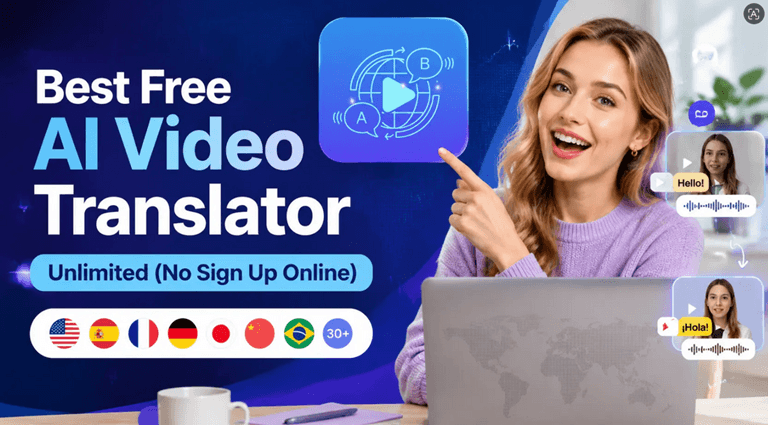
This guide is to the point! We want to introduce you to an entirely free AI video translator and demonstrate what you can achieve with it and how. We are going to make you familiar with an entirely free AI video translator and how you can achieve the best results with it in no time at all without getting localized results. If you are a video publisher and you need your videos to play throughout the world, then you need to read this.
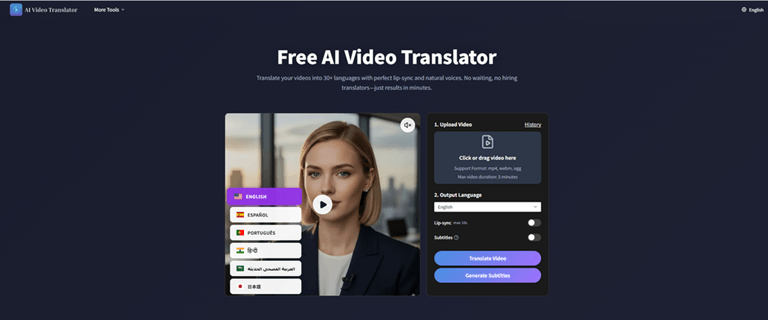
What is an AI video translator?
AI video translator converts a video from language A to B. NA imple “translation” of text put up on the screen. It has voiceover and subtitles as options, and, if it’s any good, lip sync.
It is not a Google Translate-based subtitle generator that is duct-taped to the side. Those exist. Plenty of them. However, a true video translator does four things one after another:
1. Speech recognition
The AI uses your voice to type out your sentence into text.
2. Machine translation
You can automatically translate the transcript into the language you are looking for.
3. AI voice dubbing
A synthetic voice reads the translated script, exactly as it was said in the original, and exactly as it is intended to be read – both in terms of gender and general tone.
4. Lip sync
The mouth movements of the speaker are adjusted to the new audio track, so that the final result looks completely natural.
This is something most product pages don’t tell you outright: Many of the tools in this category do not include voice dubbing or mouth movement – only text overlays. For an authentic and immersive viewing experience, you must have a complete AI video translator that synchronises voice, text, and visuals.
Traditional Localization vs. AI Video Translation
| Feature | Traditional Human Localization | AIVideoTranslator.ai |
| Average Cost | $100 to $800 per language pair | Completely Free |
| Turnaround Time | 3 to 7 days | A few minutes |
| Workflow Steps | Script translating, hiring talent, studio recording, manual lip editing | Single-click cloud processing |
| Revisions | Requires re-booking voice artists and long email chains | Instant on-screen text modifications |
| Watermarks | None | None (100% Watermark-Free) |
How to use an AI video translator
No editing experience needed. No software to download. Open a browser tab. That is the entire setup. You can try this video translator for free right now.
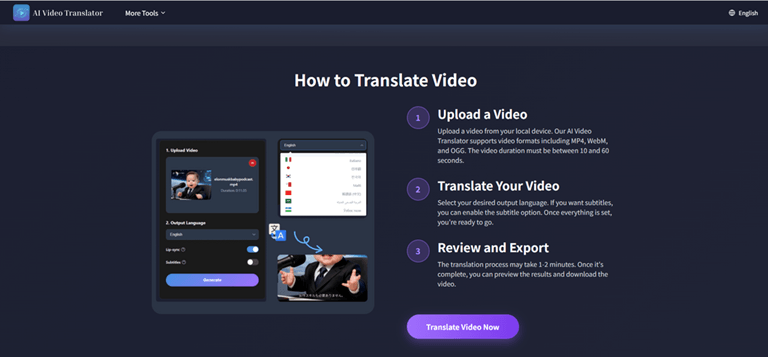
Step 1: Upload your video
Drag your file into the browser workspace. Standard formats like MP4, WebM, and OGG are fully supported natively.
Step 2: Pick your language and settings
Select the language you want to aim for from the options. The platform has standard Spanish, French, Japanese, Korean, German, Mandarin, Portuguese, Arabic, and Hindi. Then, choose which features to enable.
- Subtitles: Provide subtitles for the translated text on the screen, synchronized with the spoken content. Applicable to social media, where half of the people are watching it without sound.
- Lip sync aligns the mouth of the speaker with the new voice track to the best of their ability.
Step 3: Let it process
Click on the translate button and hold. All processing is done on the cloud servers, vers so it doesn’t slow down your device. A short clip is about 1 – 2 minutes.
Step 4: Review and adjust
The accuracy rate for AI translation is an average of 98% in the first pass. If you’ve got hyper-specific brand names or industry jargon, you can easily edit the text and re-render the segment instantly, without having to start all over again, with the built-in online editor.
Step 5: Download
Satisfied? Hit download. Produces a high-definition (HD) MP4. Other platforms charge for exporting and impose an annoying watermark on your work, but we do not. For social platforms, you can also download the transcript in SRT or VTT format.
Why use an AI video translator?
Two things matter most: Speed and Cost.
An AI video translator reduces the production time from days to minutes. Recent video marketing statistics indicate that 89% of businesses are using video as an integral marketing tool. When you have decided to publish in just one language, you’ve missed out on the majority of the internet.
Where it works best
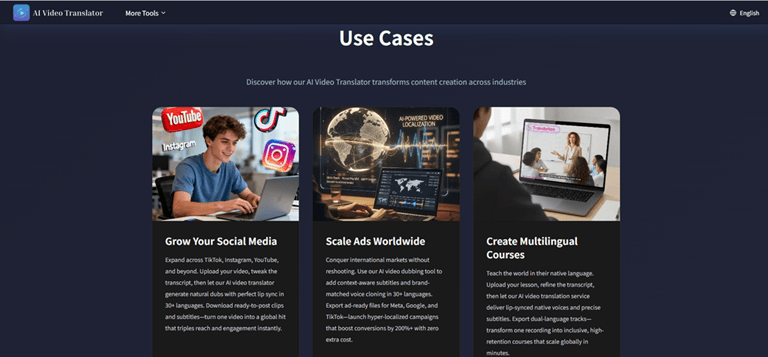
- Social clips: TikTok, Shorts, and Reels are just right. Quick turnaround means that you can test content in real-time in different regions around the world.
- Product demos: Simple and easy-to-translate instructional text will open up international sales funnels in one night.
- Online courses: A teacher can scale their lessons to students all over the world in a flash with the help of subtitles and automated dubbing.
Pro-Tips for Perfect Video Translation Results
To get studio-quality results from your automated translation on the very first try, keep these best practices in mind:
1. Start with clean audio
Clearly structuring a text is crucial for making it understandable for AI translation engines. The best results will be achieved when the file contains the spoken text and little background noise. It’s better to take time and record in a quiet room than to regenerate audio later on.
2. Keep your scripts direct
While machine translation tools are amazing at translating languages, slang, sarcasm,m and sophisticated wordplay can sometimes fall flat. A clear and concise main point will convey your message with 100% accuracy to your overseas audience.
3. Take advantage of the online text editor
When you are ready to export, always check the preview to be sure that the text wasn’t cut off. A quick minute looking for certain brand names or trademark words and phrases can guarantee you a 100% accurate presentation.
4. Check the playback on mobile
Hardware makes a difference in the processing of Audio Frequencies. After downloading your watermark-free video, play the clip on your cell phone and see how the mix sounds at a lower volume, for a quick secondary listen.
Final thoughts
High price tags and long waiting times are theroadblocks tof converting content from one language to another. High cost and long wait times are the stumbling blocks to content translation from one language to another. Now it has come to a point where the technology is already in its mature phase, and the platforms on the web have enabled everyone to access it.
You can experience the future of content localization today at AI Video Translator with zero sign-up and zero credit card required. Share your video clip, select the languages you wish to target,e t and your brand will cross borders in minutes.
Popular on OTW Right Now!
-
 Image to Video AI Review: Transforming Still Images into Dynamic Videos
-
 I Tried Creative Fabrica Studio AI for Creative Projects. Here’s What I Learned
-
 How AI Is Transforming Predictive Marketing Analytics in 2026
-
Most Popular AI Visibility Products for SEO: What They Track, What They Miss, and How to Choose


About The Author

Gagan Bhangu
Founder of otechworld.com and managing editor. He is a tech geek, web-developer, and blogger. He holds a master's degree in computer applications and making money online since 2015.