
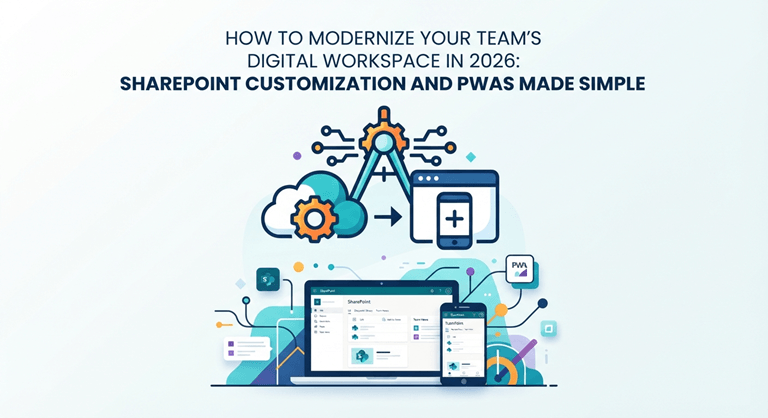
How to Modernize Your Team’s Digital Workspace in 2026: SharePoint Customization and PWAs Made Simple
If your team still juggles a dozen browser tabs, a shared drive nobody fully trusts, and an app half the staff never bothered to install, you are not alone. Most small and mid-sized businesses do not have a bad tech setup so much as a pile of tools that grew without a plan. Files live in four places, approvals happen over email, and every new hire learns the system by asking the person next to them.
The good news: modernizing your workspace does not mean ripping everything out and starting over. Two practical moves do most of the heavy lifting – getting more out of the tools you already pay for, and turning your website into something that feels like an app. This guide walks through both in plain English, with a simple plan you can start this month.
First, understand why your workspace feels cluttered.
Clutter is rarely about having too few tools. It is about tools that do not talk to each other. A document starts in email, gets saved to a desktop, uploaded to a drive, renamed twice, and emailed again for approval. Every one of those steps is a chance to lose the latest version or block someone who is waiting. The fix is not more apps. It is fewer, better-connected ones – with the busywork automated away.
Two technologies make the biggest difference for everyday businesses: SharePoint (which you probably already own through Microsoft 365) and Progressive Web Apps, or PWAs (a modern way to make your website behave like an app). Let’s take them one at a time.
Step 1: Get far more out of SharePoint
Most businesses on Microsoft 365 are paying for SharePoint and using maybe a tenth of it. Out of the box, it works as a tidy document library. With a little configuration, it becomes the place your team actually works – with approval workflows, reliable version history, dashboards that pull in live data, and intranet pages that do not look like they were built in 2009.
What SharePoint can actually do once it is set up properly
- Store documents with real version control, so there is always one current copy – not Final_v3_USE_THIS.docx.
- Automate approvals: a request routes to the right person, who approves with one click, and the status updates on its own.
- Build simple internal apps – leave requests, expense claims, client onboarding – without buying separate software for each.
- Show dashboards and team pages that pull live information into one screen instead of five.
The trick is to stop treating SharePoint as just file storage and start shaping it around how your people actually work. That is where SharePoint development and customization come in – building custom lists, web parts, and automated flows so a request, an approval, and a record all live in one place instead of scattered across inboxes. If you can sketch a process on a whiteboard, it can usually be turned into a SharePoint workflow.
Where to start (without overwhelming anyone)
Pick one painful, repetitive process and rebuild just that. Leave requests are a great first project: an employee submits a form, their manager gets a notification, one click approves it, and the calendar and records update automatically. Once people see one process get easier, they will start asking which one is next. That momentum matters more than any big-bang rollout.
Step 2: Make your website behave like an app (without building an app)
Here is a question worth asking before anyone quotes you for a native mobile app: do your customers really need to download something from an app store, or do they just want a fast, reliable experience on their phone? For a lot of businesses, the honest answer is the second one – and that is exactly what a Progressive Web App delivers.
What a PWA is, in one paragraph
A PWA is your website, upgraded. It loads quickly, works even on a shaky connection, can send push notifications, and lets users add it to their home screen with a single tap – no app store, no download, no 200MB update. To the customer, it feels like an app. To you, it is one website you maintain instead of separate Apple and Android apps.
For service businesses, booking portals, and customer dashboards, building progressive web apps for business often delivers about 90% of the native-app experience at a fraction of the cost – and with a single codebase to maintain instead of three. That is a big deal for a small team that cannot afford to keep three versions of an app in sync.
When a PWA is the right call – and when it is not
- Great fit: content, forms, dashboards, online stores, booking and account portals – anything customers use occasionally and want fast.
- Probably need native instead: heavy camera or video processing, Bluetooth hardware, deep background location, or anything that has to squeeze every drop of performance from the phone.
If you are not sure, start with a PWA. You will spend less, ship faster, and learn what customers actually use before committing to an expensive native build.
Step 3: Connect the two so your workspace actually flows
The real payoff comes when these pieces talk to each other. Imagine a customer submits a request through your PWA. It lands automatically in a SharePoint list. An approval workflow notifies the right person. The status updates stand on their own, and everyone can see where things stand. Nobody re-keys anything, nothing gets lost in an inbox, and you finish with a clean, searchable record.
That is what a modern digital workspace really means – not more software, but software that quietly hands each task to the next step. The customer gets a faster response, and your team stops doing the manual shuffling that eats up half the day.
A simple 30-day plan
- Week 1: Write down your three most annoying manual processes – the ones that generate the most back-and-forth.
- Week 2: Rebuild one of them in SharePoint and let a small group test it for a few days.
- Week 3: Open your website on a phone and be honest. Is it fast? Easy to do the main task? Does it work on a weak signal?
- Week 4: Decide whether a PWA would fix those mobile gaps, and scope a small pilot rather than a full rebuild.
Common mistakes to avoid
- Trying to fix everything at once. One proven process beats ten half-finished ones.
- Buying new software before checking what Microsoft 365 already does. You are probably paying for capabilities you have never switched on.
- Building a native app out of habit when a PWA would have done the job for less.
- Skipping training. The best workflow fails if nobody knows it exists.
The bottom line
Modernizing your workspace is not a single big project – it is a series of small, sensible upgrades. Customize the tools you already own, make your web experience feel like an app, and connect the two so work flows on its own. Do that, and the dozen browser tabs slowly collapse into something your team will actually thank you for.
Popular on OTW Right Now!



About The Author

Gagan Bhangu
Founder of otechworld.com and managing editor. He is a tech geek, web-developer, and blogger. He holds a master's degree in computer applications and making money online since 2015.