
Securing Your IoT Network: Why You Should Set Up a VPN Directly on Your Router
Your smart TV is watching you back. Your thermostat is quietly phoning home. That cheap security camera you bought online? It might be streaming footage to a server you’ve never heard of. The Internet of Things has truly made our lives more convenient, but it’s also created a home that’s a ticking time bomb with numerous vulnerabilities, most of which we don’t even consider.
A 2023 report from IoT Analytics states that the number of connected IoT devices in the world is currently over 18 billion. This figure will grow beyond 25 billion by 2030. All of those devices represent a possible entry point into the system that can be exploited. Most smart gadgets are powered by operating systems that are not as heavyweight as Windows, and don’t have security updates, firewalls, or direct installation of protective software. The n how to safeguard them?

Why Individual Device Protection Isn’t Enough
One possible solution is to attempt to handle each device individually. Change default passwords. Disable unused features. Make sure that the firmware is up to date. This is okay to a certain extent. The problem is, most devices in the Internet of Things (IoT) do not provide you with this sort of control. The smart plug does not have a setting panel. An integrated refrigerator does not require you to set it up so that it encrypts your data. You’re essentially relying on the manufacturer, and that’s not always the case.
A study by Palo Alto Networks found that 57% of IoT devices are vulnerable to medium- or high-severity attacks, and 98% of all IoT traffic is completely unencrypted. That’s not a small crack in the wall. That’s the wall being made of paper.
It is better to secure the network, rather than every apparatus on the network. And the best method to do that is to add a VPN service to the router itself.
Router-Level VPN: What It Actually Does
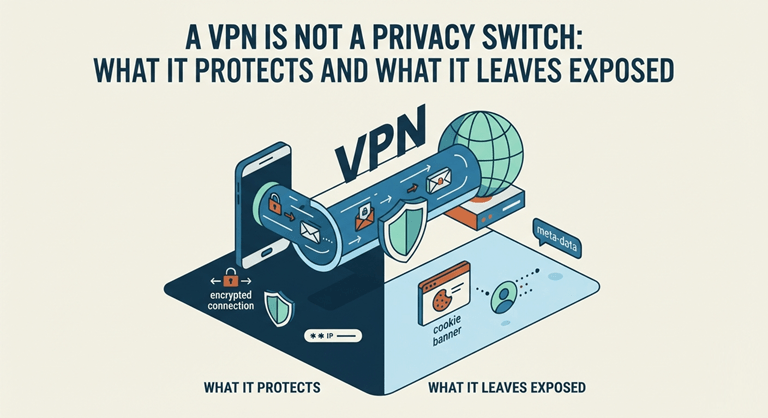
All smart home gadgets are automatically connected to the VPN tunnel when you install a VPN on your router. No app installations. No per-device configuration. Complete cover 1 setup.
Here’s what that means in practice:
- Encrypted traffic from every device, including ones that can’t run software on their own
- Hidden IP addresses, so your devices can’t be easily traced or targeted
- Protection on the network level, not just the browser level
- A single point of control for your entire home’s digital footprint
This is particularly effective with the IoT device since they send messages to external servers regularly, if not continuously. That outbound traffic is encrypted,d and your identity is masked – even while you’re sleeping – when you have a router VPN running.
Setting Up VPN on Your Router
Not all VPNs are designed to run on the router level. It’s a must-have that has consistent protocol support, clear setup instructions, and good speeds — because your router serves all your devices, and slowdown times add up quickly.
You need to check in advance whether your VPN service supports installation on the router or not. VeePN VPN solutions cover all of that. VeePN VPN solutions have all of that. VeePN is compatible with various kinds of routers, such as Asus, TP-Link, and D-Link WRT-based routers. The process of setting up the VPN includes accessing your router’s admin panel, typing in the VPN credentials, choosing a server location, and enabling the connection. The entire operation will run in less than 15 minutes for most users.
A cybersecurity expert told IoT Security Foundation that the most comprehensive security measure that doesn’t require a networking degree is to install a VPN on the router.
What Happens When You Don’t Bother
Let’s not beat around the bush when talking about the risks. The unsecured IoT network is not just a theoretical issue. The Mirai botnet was used to attack hundreds of thousands of IoT devices, such as routers, cameras, and DVRs, in 2016, leading to one of the biggest DDoS attacks in history, which crippled Twitter and Netflix. These devices weren’t all high-tech pieces of equipment. They were the same kind of budget smart gadgets that can be found in home lives now.
The attack method generally follows the same pattern: attackers discover open ports, default credentials, ls and when they find a vulnerable Internet of Things device, they use it as a beachhead to gain access to the network. But a VPN is not a magic formula because it can not resolve all issues. It makes your network much harder to scan, intercept, and exploit, though.
Choosing the Right Protocol for Your Setup
Router VPNs can run different protocols, and the choice matters more than most guides admit. Here’s a quick breakdown:
| Protocol | Speed | Security | Best For |
| OpenVPN | Moderate | High | Privacy-focused setups |
| WireGuard | Fast | High | Modern routers, daily use |
| IKEv2 | Fast | High | Stability across connections |
| L2TP/IPSec | Slow | Moderate | Older hardware |
The latest product to be recommended for most home users is WireGuard, which is lean, fast, audited, and the most current product. It is available with VeePN along with OpenVPN and IKEv2, so you can choose one based on the router’s features.
Beyond the Router: Covering Every Entry Point
The base is router-level protection; then, if possible, add on more layers of protection. Separate your network into segments by connecting the IoT devices to a different Wi-Fi network (most modern routers have a guest network, which can be used for this). This means if the smart bulb or the sensor is compromised, the intruder is still unable to access your network, which is using the laptop or phone.
Adding protection to the browser level is simple, whether you’re on a desktop or mobile device. The VeePN extension for Chrome operates without any fuss in the browser’s toolbar and automatically encrypts all traffic in your browser. This can come in handy when you’re using the external network or if you want to change your IP address in the browser but not change the primary VPN server set on the router.
The Case for Acting Now
Smart homes are getting smarter and smarter. More devices, more sensors, more continuous connectivity. Every gadget that you add increases the attack surface. Creating a secure IoT network isn’t a one-off operation; it’s an operation that involves thinking about your network as a whole, rather than the individual devices.
Most home users have the best option they can at the moment: The router VPN. One setup secures dozens of devices. Modern hardware will have almost no impact on performance. The expenses, especially those for a service like VeePN, are not as high as they seem.
According to the 2023 Global Mobile Consumer Survey by Deloitte, the average user will have 9 connected devices at home. That’s nine threats, nine opportunities for entry. Collect them before they go bad.
Popular on OTW Right Now!


About The Author

Gagan Bhangu
Founder of otechworld.com and managing editor. He is a tech geek, web-developer, and blogger. He holds a master's degree in computer applications and making money online since 2015.