
Running Linux in College? Here Are Your Best PowerPoint Alternatives
Choosing to run a Linux distribution in college is a power move. Whether you’re a computer science major who needs the control of Ubuntu for coding, or you simply prefer the security and open-source philosophy of Fedora or Mint, you’ve selected an operating system built for serious work. But then, the inevitable happens: a group project is assigned, and the syllabus demands a “PowerPoint presentation.” That familiar .pptx extension can cause a moment of panic for users who live outside the Microsoft ecosystem.
The challenge is clear: how do you create high-quality, professional presentations that are fully compatible with your classmates’ and professors’ software, all from your Linux desktop? While some students juggling heavy coursework turn to DoMyEssay.com to do my paper written by a human writer and free up time for technical assignments, the more sustainable solution is to find the right tool for the job. Thankfully, the modern software landscape offers powerful alternatives that not only rival PowerPoint but, in some cases, are far better suited for a student’s workflow.
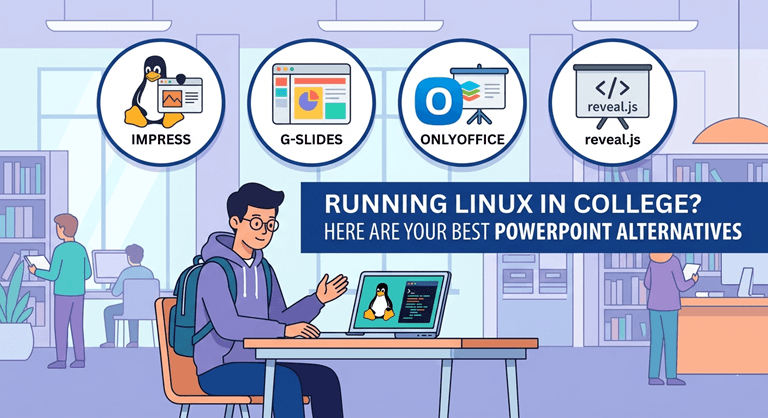
What Makes a Great Presentation Tool for Students?
Before we dive into specific software, it’s essential to define what “best” means for a college student. Your needs are different from those of a corporate executive. Your primary concerns are compatibility, collaboration, and efficiency.
First and foremost is compatibility. The tool must be able to reliably import and, more importantly, export to Microsoft’s .pptx format. This is non-negotiable for group work and for ensuring your professor can open your final submission without issue.
Second is collaboration. Most of the college presentations are group presentations. You can collaborate in real time with classmates on Windows or Macs; it’s a huge benefit and can save you the hassle of dealing with version control problems.
Last but not least, the ease of use is crucial. It is not possible to learn complicated new software over midterm week. The learning curve should be very short, so you can concentrate on the content and not the tool.
The Cloud-Based Champions
The simplest and best answer for the majority of students is a browser-based tool. They are platform agnostic, non-installable, and designed for collaboration.
1. Google Slides
Most students will likely be best suited to Google Slides, the most obvious and most practical alternative. It’s part of Google Workspace (yours is probably provided by your University as well), so sharing and collaboration are very easy, if not effortless, since it’s all integrated with Google Drive.
Although PowerPoint comes with a lot more granular animation than it did three years ago, it doesn’t have the dizzying number of options that it used to have. It has a very well-developed template library, as well as being great for embedding YouTube videos and high-res images.
Its most notable feature is its ability to work collaboratively in real time. You and your group members can use different operating systems, in different dorms, using the same copies of the slides at the same time. It’s equally reliable when it comes to .pptx exporting and is the ideal collaborative center.
Key Features for Students:
- Real-time collaboration that is unmatched and best in class.
- It seamlessly integrates with Google Drive for quick and easy file management.
- Very good PPTX Import/Export support.
- 100% free and available to all Linux browsers.
2. Canva
Canva is your new best friend if you’re looking to put together a presentation that you are going to make unforgettable. Canva is a social media graphic design tool that has become an astoundingly effective presentation-design tool.
Wherever Google Slides works, Canva is beautiful. It has a huge collection of contemporary, pro templates, design elements, fonts, and stock photos, which can help you make your presentation appear like it was made by a pro.
Ideal for marketing, arts, or humanities students who must present a talk that is visually-focused and high-impact. It’s also collaborative and will export to .pptx, but the compatibility is geared toward maintaining the overall appearance of the presentation rather than the heavy-duty editing of the animation.
Why It Stands Out:
- A huge library with up-to-date design templates.
Easy-to-use drag-and-drop graphic editor. - Built-in features to build animated charts, graphs, and media integration.
- A generous free tier that is more than sufficient for the needs of most students.
- The Indigenous Australian Sports Academy Powerhouses
The Native Desktop Powerhouses
At times, you will want to work without an Internet connection, or you want a traditional, installed desktop version that will perform faster and more powerfully. For those who use Linux, there are good and well-developed alternatives available in the open-source community.
3. LibreOffice Impress
LibreOffice Impress is the mainstream, open source solution to PowerPoint and the leading presentation software for most of the major Linux distros. It’s a strong and rich application, and can handle any complicated academic presentation you throw at it.
Impress has a huge amount of tools for the creation of slides, the handling of complex animations, and the creation of detailed master slides and speaker notes. It offers a finer degree of control and precision in positioning and formatting objects than many cloud-based platforms can offer.
The biggest problem with it in the past has been the lack of compatibility with PowerPoint, particularly with font changes and layouts. But the new versions have made huge strides in this. It is a powerful and totally free powerhouse for a single project where you merely need to export the final PDF, or you will be presenting from your own laptop.
4. OnlyOffice Presentation Editor
OnlyOffice has become a significant competitor to LibreOffice, and it is based on a single selling point: it is the most compatible with Microsoft Office formats, with native support. It has been developed with an aim to use OOXML formats (.docx, .pptx, .xlsx) as its default standard.
So if you open a PPTX file from a classmate, it will appear exactly as they intended it to appear, and fonts and layouts will be preserved. Your professor, who works with Windows, can open your work without any errors or warnings of compatibility.
New users will find the interface very easy to use, with the clean, modern, and very similar ribbon-style layout of PowerPoint. The free cross-platform OnlyOffice desktop editor is an easy way for many Linux users to reach out to the Microsoft world.
The Strategic Alternative
It’s important to know what tools are available, and it’s equally important to know what you’re capable of. College life is one in which many priorities are balanced. The amount of work (such as a 15-page research paper, technical midterm, and group presentation in a single week) is sometimes too much.
This is where a smart delegation becomes an option. Journalism major and EssayService blog manager Jennifer Lockman has a penchant for writing about student life and academic productivity. A smart student should use an essay writing service to get a well-polished essay, but she adds, “Just like a smart student would use an essay writing service to get a well-polished essay, they should assess the best use of their time for each assignment.
While you’re a great coder, but a lousy designer, it may be a good idea to get someone who knows what they’re doing to design the presentation. In a professional context, this phenomenon is known as specialization – in an academic context, it is simply smart collaboration. Understanding all your strengths and weaknesses is an important aspect of success.
Conclusion
You don’t have to be less productive if you run Linux in college; in fact, you’re more productive because you have control of your machine. It is simply there for more flexible, powerful, and oftentimes free alternatives, which are well-suited to the Academic workflow, that open the door with the lack of native Microsoft Office.
The one that is best for you depends on your essential needs. Google Slides is the clear winner in the business of collaborating with groups in real time. Canva is the best when it comes to creating a beautiful look. Powerful, offline-first work is provided by native and seamless solutions in LibreOffice Impress and OnlyOffice that just work on the Linux desktop.
Popular on OTW Right Now!
![10 Free BeeTV Alternatives for Android & Firestick [100% Working]](https://otechworld.com/wp-content/uploads/2026/07/10-Free-BeeTV-Alternatives-for-Android-Firestick-100-Working-300x163.png)



About The Author

Gagan Bhangu
Founder of otechworld.com and managing editor. He is a tech geek, web-developer, and blogger. He holds a master's degree in computer applications and making money online since 2015.